
- Several basic features are available for free

AI Ease
0
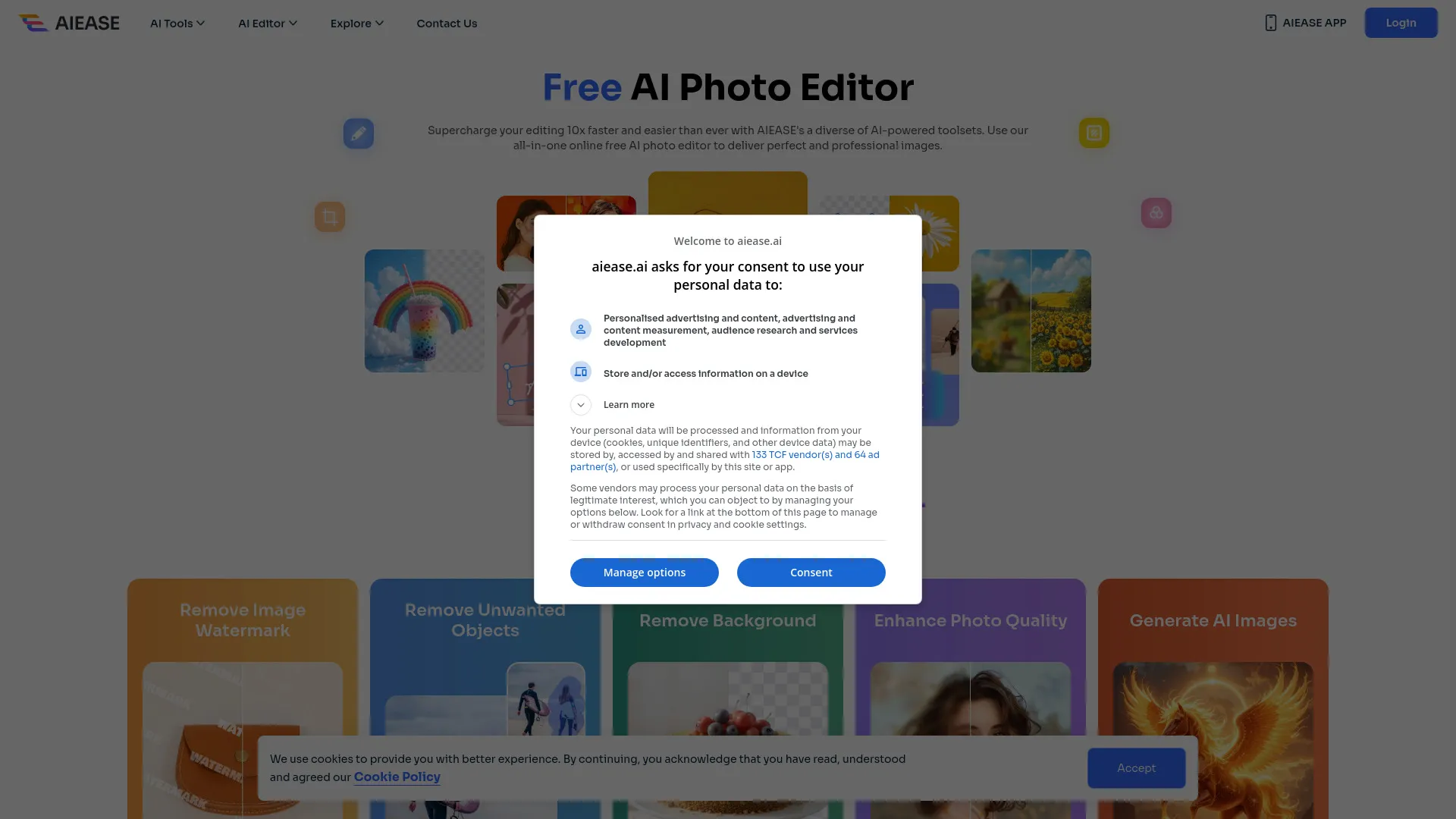
AI Ease lets creators generate videos from text prompts or uploaded images, create images from ideas, and edit existing photos in one browser-based studio. Its tools include video effects, photo enhancement, object and watermark removal, background changes, restoration, image extension, recoloring, face swaps, hairstyle and clothing changes, and headshot generation. Users can choose from listed image and video models, then download creations.
Promote this Tool
Update this Tool
AI Ease lets creators generate videos from text prompts or uploaded images, create images from ideas, and edit existing photos in one browser-based studio. Its tools include video effects, photo enhancement, object and watermark removal, background changes, restoration, image extension, recoloring, face swaps, hairstyle and clothing changes, and headshot generation. Users can choose from listed image and video models, then download creations.
Ads
What is AI Ease?
AI Ease combines image and video generation with a collection of photo and video editing tools. Users can turn text prompts into videos, animate still images, and generate images from written ideas. For existing images, tools support object and watermark removal, background removal or replacement, photo enhancement and restoration, image extension, recoloring, and AI-based replacement. Portrait features include face swapping, hairstyle and clothing changes, headshot creation, filters, and passport photos. Video options include effects, enhancement, and watermark removal. The platform lists multiple image and video models for creation workflows. It is browser-based, offers daily free credits, and provides free AI image generations, editing, and image downloads. Signing in is offered through Google, Apple, or email.
Who will use AI Ease?
- Content creators making social videos and visual assets
- Designers and illustrators creating or editing images
- Social media managers preparing campaign content
- Small businesses producing promotional visuals
- Individuals editing portraits and personal photos
- Users restoring or enhancing older photos
How to use the AI Ease?
- Step1: Open AI Ease in a browser and sign up or log in with Google, Apple, or email.
- Step2: Choose a tool, such as text-to-video, image-to-video, text-to-image, or a photo editing feature.
- Step3: Enter a text prompt or upload an image, depending on the selected tool.
- Step4: Generate or apply the edit, then review the resulting image or video.
- Step5: Download the finished image or video when the tool provides the result.
Platform
- Web
- Android
- iOS
AI Ease's Core Features & Benefits
The Core Features
- Generate videos from text prompts or images
- Generate images from text prompts
- Edit images with object removal, background changes, restoration, extension, and recoloring
- Apply video effects, enhancement, and watermark removal
- Use portrait tools for face swaps, hairstyle and clothing changes, and headshots
- Choose from listed AI image and video models
The Benefits
- Create images and videos without specialist editing skills
- Handle generation and common image edits in one browser-based service
- Use daily free credits for image generations and editing
- Download generated images for use in other projects
AI Ease's Main Use Cases & Applications
- Creating short videos from written ideas or still images
- Producing illustrations and other visuals from text prompts
- Preparing social media and marketing images
- Removing unwanted objects or backgrounds from photos
- Restoring old photos and enhancing image quality
- Testing portrait edits, hairstyles, clothing, and headshots
AI Ease's Pros & Cons
The Pros
Offers text-to-video, image-to-video, and text-to-image workflows
Includes a wide range of image editing and portrait tools
Provides daily free credits, free image generations, and image downloads
Allows users to select from multiple listed image and video models
The Cons
Free use is credit-based, so generations and edits are subject to available credits
Using the creation tools requires signing up or logging in
AI Ease's Pricing
| Has free plan | YES |
|---|---|
| Free trial details | |
| Pricing model | freemium |
| Is credit card required | No |
| Has lifetime plan | No |
| Billing frequency | monthly/yearly |
Details of Pricing Plan
Free
0 USDDiscount:Save 50% on AIEASE yearly membership plans.
For the latest prices, please visit: https://www.aiease.ai/app/pricingFAQs of AI Ease
AI Ease Company Information
- Website:
- Company Name: CHENGDU Yile Tech Co., Ltd.
- Support Email:
- Facebook:
- X(Twitter):
- YouTube:
- Instagram:
- Tiktok:
- LinkedIn:
Analytic of AI Ease
Visit Over Time
Monthly Visits
638.6K
Avg Visit Duration
00:01:19
Page Per Visit
2.23
Bounce Rate
46.77%
Jul 2026 - Sep 2026 All Traffic
Geography
Top 5 Regions

Bangladesh
24.9%
United States
12.8%
Russia
7.86%
Germany
5.01%
India
4.89%
Jul 2026 - Sep 2026 Worldwide Desktop Only
Traffic Sources
Direct
61.08%
SearchOrganic
27.10%
Referrals
4.43%
SocialOrganic
3.80%
Mail
1.71%
GenAi
1.17%
Affiliate
0.40%
DisplayAds
0.23%
SearchPaid
0.08%
Sep 2026 Desktop Only
Top Keywords
| Keyword | Traffic | Cost Per Click |
|---|---|---|
| watermark remover | 379.0k | $0.35 |
| aiease | 3.5k | $1.09 |
| aiease ai | 1.4k | $0.32 |
| ai ease | 1.1k | $0.23 |
| aiease restaurar foto antiga | 490 | — |
AI Ease Reviews
5/5
Comments (1)

Wesley Henrique
June 13 2025
Sim muito bom
AI Ease's Main Competitors and alternatives?
You may also like:
Edit photos by describing changes in text, including background replacement, object removal, lighting adjustments, and style changes.
Create images or edit uploaded photos with one sentence, including readable text, multi-image blending, and 4K output.
Create and revise product visuals, posters, illustrations, and explanations from text prompts and reference images.
Create high-definition images from text prompts, then refine photos with background removal, upscaling, expansion, and object erasing tools.
Edit photos with prompts, remove objects, expand canvases, enhance resolution, and combine references in an online workspace.
Generate detailed images, edit existing photos, and maintain recognizable products or characters across multiple visual scenes.
100% free AI photo editor for editing images with simple prompts. No sign-up required.
Create images from text in any language, enhance prompts automatically, and edit photos with simple AI instructions.
Create and refine images from text, references, or sketches with targeted edits, custom sizes, and outputs up to 4K.
Create images from text or edit uploaded photos by replacing backgrounds, objects, lighting, styles, and visible wording.
Generate and edit 4K images from prompts or uploads, with background removal, restoration, try-on, and 14 aspect ratios.
Turn floor plans, sketches, photos, and product images into editable concepts, photorealistic renders, material variations, and client-ready design reports.
Edit, restyle, and enhance uploaded photos with text prompts, including background replacement and object removal, directly in your browser.
Create professional ecommerce product images, ads, and listing visuals with AI—no photoshoots or design skills required.
MODCAR.ai previews realistic car modifications on your own vehicle photos in seconds, directly in the browser.
Free AI image generator and editor for creating high-quality visuals from text and reference images.
AI image generator with style control, reference-based editing, and high-resolution output for creative visuals.
Vidmud AI Photo Enhancer is a free, 1-click tool to unblur and upscale photos to HD with no sign-up and total privacy.