

aidocmaker.com
0
AI Doc Maker turns prompts and attached files into structured documents, reports, PDFs, Word files, and spreadsheets. Describe the document you need, choose a template or format, and generate a draft with headings, tables, charts, and layout applied. You can chat with the AI to refine or rewrite content, and its workspace can organize and update files as it works. Spreadsheet outputs can include formulas and charts, with export options for Excel or Google Sheets.
Promote this Tool
Update this Tool
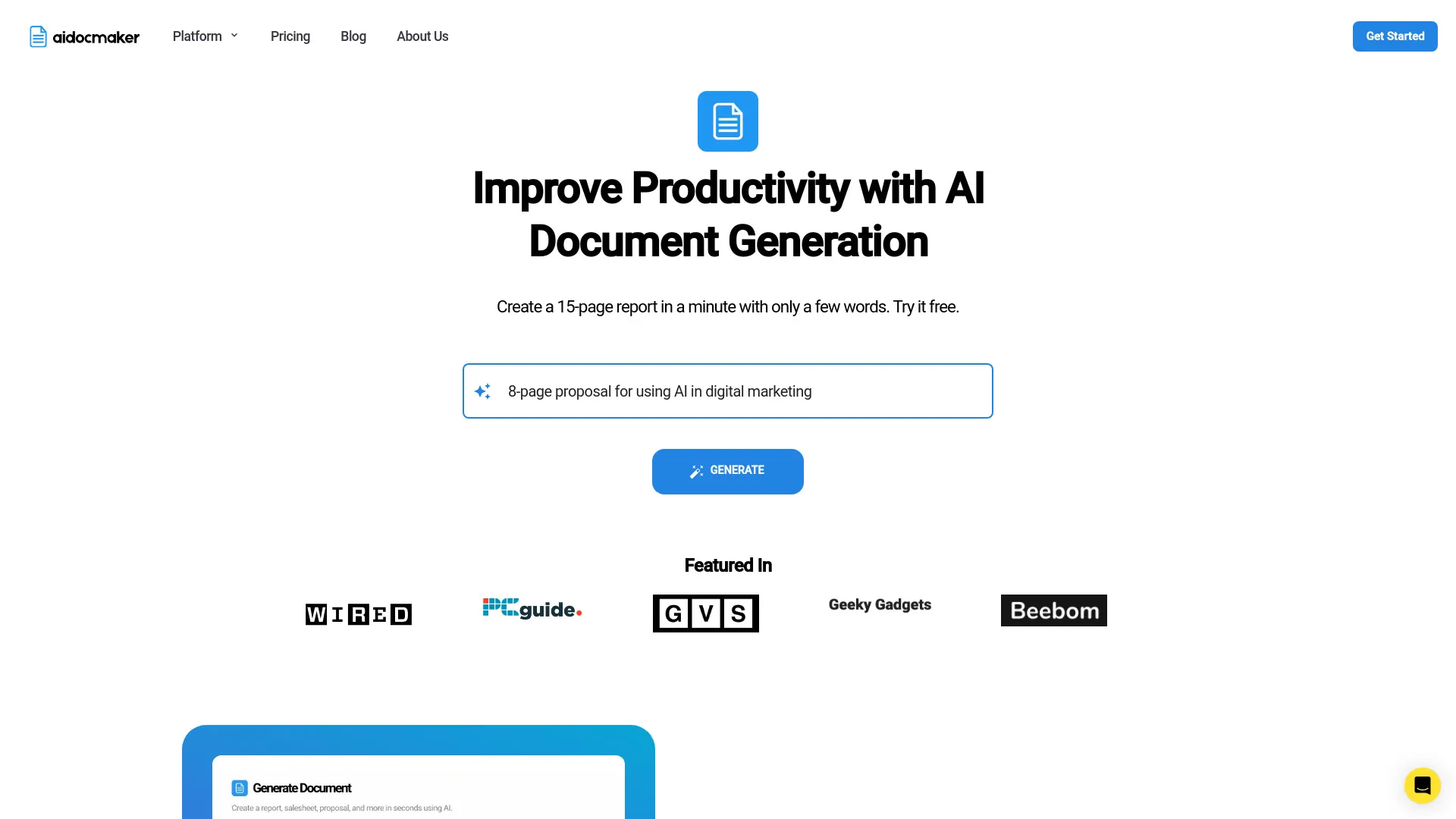
AI Doc Maker turns prompts and attached files into structured documents, reports, PDFs, Word files, and spreadsheets. Describe the document you need, choose a template or format, and generate a draft with headings, tables, charts, and layout applied. You can chat with the AI to refine or rewrite content, and its workspace can organize and update files as it works. Spreadsheet outputs can include formulas and charts, with export options for Excel or Google Sheets.
Ads
What is aidocmaker.com?
AI Doc Maker generates and formats documents from prompts, templates, and attached source files. It can create reports, proposals, contracts, research papers, and other business or academic materials, then apply headings, sections, tables, page breaks, and layout for a ready-to-use result. Users can chat with the AI to draft, edit, or rewrite content, and customize templates, tone, style, and structure. PDF tools support creating, converting, and extracting content from files. The spreadsheet maker builds data tables, formulas, charts, and visualizations, with export to Excel or Google Sheets. Document outputs include PDF, Word, Excel, and HTML formats. The service also describes an AI-managed workspace that organizes and refines files, and supports document generation in multiple languages. AI-generated content may contain mistakes and should be checked.
Who will use aidocmaker.com?
- Business professionals preparing reports, proposals, and contracts
- Students and researchers drafting academic documents
- Teams creating formatted documents from source files
- People building spreadsheets with formulas and charts
- Writers who want help drafting or revising documents
How to use the aidocmaker.com?
- Step1: Describe the document, report, or spreadsheet you want to create.
- Step2: Attach source files if you want the AI to use their content.
- Step3: Specify the format, structure, style, or template you need.
- Step4: Generate the draft, then chat with the AI to revise or refine it.
- Step5: Review the result and export it in an available format.
Platform
- Web
aidocmaker.com's Core Features & Benefits
The Core Features
- Generate formatted documents from prompts, templates, and attached files
- Create and edit PDFs, Word documents, reports, proposals, and contracts
- Build spreadsheets with formulas, data tables, charts, and visualizations
- Chat with AI to draft, rewrite, and refine document content
- Organize and refine files in an AI-managed workspace
The Benefits
- Reduce manual drafting and formatting work
- Turn source material into structured documents
- Create shareable documents in common file formats
- Adapt document tone, style, and structure to the task
aidocmaker.com's Main Use Cases & Applications
- Drafting business proposals, reports, and contracts
- Turning uploaded material into formatted documents
- Creating academic papers and research documents
- Generating PDFs with structured layouts and charts
- Building budget sheets, project trackers, and other spreadsheets
- Rewriting or editing existing document content
aidocmaker.com's Pros & Cons
The Pros
Accepts prompts and attached files as inputs
Supports document drafting, formatting, and revision in one workflow
Can generate spreadsheets with formulas and charts
A free document maker is available without sign-up
The Cons
AI-generated content can contain mistakes, so important details need review
aidocmaker.com's Pricing
| Has free plan | YES |
|---|---|
| Free trial details | |
| Pricing model | |
| Is credit card required | No |
| Has lifetime plan | No |
| Billing frequency |
FAQs of aidocmaker.com
aidocmaker.com Company Information
- Website:
- Company Name: Level 2 Labs, LLC
- Support Email:
- Facebook:
- X(Twitter):
- YouTube:
- Instagram:
- Tiktok:
- LinkedIn:
Analytic of aidocmaker.com
Visit Over Time
Monthly Visits
349.3K
Avg Visit Duration
00:02:26
Page Per Visit
3.89
Bounce Rate
35.67%
Jul 2026 - Sep 2026 All Traffic
Geography
Top 5 Regions

India
21.11%
United States
13.3%
Nigeria
6.03%
Brazil
4.95%
United Kingdom
4.84%
Jul 2026 - Sep 2026 Worldwide Desktop Only
Traffic Sources
Direct
39.94%
SearchOrganic
37.15%
GenAi
17.78%
SocialOrganic
2.48%
Referrals
1.98%
Mail
0.50%
SearchPaid
0.11%
SocialPaid
0.06%
Sep 2026 Desktop Only
Top Keywords
| Keyword | Traffic | Cost Per Click |
|---|---|---|
| ai pdf maker | 2.4k | $0.27 |
| text to pdf ai | 1.3k | $0.40 |
| ai pdf generator | 1.1k | $0.23 |
| ai doc maker | 780 | $0.40 |
| ai doc | 7.0k | $5.03 |
aidocmaker.com Reviews
5/5
aidocmaker.com's Main Competitors and alternatives?
Grammarly
Google Docs
Microsoft Word
Zoho Writer
QuillBot
You may also like:
Repurpose PDFs into videos, presentations, flipbooks, landing pages, and AI chatbots with AI.
Convert PDFs, including scanned files, into natural speech with OCR, 142+ languages, and MP3 export for listening anywhere.
Turn YouTube videos, PDFs, audio, and webpages into concise notes, transcripts, translations, and editable mind maps.
Remove image backgrounds and process PDFs, text, code data, colors, and calculations in browser without signup.
All-in-one online PDF toolkit for converting, editing, securing, and organizing documents in seconds.
AI OCR tool that converts images and PDFs into editable text quickly, securely, and accurately.
OnlyDoc's free PDF summarizer reads through a PDF and pulls out the key points in a clean, structured summary
All-in-one AI assistant for chat, writing, study help, image creation, and video generation in one browser-based platform.
AI Formatter instantly formats professional documents with AI-powered resume, cover letter, and agenda tools.
AI-powered PDF document translation with high accuracy and fast, free, supporting 100+ languages.
AI-powered PDF reader that summarizes, translates, and analyzes your PDFs instantly.
Saladict is a pop-up dictionary and page translator supporting AI, web, PDF translation, and word notebook.
Create AI-powered presentations from websites, PDFs, and Word documents with one click.