

Audimee
0
Audimee turns lyrics and melodies into sung vocals, or transforms an uploaded vocal performance into a different voice. Choose from more than 200 royalty-free voice models, edit melodies, and build harmony stacks. The browser-based studio also lets you train a personalized voice model, combine voices, isolate vocals from instrumentals, and split tracks into stems for further production.
Promote this Tool
Update this Tool
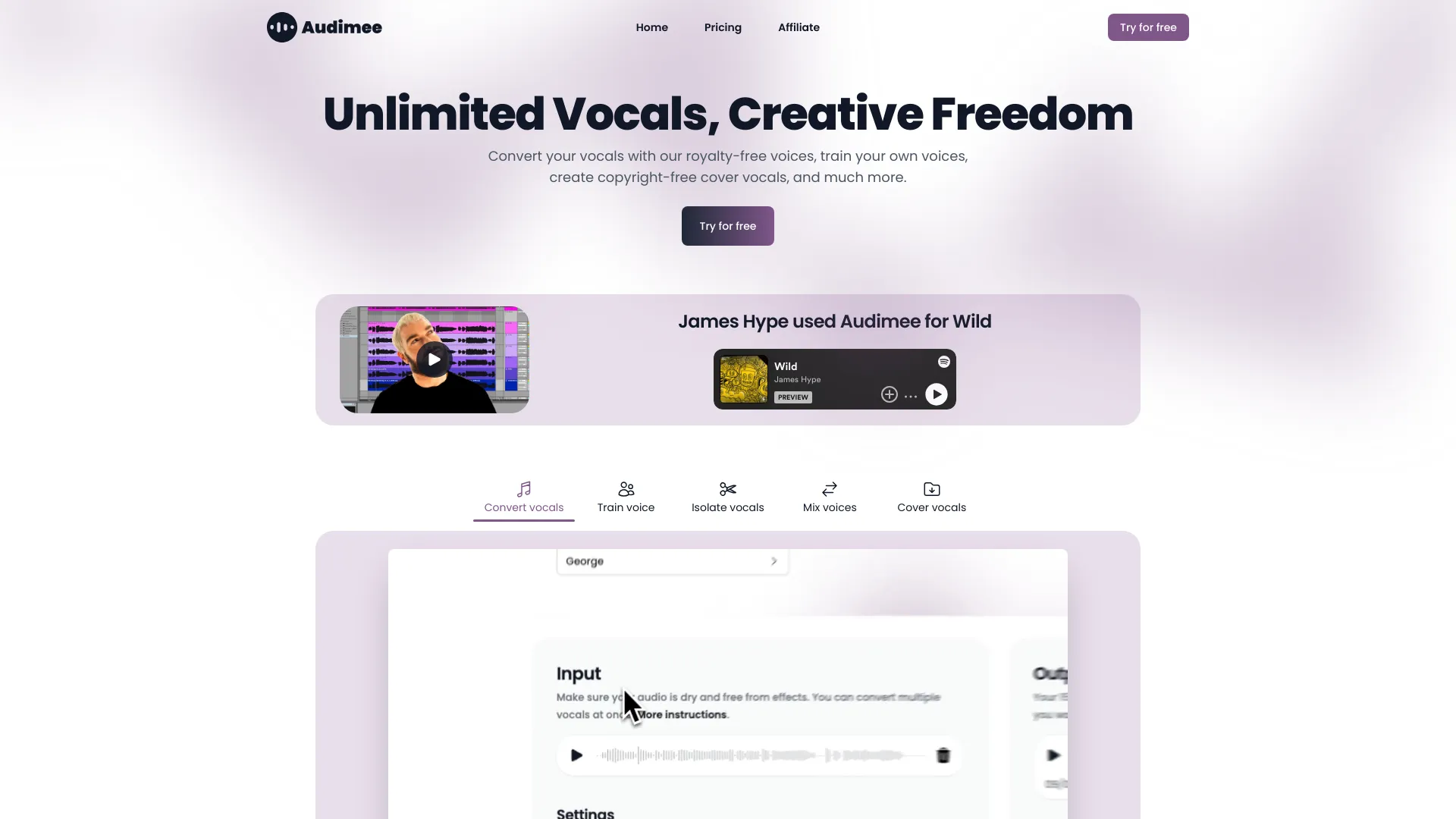
Audimee turns lyrics and melodies into sung vocals, or transforms an uploaded vocal performance into a different voice. Choose from more than 200 royalty-free voice models, edit melodies, and build harmony stacks. The browser-based studio also lets you train a personalized voice model, combine voices, isolate vocals from instrumentals, and split tracks into stems for further production.
Ads
What is Audimee?
Audimee is an online vocal studio for creating and transforming sung parts. Text to Vocals turns typed lyrics and a drawn or selected melody into a vocal performance, with an editor for shaping notes and words. For voice conversion, upload or record a vocal take and choose from more than 200 voice models. The studio also supports harmony generation from a single recording, melody editing before conversion, and blending multiple voice models. Train a personalized voice model from clean recordings, or use vocal isolation to separate a lead from instrumentals and background vocals while reducing reverb, echo, and noise. A stem splitter separates vocals, drums, bass, and other audio into individual tracks. The voice library is mainly trained for English singing, so other languages may be less reliable.
Who will use Audimee?
- Music producers
- Songwriters
- Singers and vocalists
- Independent musicians
- Music creators experimenting with vocal arrangements
How to use the Audimee?
- Step1: Open the relevant Audimee tool in a browser, such as Text to Vocals, Convert Vocals, or Stem Splitter.
- Step2: Enter lyrics and choose or draw a melody, or upload or record a vocal take.
- Step3: Select a voice model, or use a trained voice model where appropriate.
- Step4: Edit the melody, adjust the vocal, or create harmony layers as needed.
- Step5: Preview the result and export the finished vocal or separated tracks.
Platform
- Web
- Android
- Chrome Extensions
- iOS
- Linux
- Mac
- Windows
Audimee's Core Features & Benefits
The Core Features
- Generate sung vocals from lyrics and a melody
- Convert recorded vocals into one of more than 200 voice models
- Create harmony tracks from a vocal recording
- Train a personalized voice model from audio recordings
- Isolate vocals and split audio into stems
- Edit vocal melodies and combine voice models
The Benefits
- Try different vocal styles without needing each singer to record a take
- Build harmony stacks from a single performance
- Shape lyrics and melody in the vocal editor
- Separate vocal and instrumental parts for production workflows
- Experiment with personalized and blended voice sounds
Audimee's Main Use Cases & Applications
- Creating sung demos from lyrics and melodies
- Trying alternate vocal styles on an existing performance
- Building harmonies and vocal doubles
- Preparing vocal parts for music production
- Separating vocals, drums, bass, and other stems from a track
- Removing reverb, echo, or noise from a vocal
Audimee's Pros & Cons
The Pros
Offers text-to-vocal generation and conversion of recorded vocal performances
Includes harmony creation, melody editing, voice blending, vocal isolation, and stem splitting
Provides a library of more than 200 royalty-free voice models
The Cons
The voice library is mainly trained on English singing, and substantially different languages can be harder to use.
Training a personalized voice model requires 10–15 minutes of clean recordings.
Audimee's Pricing
| Has free plan | YES |
|---|---|
| Free trial details | |
| Pricing model | freemium |
| Is credit card required | No |
| Paid from | |
| Has lifetime plan | No |
| Billing frequency |
FAQs of Audimee
Audimee Company Information
- Website:
- Company Name: Audimee
- Support Email:
- Facebook:
- X(Twitter):
- YouTube:
- Instagram:
- Tiktok:
- LinkedIn:
Analytic of Audimee
Visit Over Time
Monthly Visits
403.9K
Avg Visit Duration
00:01:23
Page Per Visit
2.83
Bounce Rate
43.11%
Jul 2026 - Sep 2026 All Traffic
Geography
Top 5 Regions

United States
19.14%
India
5.75%
France
5.7%
Brazil
4.53%
Netherlands
4.51%
Jul 2026 - Sep 2026 Worldwide Desktop Only
Traffic Sources
SearchOrganic
38.05%
Direct
32.77%
SearchPaid
8.00%
Referrals
7.41%
SocialOrganic
5.21%
SocialPaid
3.54%
DisplayAds
3.20%
GenAi
1.08%
Mail
0.70%
Affiliate
0.04%
Sep 2026 Desktop Only
Top Keywords
| Keyword | Traffic | Cost Per Click |
|---|---|---|
| audimee | 16.2k | $1.74 |
| audimee ai | 750 | $0.38 |
| stem splitter | 43.2k | $0.68 |
| audime | 440 | — |
| ai tune sound vocal free | 1.0k | — |
Audimee Reviews
5/5
Audimee's Main Competitors and alternatives?
Synthesia
Voice AI
Vocaloid
RoboVox
AudioKit
You may also like:
Clean noise, echo, and uneven volume from recordings, then preview the enhanced audio before downloading your preferred format.
Free online AI audio enhancer for clearer speech in podcasts, videos, and spoken recordings.
All-in-one AI audio studio for voice cloning, vocal conversion, music generation, stem splitting, and mastering.
Speechify is an AI-driven text-to-speech tool for converting written content into audio format.
Amplifier Security safeguards digital environments through AI-driven threat detection and real-time monitoring.
EnCharge AI automates workflows and enhances productivity with intelligent machine learning algorithms.
Speak English Live offers real-time English language practice through online lessons with native speakers.
Unlock AI's potential with Wisent's representation engineering for precise control and enhanced capabilities.
Enhance your AI interactions with powerful, context-rich prompts using Prompthancer's advanced engineering tool.
Techup.AI empowers businesses with innovative technology solutions for growth and efficiency.
Change your voice in real time with lifelike effects for chats, games, livestreams, recordings, and creative audio.
Turn scripts into expressive voiceovers in 154+ languages, then export finished audio as MP3 or WAV.