
- 20 free credits to get started
- Animation Studio
- Cinema Studio
- Whiteboard Studio
- AI Story Generator
- AI SEO Generator
- AI Thumbnail Maker
- Free Characters
- Free Actions
- Drag and Drop Timeline Editor
- AI Voiceover
- AI Video Generator
- AI Image Generator

AutoDraft
0
Autodraft turns prompts, storyboards, sketches, and references into cartoon assets and animations for creator workflows. It generates characters, backgrounds in consistent styles, and voiceovers, then provides editing controls for effects, chroma key, and layers. Animation controls include expressions, lip-sync, props, and primary and secondary actions, letting storytellers assemble scenes without building every asset from scratch.
Promote this Tool
Update this Tool
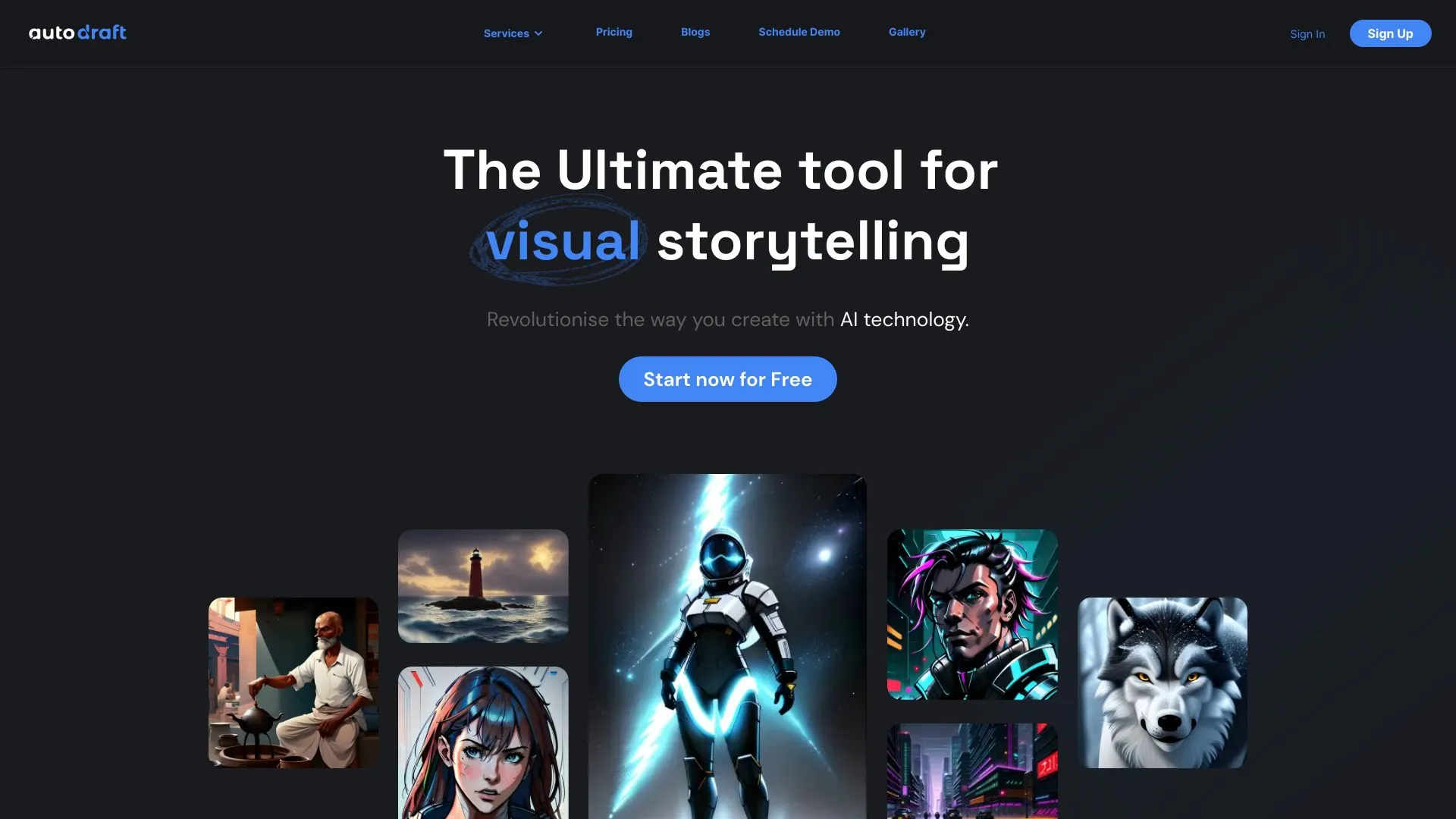
Autodraft turns prompts, storyboards, sketches, and references into cartoon assets and animations for creator workflows. It generates characters, backgrounds in consistent styles, and voiceovers, then provides editing controls for effects, chroma key, and layers. Animation controls include expressions, lip-sync, props, and primary and secondary actions, letting storytellers assemble scenes without building every asset from scratch.
Ads
What is AutoDraft?
Autodraft is a studio for creating cartoon animation assets and stories. It generates images from prompts, storyboards, sketches, references, and flat-colored images, with more than 100 consistent styles. Creators can make characters, backgrounds, and character turnaround vectors, and generate voiceovers from hundreds of voice presets. Animation controls include more than 1,000 actions, over 100 expressions, lip-sync, and custom props. Editing tools provide effects, chroma key, and layer management. The product is designed to bring generated assets and animation controls into one storytelling workflow, with support for primary and secondary animations. Templates are also available, and the product offers Base, Pro, and Enterprise plans.
Who will use AutoDraft?
- YouTubers creating cartoon stories
- Animation creators and storytellers
- Flash animators seeking character turnaround vectors
- Content creators producing animated backgrounds and characters
How to use the AutoDraft?
- Step1: Sign up for Autodraft and open the animation studio.
- Step2: Start with a prompt, storyboard, sketch, reference, or flat-colored image.
- Step3: Generate characters and backgrounds, choosing a consistent visual style for the assets.
- Step4: Add voiceover using one of the available voice presets.
- Step5: Animate characters with actions, expressions, lip-sync, and props.
- Step6: Refine the result using effects, chroma key, and layer controls.
Platform
- Web
AutoDraft's Core Features & Benefits
The Core Features
- Generate images from prompts, storyboards, sketches, references, and flat-colored images
- Create characters and backgrounds in consistent styles
- Generate character turnaround vectors
- Create voiceovers from voice presets
- Control actions, expressions, lip-sync, and props
- Edit with effects, chroma key, and layer management
The Benefits
- Create multiple animation assets within a single storytelling workflow
- Maintain visual consistency across backgrounds and other assets
- Adjust character performances with detailed animation controls
- Build cartoon stories without creating every asset from scratch
AutoDraft's Main Use Cases & Applications
- Creating animated YouTube stories
- Producing cartoon backgrounds from storyboards or sketches
- Generating recurring characters in consistent visual styles
- Adding voiceovers and lip-synced character dialogue
- Preparing character turnaround vectors for Flash animation
AutoDraft's Pros & Cons
The Pros
Accepts several starting inputs, including prompts, storyboards, sketches, and references
Combines character and background generation with voiceover and animation controls
Includes detailed controls for actions, expressions, lip-sync, props, and editing
The Cons
Generation uses credits, so the amount of content depends on available credits
Its focus is cartoon storytelling and animation assets rather than general-purpose video production
AutoDraft's Pricing
| Has free plan | YES |
|---|---|
| Free trial details | |
| Pricing model | freemium |
| Is credit card required | No |
| Paid from | 27 USD |
| Has lifetime plan | No |
| Billing frequency | monthly/yearly |
Details of Pricing Plan
Free
0 USDBase
27 USD- 1000 credits per month
- Feedback on uploaded YouTube videos
- Unlimited 4K Cloud Downloads
- Cinema Studio
- Premium Assets
- AI Voiceover
- AI Sound Effects
- AI Voice Cloning
- Copyright free BGM Library
- AI Story Generator
- AI SEO Generator
- AI Thumbnail Maker
- AI Video Generator
- AI Editing Tools
- AI Image Generator
Pro
105 USD- 4000 credits per month
- Feedback on uploaded YouTube videos
- Unlimited 4K Cloud Downloads
- Cinema Studio
- Premium Assets
- AI Voiceover
- AI Sound Effects
- AI Voice Cloning
- Copyright free BGM Library
- AI Story Generator
- AI SEO Generator
- AI Thumbnail Maker
- AI Video Generator
- AI Editing Tools
- AI Image Generator
Discount:Save 20% on yearly plans.
FAQs of AutoDraft
AutoDraft Company Information
- Website:
- Company Name: AutoDraft
- Support Email:
- Facebook:
- X(Twitter):
- YouTube:
- Instagram:
- Tiktok:
- LinkedIn:
Analytic of AutoDraft
Visit Over Time
Monthly Visits
305.4K
Avg Visit Duration
00:06:16
Page Per Visit
9.62
Bounce Rate
28.53%
Jul 2026 - Sep 2026 All Traffic
Geography
Top 5 Regions

India
88.93%
Pakistan
2.93%
United States
2.37%
Bangladesh
1.78%
Germany
1.11%
Jul 2026 - Sep 2026 Worldwide Desktop Only
Traffic Sources
SearchOrganic
43.15%
Direct
41.87%
SocialOrganic
10.35%
Referrals
3.88%
Mail
0.35%
GenAi
0.19%
DisplayAds
0.11%
SearchPaid
0.08%
SocialPaid
0.01%
Sep 2026 Desktop Only
Top Keywords
| Keyword | Traffic | Cost Per Click |
|---|---|---|
| autodraft ai | 30.5k | $0.12 |
| auto draft ai | 2.5k | $0.11 |
| autodraft | 5.6k | $0.26 |
| auto draft | 1.3k | $0.26 |
| draft ai | 1.1k | $0.31 |
AutoDraft Reviews
5/5
AutoDraft's Main Competitors and alternatives?
MidJourney
PlayGround AI
You may also like:
AI sprite generator that creates game-ready animations and consistent sprite sheets in minutes.
AI-powered transparent PNG generator that turns text prompts into ready-to-use images in seconds for creators, marketers, and developers.
A free AI prompt gallery for image and video creation with one-click generation across top models.
An online AI studio for generating and transforming images, videos, and creative effects quickly.
An AI image generator that creates production-ready 2K visuals with accurate text and strong style control.
An all-in-one AI platform for generating high-resolution images and short videos from text, images, and references.
An AI image generator and editor with photorealistic results, accurate text rendering, and strong prompt following.
Prompt-first AI image generator and editor for creating polished visuals from text prompts and reference images.
A web-based GPT Image 2 prompt testing tool for text-heavy, multilingual, realistic image generation and comparison.
AI-powered infographic generator that turns text, documents, and notes into share-ready visuals in seconds.
A web-based AI image generator that creates photorealistic visuals, crisp text, and detailed 4K artwork.
AI-powered web app generating full character design sheets with turnarounds, expressions and pose references.
AI-powered infographic maker that converts text into polished, editable visuals with templates and export options.
AI-powered tool to convert academic text into publication-ready methodological diagrams and precise statistical plots instantly.
AI-powered presentation maker that generates, beautifies, and exports professional slide decks in minutes.
AI platform that instantly generates illustrated stories and reusable characters in 50+ art styles, exportable as PDFs.
AI tool that creates publication-ready scientific figures and diagrams from plain text for researchers and educators.
PaperBanana automates creation of publication-quality scientific diagrams and plots using multi-agent AI.
AI Line Art Generator creates beautiful professional line art from text or photos in seconds.