
- 2,000,000 compute points per month
- Chat with Standard Models: GPT-4o-mini, GPT-4.1-mini, GPT-4.1-nano, Claude 3.5 Haiku, Gemini 2.5 Flash, DeepSeek V3, DeepSeek R1
- Real-Time Web Search & Browsing
- Generate up to 25 AI drawings
- Chat with Any Images
- Supports up to 5 devices simultaneously

Chatbox
0
Chatbox AI brings conversations with models such as GPT, Claude, Gemini, Grok, and DeepSeek into one app. Ask questions about PDFs, documents, images, and code; search the live web; or create a local knowledge base for document Q&A. Work Mode can use files, web search, code, and tools to handle multi-step tasks. Chatbox also supports code generation with live previews, image generation, and formatted diagrams and formulas across web, desktop, and mobile.
Promote this Tool
Update this Tool
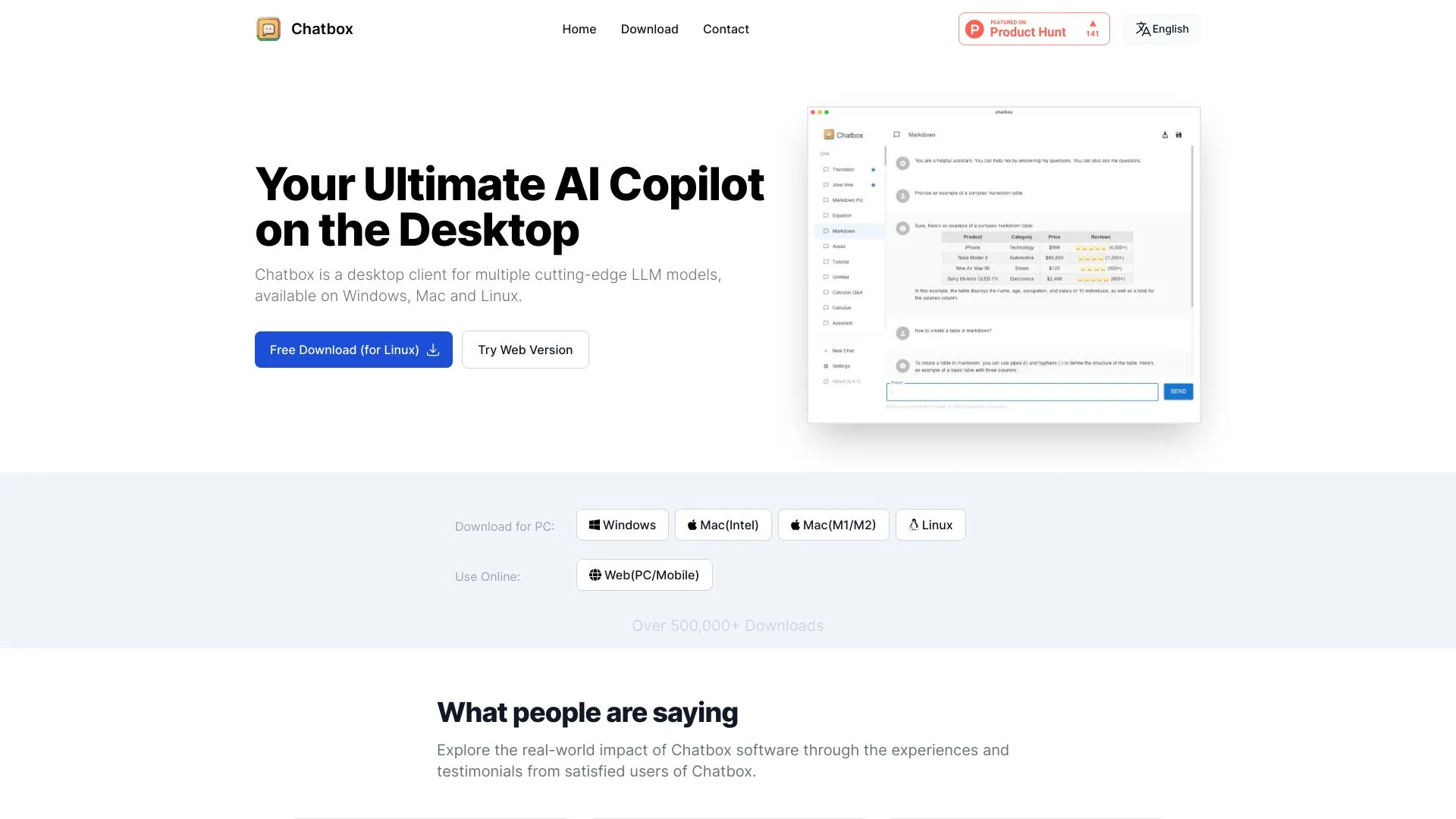
Chatbox AI brings conversations with models such as GPT, Claude, Gemini, Grok, and DeepSeek into one app. Ask questions about PDFs, documents, images, and code; search the live web; or create a local knowledge base for document Q&A. Work Mode can use files, web search, code, and tools to handle multi-step tasks. Chatbox also supports code generation with live previews, image generation, and formatted diagrams and formulas across web, desktop, and mobile.
Ads
What is Chatbox?
Chatbox AI provides a single interface for chatting with multiple AI models, using either your own API keys or Chatbox-hosted models. You can upload PDFs, Word documents, images, and code snippets to summarize, query, or extract information from them. Live web search brings current online information into conversations, while desktop users can create a local knowledge base to search and ask questions about private documents. Work Mode can work with files, search the web, write code, use tools, and take actions for a requested task. Other capabilities include image generation, code generation with live previews, and rendering for Markdown, Mermaid diagrams, and LaTeX formulas. Chat history is stored locally, and the app is available on web, desktop, and mobile.
Who will use Chatbox?
- People who use multiple AI language models
- Researchers and students who ask questions about documents
- Writers and knowledge workers who use web search and file summaries
- Developers who want code generation and live previews
- Users who want a local knowledge base for document Q&A
How to use the Chatbox?
- Step1: Open Chatbox on the web, desktop, or mobile, then choose a model and connect it with your own API key or use a Chatbox-hosted model.
- Step2: Start a conversation by entering a question or instruction.
- Step3: Upload files to ask questions, request summaries, or extract information from their contents.
- Step4: Use live web search for questions that need current online information, or create and select a local knowledge base for document-based answers.
- Step5: Choose Work Mode for tasks involving files, web search, code, or tools; review generated code in its live preview or create images from prompts.
Platform
- Web
- Android
- iOS
Chatbox's Core Features & Benefits
The Core Features
- Chat with multiple AI models
- Ask questions about and summarize uploaded files
- Search the web in real time
- Create a local knowledge base for document Q&A
- Use Work Mode for multi-step tasks with files, web search, code, and tools
- Generate images and code with live previews
The Benefits
- Access multiple models from one interface
- Find information in documents through conversational questions
- Bring current web results into research and work
- Keep chat history and knowledge base documents stored locally
- Review generated code with an immediate preview
Chatbox's Main Use Cases & Applications
- Comparing or using different AI models in one app
- Summarizing documents and extracting key information
- Researching current information with live web search
- Searching private documents through a local knowledge base
- Generating and previewing code
- Creating images from text prompts
- Handling tasks that combine files, web research, and tools
Chatbox's Pros & Cons
The Pros
Combines access to multiple AI models with file Q&A and live web search.
Work Mode can use files, search the web, write code, and use tools for tasks.
Offers apps for desktop and mobile in addition to a web app.
Chat history and knowledge base documents can be stored locally.
The Cons
The Knowledge Base feature is available only in the desktop app.
Using third-party models with your own provider account requires configuring an API key; Chatbox-hosted models are an alternative.
Chatbox's Pricing
| Has free plan | YES |
|---|---|
| Free trial details | |
| Pricing model | freemium |
| Is credit card required | No |
| Paid from | 3.5 USD |
| Has lifetime plan | No |
| Billing frequency | Monthly |
Details of Pricing Plan
Chatbox AI Lite
3.5 USDChatbox AI Pro
16.7 USD- 10,000,000 compute points per month
- Chat with Advanced Models: GPT-4o, GPT-4.1, Claude 4 Sonnet, OpenAI o3, OpenAI o4 mini, Gemini 2.5 Pro
- Chat with Standard Models: GPT-4o-mini, GPT-4.1-mini, GPT-4.1-nano, Claude 3.5 Haiku, Gemini 2.5 Flash, DeepSeek V3, DeepSeek R1
- Real-Time Web Search & Browsing
- Chat with Any Document (PDF, DOC, XLS, TXT or Code Files)
- Generate up to 100 AI drawings
- Chat with Any Images
- Supports up to 5 devices simultaneously
Chatbox AI Pro+
33.3 USD- 20,000,000 compute points per month
- Chat with Advanced Models: GPT-4o, GPT-4.1, Claude 4 Sonnet, OpenAI o3, OpenAI o4 mini, Gemini 2.5 Pro
- Chat with Standard Models: GPT-4o-mini, GPT-4.1-mini, GPT-4.1-nano, Claude 3.5 Haiku, Gemini 2.5 Flash, DeepSeek V3, DeepSeek R1
- Real-Time Web Search & Browsing
- Chat with Any Document (PDF, DOC, XLS, TXT or Code Files)
- Generate up to 200 AI drawings
- Chat with Any Images
- Supports up to 5 devices simultaneously
Discount:Annual plan has 17% off
For the latest prices, please visit: https://chatboxai.appFAQs of Chatbox
Chatbox Company Information
- Website:
- Company Name: Chatbox AI
- Support Email:
- Facebook:
- X(Twitter):
- YouTube:
- Instagram:
- Tiktok:
- LinkedIn:
Analytic of Chatbox
Visit Over Time
Monthly Visits
675.7K
Avg Visit Duration
00:01:59
Page Per Visit
3.95
Bounce Rate
37.67%
Jul 2026 - Sep 2026 All Traffic
Geography
Top 5 Regions

China
47.22%
Hong Kong
6.21%
United States
6.07%
India
4.66%
Turkey
3.85%
Jul 2026 - Sep 2026 Worldwide Desktop Only
Traffic Sources
Direct
63.66%
SearchOrganic
26.54%
Referrals
5.27%
GenAi
2.09%
SocialOrganic
1.91%
Mail
0.49%
SearchPaid
0.03%
DisplayAds
0.01%
Sep 2026 Desktop Only
Top Keywords
| Keyword | Traffic | Cost Per Click |
|---|---|---|
| chatbox | 54.2k | $0.60 |
| chatbox ai | 11.1k | $1.73 |
| chat box | 4.0k | $0.95 |
| chatbox app | 430 | — |
| chatbox download | 560 | — |
Chatbox Reviews
5/5
Chatbox's Main Competitors and alternatives?
ChatGPT
Claude
Gemini
Copilot
You may also like:
ChatTide supports everyday creation, learning, and discovery through an easy-to-use AI chat assistant available online.
A collaborative AI chat workspace that unifies top models for teams, comparisons, and productive workflows.
Real-time AI gaming companion that watches your screen, chats by voice, and coaches gameplay live.
Emochi: Free unlimited AI roleplay chat. Immerse yourself in conversations with countless virtual characters, create you
Lorka AI is an all-in-one platform combining major AI chat models, writing, search, and image tools.
WABot is a WhatsApp AI sales copilot that delivers real-time scripts, translations, and intent detection.
PovChat AI offers free, customizable AI roleplay characters and chatbots for immersive conversations and storytelling.
Free WhatsApp link and QR generator with analytics, branded links, routing, and multi-agent chat features.
AI-powered WhatsApp warmup tool automates bulk messaging while preventing account bans.
The enterprise Telegram CRM to manage multiple accounts, automate lead capture, and deploy AI chatbots 24/7.
LLM aggregator that connects multiple AI models in one platform for comparison, integration, and automation.
Filer is an AI-powered file explorer offering semantic search and local LLM integration for privacy-first document management.
AI-powered team of expert virtual professionals ready to assist in diverse business tasks.
Miniflow.ai provides access to 200+ AI tools for text, image, video, and audio generation with workflow automation.
ChatGPT5.so offers free, instant access to OpenAI’s advanced GPT-5 AI model for versatile use.
Turbotic AI Assistant automates tasks, enhances productivity, and improves decision-making in business environments.