
- 1 seat
- 1 hour of AI video analysis
- 2GB of cloud storage
- 3 day project storage
- Chat support
- Advanced video editor
- AI video clipper
- Captions generator
- Transcription generator

Choppity
0
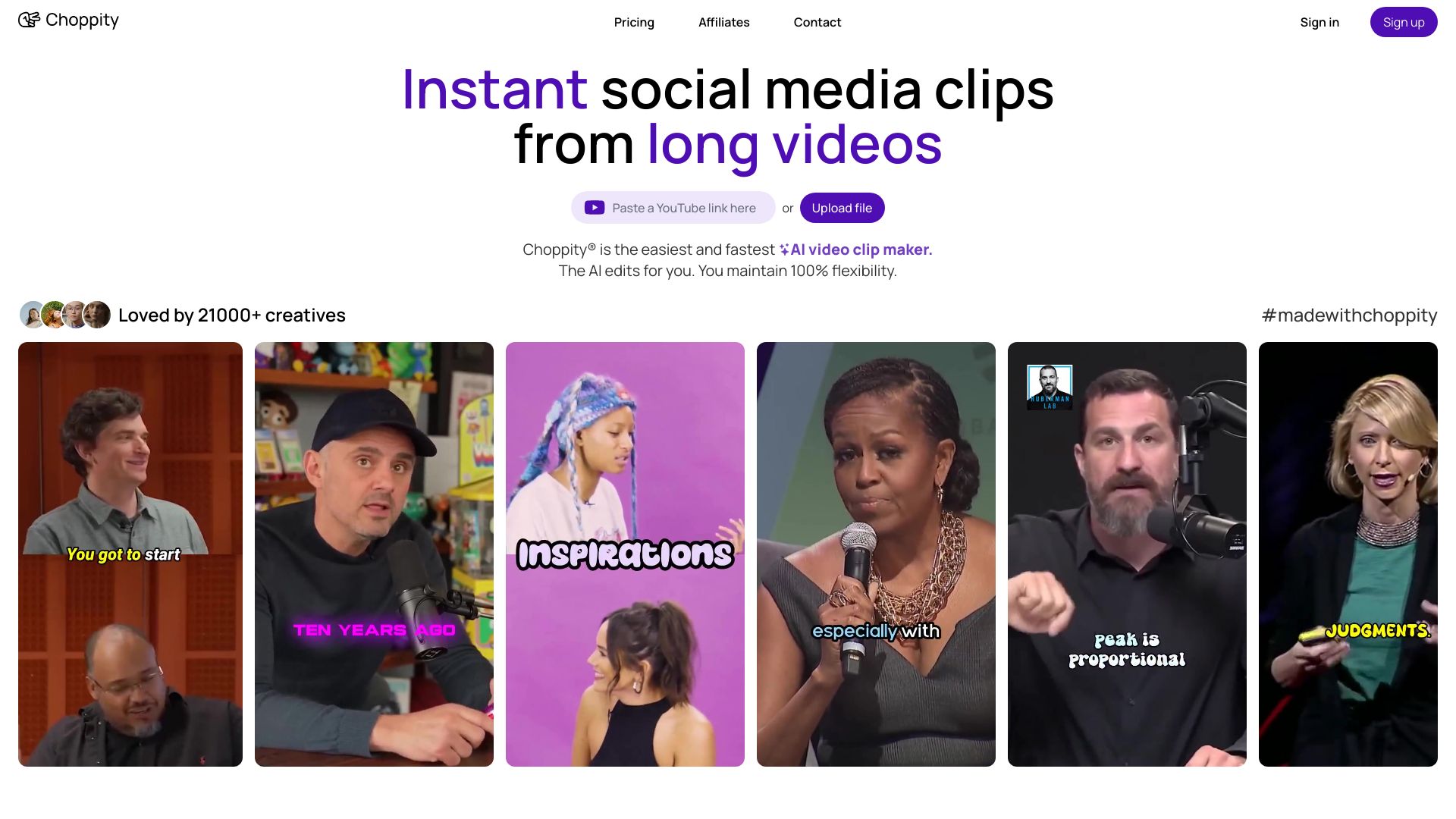
Choppity turns podcasts, interviews, tutorials, and other long videos into short clips for TikTok, Instagram Reels, and YouTube Shorts. Upload a video or paste a YouTube URL, and it transcribes the content, identifies notable moments, and creates clips with captions and automatic framing. You can search the transcript, edit video by changing text, customize captions, and review each clip before publishing. Choppity also includes screen recording and social media planning and scheduling.
Promote this Tool
Update this Tool
Choppity turns podcasts, interviews, tutorials, and other long videos into short clips for TikTok, Instagram Reels, and YouTube Shorts. Upload a video or paste a YouTube URL, and it transcribes the content, identifies notable moments, and creates clips with captions and automatic framing. You can search the transcript, edit video by changing text, customize captions, and review each clip before publishing. Choppity also includes screen recording and social media planning and scheduling.
Ads
What is Choppity?
Choppity's AI Clipper analyzes long videos to find notable moments, quotes, jokes, explanations, and hooks, then generates short clips for social feeds. Users can upload common video formats or paste a YouTube URL. Clips can be reframed into portrait, square, or landscape formats, with automatic tracking to keep the active speaker in view. Automated captions can be styled, and profanity can be muted or beeped. Transcript-based editing lets users trim video by editing text, while a full editor provides further control. Choppity also offers a screen recorder for screen, webcam, and microphone capture, with layouts, backgrounds, and zooms. Its social scheduler supports post planning, a content calendar, bulk scheduling, and publishing across social platforms.
Who will use Choppity?
- Content creators
- Podcasters
- Social media marketers
- Marketing agencies
- Course creators and educators
- Coaches
- Churches
- Ecommerce and brand teams
How to use the Choppity?
- Step1: Sign up for Choppity and open the AI Clipper.
- Step2: Upload a long-form video or paste a YouTube URL.
- Step3: Let Choppity transcribe the video and identify potential highlights.
- Step4: Review the generated clips, or search the transcript for a specific moment.
- Step5: Refine clips with transcript editing, captions, framing, and other editor controls.
- Step6: Export clips for social platforms or prepare and schedule posts with the social scheduler.
Platform
- Web
Choppity's Core Features & Benefits
The Core Features
- Generate short clips from long-form videos and YouTube links
- Detect notable moments and search transcripts by keyword or topic
- Automatically reframe videos and track active speakers
- Create and customize captions and censor profanity
- Edit video through transcript changes
- Record screen, webcam, and microphone; plan and schedule social posts
The Benefits
- Repurpose long videos into multiple social-ready clips
- Reduce manual searching and editing time
- Adapt footage for vertical, square, and landscape formats
- Maintain control over edits before publishing
- Organize and schedule posts across social channels
Choppity's Main Use Cases & Applications
- Repurposing podcast episodes into short clips
- Creating social clips from interviews and webinars
- Turning tutorials and online lessons into social content
- Finding memorable quotes and specific moments in long videos
- Recording and editing screen-led tutorials
- Planning and scheduling posts across social media
Choppity's Pros & Cons
The Pros
Generates multiple clips from a long video and identifies potential highlights
Supports YouTube URL imports and common video formats
Combines clipping, screen recording, editing, and social scheduling
Offers a free plan to try uploads, clip generation, and editing
The Cons
The free plan has fewer uploads and storage than paid plans, which also unlock team features and advanced capabilities
Clip generation is designed for videos with spoken content
Video processing takes several minutes, with processing times listed at about 5–15 minutes depending on length
Choppity's Pricing
| Has free plan | YES |
|---|---|
| Free trial details | |
| Pricing model | freemium |
| Is credit card required | No |
| Paid from | 24 USD |
| Has lifetime plan | No |
| Billing frequency | monthly/yearly |
Details of Pricing Plan
Free
0 USDStarter
24 USD- 1 seat
- 3 hours of AI video analysis
- 40GB of cloud storage
- 30 day project storage
- Chat support
- Includes everything in Free
- Exports/downloads: 1080p HD & 4K
- Schedule social posts
- Manage 1 social account
- $201.60 billed yearly
Creator
32 USD- 1 seat
- 5 hours of AI video analysis
- 100GB of cloud storage
- Forever project storage
- Chat support
- Includes everything in Starter
- Bulk link/video uploads (up to 10)
- Manage 3 social accounts
- Custom fonts
- 1 brand template
- Saved brand assets
- API access
Team
48 USD- Unlimited seats
- 5 hours of AI video analysis
- 200GB of cloud storage
- Forever project storage
- Chat support
- Includes everything in Creator
- Manage 6 social accounts
- 5 brand templates
- Invite members
- Shared workspace
- Extra seats
- User roles
- Team billing
- Team usage reporting
Discount:Save 30% on annual plans.
For the latest prices, please visit: https://choppity.com/pricingFAQs of Choppity
Choppity Company Information
- Website:
- Company Name: Choppity
- Support Email:
- Facebook:
- X(Twitter):
- YouTube:
- Instagram:
- Tiktok:
- LinkedIn:
Analytic of Choppity
Visit Over Time
Monthly Visits
327.4K
Avg Visit Duration
00:01:54
Page Per Visit
5.02
Bounce Rate
33.45%
Jul 2026 - Sep 2026 All Traffic
Geography
Top 5 Regions

United States
34.94%
India
25.51%
United Kingdom
5.33%
Brazil
2%
Mexico
1.55%
Jul 2026 - Sep 2026 Worldwide Desktop Only
Traffic Sources
SearchOrganic
74.00%
Direct
18.41%
SocialOrganic
4.04%
Referrals
1.72%
GenAi
0.92%
Mail
0.51%
SearchPaid
0.23%
DisplayAds
0.17%
Sep 2026 Desktop Only
Top Keywords
| Keyword | Traffic | Cost Per Click |
|---|---|---|
| choppity | 7.3k | $1.91 |
| instagram transcript | 33.3k | $0.68 |
| instagram transcript generator | 14.9k | $0.90 |
| facebook video transcript | 6.4k | $0.42 |
| instagram video transcript | 9.4k | $0.46 |
Choppity Reviews
5/5
Choppity's Main Competitors and alternatives?
Lumen5
Descript
Kapwing
Animoto
Headliner
You may also like:
Magi 2 makes 4–30 second 1080p AI videos with native sound, lip sync and shot cuts placed to the second.
Change people, outfits, products, backgrounds, or visual styles in existing 2–60-second videos while preserving original framing, motion, and audio.
Media.io AI Video Enhancer improves blurry, noisy, dark, or low-resolution videos with AI and upscales footage to 4k.
Create videos from prompts, images, or references, then edit scenes, generate images, and adjust output settings in one workspace.
Create videos and images from text or photos, with tools for kisses, outfits, motion control, extension, and background removal.
Multimodal AI video generator producing 4–15s 2K clips with native audio, plus point-and-change instruction editing.
Convert long videos into recap scripts, captions, voiceovers, and vertical clips for Shorts, TikTok, and Reels.
LyricVideoMaker turns songs into beat-synced lyric videos with AI transcription, visuals, previewing, and social exports.
AI-powered online tool that removes video watermarks quickly while preserving original video quality.
An AI video generator that creates cinematic, director-controlled videos with consistent characters and 1080p output.
An online AI studio for generating and transforming images, videos, and creative effects quickly.
A chat-based AI video generator that turns prompts, images, and clips into cinematic, editable videos.
AI-powered video creation platform for recording, editing, repurposing, and publishing professional videos in minutes.
Multi-modal AI video generator with native audio, consistent characters, and cinematic scene control.
An AI video generation platform that turns text prompts and images into cinematic videos in seconds.
An AI creative studio for generating cinematic videos with multimodal references, precise control, and editing.
Ella is an AI-powered video creation platform that generates, edits, captions, and exports content in one Chrome workspace.
A cinematic AI video generator that turns text and images into polished 1080p clips with sound.
AI-powered online tool to remove watermarks, text, subtitles, and objects from videos quickly.