
- 10,000 monthly active users included free
- 100 monthly active organizations included free
- No charge for inactive users
- Pre-built components
- Custom domain
- No credit card required

Clerk
0
Clerk provides authentication and user-management features that developers can integrate into web applications. It offers sign-up and sign-in components, social sign-on, multifactor authentication, session controls, and user profile management. For apps with organizations, Clerk supports invitations, custom roles, permissions, and organization management. Enterprise features include SSO and SCIM directory sync, while framework-specific SDKs and a CLI help teams integrate the service into their development workflow.
...
Promote this Tool
Update this Tool
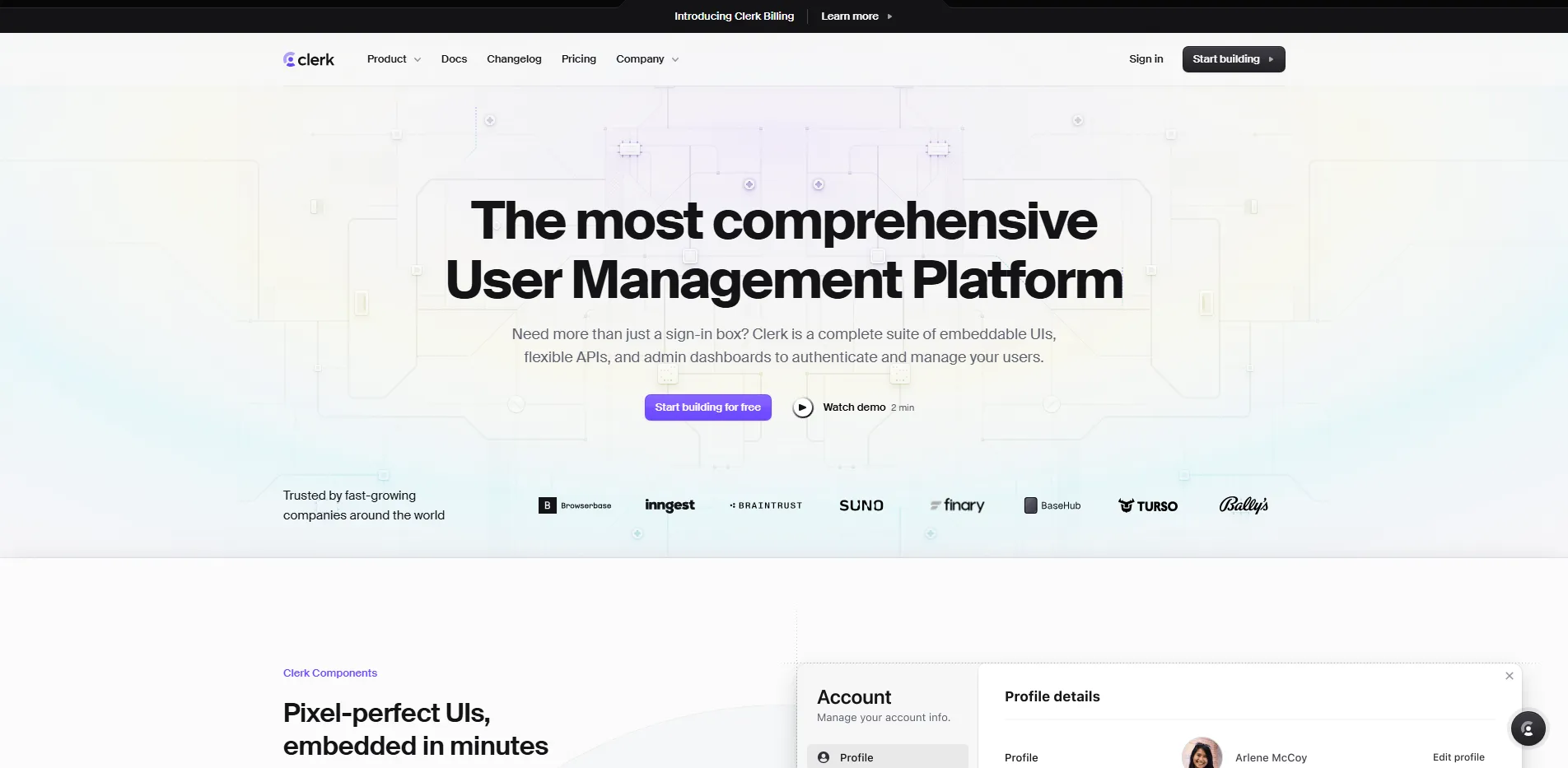
Clerk provides authentication and user-management features that developers can integrate into web applications. It offers sign-up and sign-in components, social sign-on, multifactor authentication, session controls, and user profile management. For apps with organizations, Clerk supports invitations, custom roles, permissions, and organization management. Enterprise features include SSO and SCIM directory sync, while framework-specific SDKs and a CLI help teams integrate the service into their development workflow.
...
Ads
What is Clerk?
Clerk supplies a user layer for applications, combining authentication with account and organization management. Developers can add sign-in and sign-up flows using email and passwords, social providers, magic links, or one-time passcodes. Security features include multifactor authentication, bot detection, fraud prevention, breach detection, and session monitoring with device revocation. Ready-made components cover user buttons, profiles, and organization workflows, while custom roles and permissions support authorization in multi-tenant apps. Teams can handle invitations, organization membership, enterprise single sign-on, and SCIM directory sync. SDKs support frameworks including React, Next.js, Remix, Expo, React Router, TanStack React Start, and Astro. A CLI and documentation support setup and integration; Clerk provides authentication and identity functionality rather than a complete application backend.
Who will use Clerk?
- Web application developers
- SaaS product teams
- Developers building multi-tenant applications
- Enterprise teams implementing authentication and organization access
- Teams adding authentication to React, Next.js, Remix, or other supported frameworks
How to use the Clerk?
- Step1: Create a Clerk account and start an application.
- Step2: Select the SDK or framework integration that matches your application.
- Step3: Add Clerk’s authentication components or configure a custom sign-in flow.
- Step4: Set up the sign-in methods and security features your application needs.
- Step5: Configure organizations, memberships, roles, permissions, or enterprise access when applicable.
- Step6: Test the authentication and account workflows, then integrate Clerk with the rest of your application.
Platform
- Web
- Android
- iOS
Clerk's Core Features & Benefits
The Core Features
- Sign-in and sign-up components
- Social sign-on, magic links, passwords, and one-time passcodes
- Multifactor authentication and session management
- User profile and account management
- Organization membership, invitations, roles, and permissions
- Enterprise SSO and SCIM directory sync
The Benefits
- Add common authentication flows without building each interface from scratch
- Manage user sessions and security settings from an integrated user layer
- Support organization-based access in multi-tenant applications
- Integrate authentication into supported web frameworks
Clerk's Main Use Cases & Applications
- Adding sign-in and registration to a web application
- Offering social login and passwordless authentication
- Managing user sessions and account profiles
- Building organization and team management for B2B SaaS
- Applying roles and permissions to organization members
- Connecting enterprise identity providers and synchronizing directories
Clerk's Pros & Cons
The Pros
Includes reusable sign-in, sign-up, profile, and organization UI components.
Supports multiple authentication methods and security controls, including MFA and session revocation.
Provides organization features such as invitations, custom roles, permissions, SSO, and SCIM sync.
Offers SDKs for several web frameworks and a setup CLI.
The Cons
Requires developers to integrate Clerk into an application; it is not a standalone end-user app.
Its scope centers on authentication and user management, so applications still need other services for broader backend functionality.
Clerk's Pricing
| Has free plan | YES |
|---|---|
| Free trial details | Full features available in development mode without credit card required |
| Pricing model | Freemium |
| Is credit card required | No |
| Paid from | 25 USD |
| Has lifetime plan | No |
| Billing frequency | Monthly |
Details of Pricing Plan
Free
0 USDPro
25 USD- $0.02 per additional monthly active user beyond 10,000
- $1 per additional monthly active organization beyond 100
- Remove Clerk branding
- Allowlist / blocklist
- Customizable session duration
- Enhanced features and add-ons available
FAQs of Clerk
Clerk Company Information
- Website:
- Company Name: Clerk
- Support Email:
- Facebook:
- X(Twitter):
- YouTube:
- Instagram:
- Tiktok:
- LinkedIn:
Analytic of Clerk
Visit Over Time
Monthly Visits
1.4M
Avg Visit Duration
00:03:40
Page Per Visit
5.81
Bounce Rate
31.63%
Jul 2026 - Sep 2026 All Traffic
Geography
Top 5 Regions

United States
28.64%
India
12.68%
United Kingdom
7.66%
Germany
2.73%
Brazil
2.29%
Jul 2026 - Sep 2026 Worldwide Desktop Only
Traffic Sources
Direct
63.75%
SearchOrganic
20.13%
Referrals
3.76%
SocialOrganic
3.63%
SearchPaid
3.35%
Mail
1.91%
GenAi
1.41%
DisplayAds
1.12%
SocialPaid
0.94%
Sep 2026 Desktop Only
Top Keywords
| Keyword | Traffic | Cost Per Click |
|---|---|---|
| clerk | 146.4k | $2.91 |
| clerk auth | 7.5k | $11.56 |
| clerk authentication | 3.4k | $0.57 |
| clerk dashboard | 2.5k | $12.94 |
| clerk login | 1.9k | $5.51 |
Clerk Reviews
5/5
Clerk's Main Competitors and alternatives?
You may also like:
Plan penetration-testing engagements, run AI-driven security agents against web and API targets, and review findings from one console.
Amplify Security is an AI agent focusing on threat detection and response automation.
An open-source RAG-based AI tool enabling LLM-driven Q&A over cybersecurity datasets for contextual threat insights.
An open-source AI Agent that automates cybersecurity tasks like threat hunting, vulnerability scanning, log analysis, and incident response.
Offensive Graphs uses AI to automatically generate attack path graphs from network data, empowering security teams with clear visualization.
A lightweight JavaScript framework for building AI agents with memory management and tool integration.
AI-driven mobile app security platform automating static and dynamic vulnerability detection with continuous CI/CD integration.
VIPER automates adversary emulation with AI, generating dynamic attack chains and orchestrating comprehensive red team operations seamlessly.
Agentic-IAM automates cloud identity and access policies via conversational AI, generating secure IAM configurations from natural language.
SecGPT automates vulnerability assessments and policy enforcement for LLM-based applications through customizable security checks.
An open-source framework that secures LLM agent access to private data through encryption, authentication, and secure retrieval layers.
IpyBox brings ChatGPT to Jupyter, enabling interactive AI chat, code execution, variable inspection, and result embedding.
Siri is Apple's intelligent personal assistant that helps users manage tasks via voice commands.
Sectricity RedSOC is an AI agent that enhances cybersecurity through automated hacker scans.
Zenity evaluates AI agent actions in real time, helping enterprises govern access, detect threats, and prevent risky behavior.
Eunomia is a config-driven AI agent framework enabling rapid assembly and deployment of multi-tool conversational agents via YAML.
An AI agent automating vulnerability scanning by orchestrating code analysis, network probing, and LLM-driven report generation.