
- $149.88 billed yearly
- 7-day free trial
- Unlimited video & audio search
- Automatic speech transcription
- Automatic people tagging
- Support for 99+ languages
- Analyze videos up to 6 hours long
- Access to advanced models

Clipto
0
Clipto brings videos, images, meetings, conversations, documents, and ideas into a searchable media library on your computer. It transcribes audio and video, automatically tags media, and lets you search for clips or information using natural language or keywords. The desktop apps are local-first, while iPhone, Android, and web access use the cloud. Clipto also offers video and YouTube summarization and transcription tools.
Promote this Tool
Update this Tool
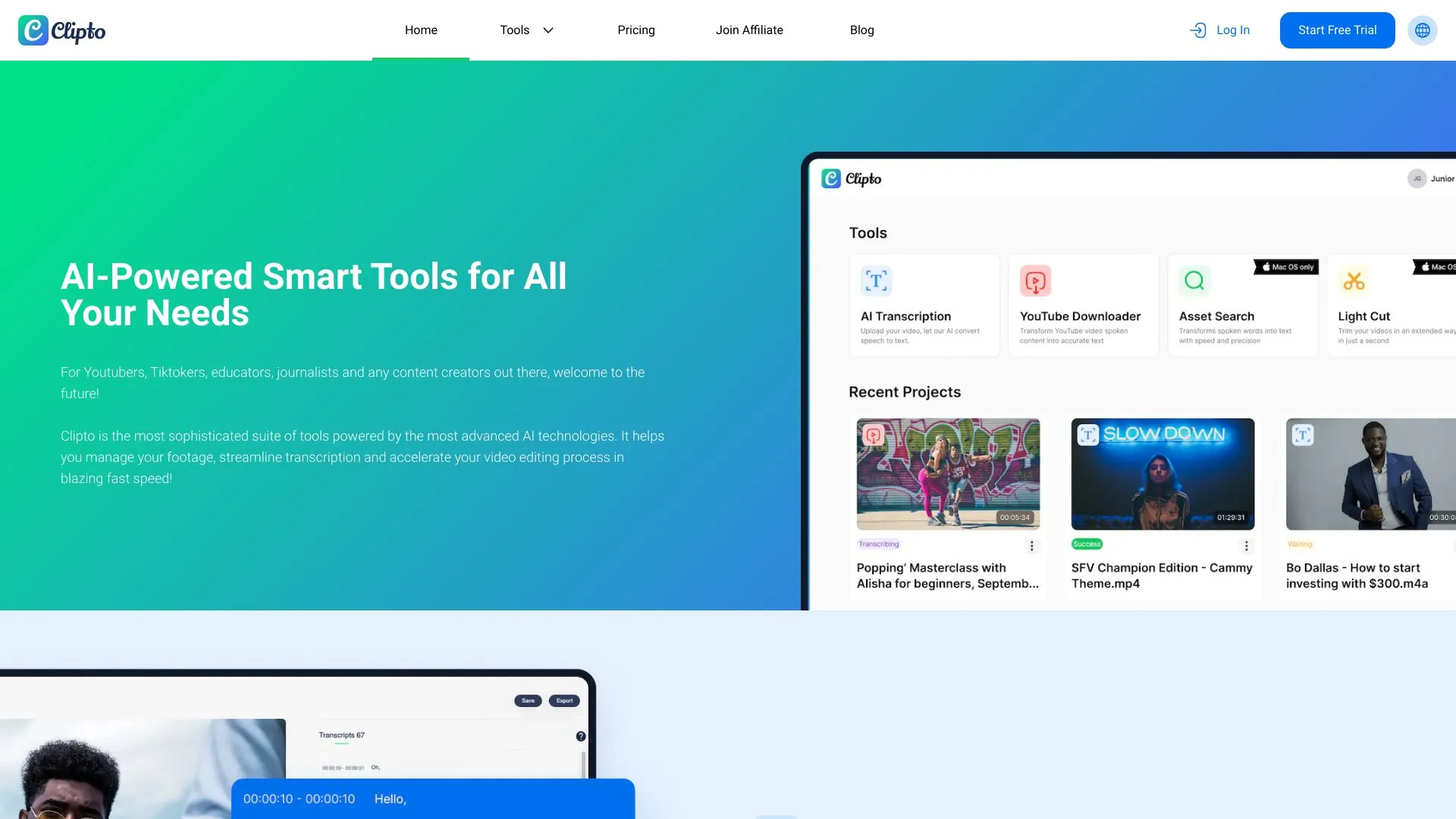
Clipto brings videos, images, meetings, conversations, documents, and ideas into a searchable media library on your computer. It transcribes audio and video, automatically tags media, and lets you search for clips or information using natural language or keywords. The desktop apps are local-first, while iPhone, Android, and web access use the cloud. Clipto also offers video and YouTube summarization and transcription tools.
Ads
What is Clipto?
Clipto combines a media asset library with AI transcription, search, and summarization. Add videos, audio, images, meetings, conversations, and documents to build a unified archive. Transcription converts speech in audio and video into text, while automatic tagging helps organize footage and other assets. Search across the library to locate clips, topics, or particular moments, including a relevant timecode, instead of manually scrubbing files or folders. Video summarization and YouTube summarization provide shorter overviews, and meeting transcription captures spoken discussions as text. Clipto is designed as a local-first memory app on Mac and Windows; iPhone, Android, and web access are cloud-powered. Desktop requirements include Apple silicon and recent macOS for Mac, with higher memory and graphics requirements for Windows.
Who will use Clipto?
- Video editors and filmmakers
- Content creators and video agencies
- Photographers managing large media libraries
- Marketers working with campaign footage
- Researchers and professionals handling recordings, meetings, and documents
How to use the Clipto?
- Step1: Download Clipto for a supported device and set up your library.
- Step2: Add or connect videos, audio, images, meetings, conversations, and documents you want to organize.
- Step3: Let Clipto transcribe speech and automatically tag media assets.
- Step4: Search your library with keywords or natural-language queries to find relevant content and video moments.
- Step5: Use transcription or summarization tools to review and work with the material you found.
Platform
- Web
- Android
- Chrome Extensions
- iOS
- Linux
- Mac
- Windows
Clipto's Core Features & Benefits
The Core Features
- Searchable library for videos, audio, images, meetings, conversations, and documents
- Audio and video transcription
- Automatic media tagging and organization
- AI video search for clips and specific moments
- Video and YouTube summarization
- Meeting transcription
The Benefits
- Find relevant clips and information without manually searching folders or scrubbing footage
- Turn recordings and documents into searchable knowledge
- Reduce manual logging and media cataloging
- Keep desktop media workflows local-first on Mac and Windows
Clipto's Main Use Cases & Applications
- Finding specific moments in video archives
- Organizing footage for video agencies and client projects
- Searching campaign clips across drives and folders
- Locating shots in large photography and video collections
- Transcribing meetings, recordings, and voice notes
- Summarizing videos and YouTube content
- Searching documents and conversations alongside media
Clipto's Pros & Cons
The Pros
Combines transcription, media tagging, search, and summarization in one library
Local-first desktop apps support private media workflows
Search can help locate specific clips and moments, including timecodes
Available across desktop, mobile, and web surfaces
The Cons
Mac use requires Apple silicon, macOS 15 or later, and at least 8 GB of memory
Windows is labeled beta and requires at least 16 GB of RAM and 8 GB of VRAM
iPhone, Android, and web access are cloud-powered rather than local-first
Clipto's Pricing
| Has free plan | No |
|---|---|
| Free trial details | 7-day free trial |
| Pricing model | subscription |
| Is credit card required | YES |
| Paid from | 12.49 USD |
| Has lifetime plan | No |
| Billing frequency | monthly/yearly |
Details of Pricing Plan
Clipto Pro Yearly
12.49 USDClipto Pro Monthly
24.99 USD- Billed monthly
- 7-day free trial
- $9.99 for the first month, then $24.99 monthly
- Unlimited video & audio search
- Automatic speech transcription
- Automatic people tagging
- Support for 99+ languages
- Analyze videos up to 6 hours long
- Access to advanced models
Discount:New customers pay $9.99 for the first month of the monthly plan before the regular $24.99 monthly price applies, and the yearly plan is advertised as 50% off at $12.49 per month when billed yearly.
For the latest prices, please visit: https://www.clipto.com/FAQs of Clipto
Clipto Company Information
- Website:
- Company Name: Clipto
- Support Email:
- Facebook:
- X(Twitter):
- YouTube:
- Instagram:
- Tiktok:
- LinkedIn:
Analytic of Clipto
Visit Over Time
Monthly Visits
1.7M
Avg Visit Duration
00:02:10
Page Per Visit
2.34
Bounce Rate
60.02%
Jul 2026 - Sep 2026 All Traffic
Geography
Top 5 Regions

United States
25.42%
Brazil
10.08%
India
7.86%
Vietnam
4.96%
United Kingdom
4.59%
Jul 2026 - Sep 2026 Worldwide Desktop Only
Traffic Sources
SearchOrganic
35.62%
Direct
31.36%
SearchPaid
11.40%
SocialOrganic
10.42%
DisplayAds
4.88%
Referrals
4.84%
SocialPaid
0.54%
Mail
0.49%
GenAi
0.43%
Affiliate
0.05%
Sep 2026 Desktop Only
Top Keywords
| Keyword | Traffic | Cost Per Click |
|---|---|---|
| youtube video downloader | 1940.4k | $0.39 |
| youtube to mp4 | 1812.6k | $1.68 |
| youtube downloader | 2628.2k | $0.53 |
| clipto | 16.5k | $1.46 |
| download youtube video | 1257.3k | $0.84 |
Clipto Reviews
5/5
Clipto's Main Competitors and alternatives?
You may also like:
AI-powered tool to transcribe audio, video, YouTube links, and recordings into accurate, searchable text.
Remove vocals, split stems, trim tracks, and turn recordings into readable text directly in your browser without installing software.
Turn video and audio into searchable transcripts with speaker labels, timestamps, 99-language support, and subtitle-ready exports.
Convert audio and video files into editable transcripts with speaker labels, timestamps, and exports in multiple formats.
Turn podcasts and YouTube videos into searchable transcripts with timestamps, summaries, mind maps, and transcript-grounded chat.
Convert video or audio into speaker-labeled transcripts online with word timestamps and five export formats.
Video Transcription AI converts videos, audio, links, and files into accurate searchable transcripts in seconds.
Free AI video transcription tool that converts videos and links into accurate text, subtitles, and summaries.
Free browser-based AI tool that transcribes audio and video into text, with multilingual support and no sign-up.
Instantly convert any video into clear summaries online, ideal for YouTube, Zoom, and MP4 files.
Browser-based international calling platform with pay-as-you-go credits, virtual numbers, and AI transcription.
Saveto AI is a free, all-in-one AI transcription tool that converts videos, audio, and links into accurate text.
Free AI-powered tool that instantly converts YouTube videos into editable, searchable transcripts and summaries.
AI-powered transcription converting audio and video into editable, accurate text in 100+ languages instantly.
NeatScribe provides fast, accurate AI transcription for audio and video in seconds, editable and downloadable.
Turbo Transcription AI offers fast, 99% accurate audio and video transcription powered by Gemini 3 Pro.
DeVoice converts audio and video into accurate text using advanced AI transcription technology.
Instant AI-powered transcription for TikTok videos with easy copying and bulk support.