
- Unlimited swaps using template videos
- No sign-up required

Deepfakes Web
0
Deepfakes Web turns a face photo and a video into a face-swapped MP4 using cloud processing. You can start with free template videos in a browser or upload your own clip for a paid swap. The service automatically detects and extracts faces, lets you select which face to replace, and assembles the result for preview and download. Custom videos can be up to three minutes, 200 MB, and 4K resolution.
Promote this Tool
Update this Tool
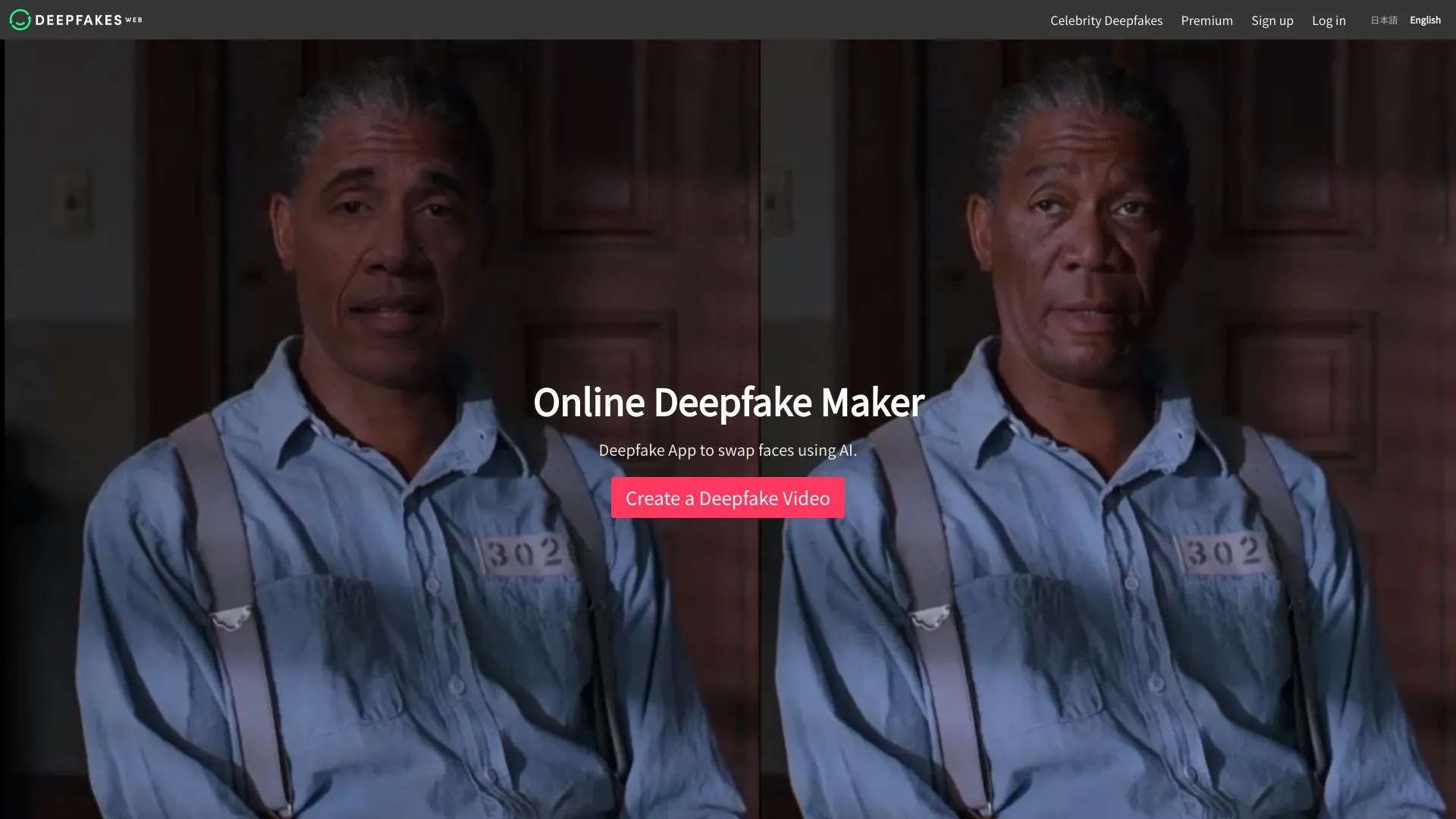
Deepfakes Web turns a face photo and a video into a face-swapped MP4 using cloud processing. You can start with free template videos in a browser or upload your own clip for a paid swap. The service automatically detects and extracts faces, lets you select which face to replace, and assembles the result for preview and download. Custom videos can be up to three minutes, 200 MB, and 4K resolution.
Ads
What is Deepfakes Web?
Deepfakes Web creates face-swapped videos from a single face photo and a source video. Users can choose from built-in templates or upload an MP4, then the service handles face detection, extraction, swapping, and video reassembly in the cloud. For group scenes, users can select which detected face to replace. Results can be previewed in the browser and downloaded as high-quality MP4, with output up to 4K. Uploaded clips can be up to three minutes and 200 MB. Template swaps are free and do not require an account; custom web uploads use paid processing and require an account to save results. The mobile app offers paid video swaps without an account. Generated videos include invisible AI watermarks, and the service says uploads and results remain private.
Who will use Deepfakes Web?
- People making entertainment clips, memes, or parody videos
- Social media creators making short vertical videos for TikTok or Reels
- Gaming streamers editing highlights or VOD clips
- Film and advertising production teams creating face-swap scenes
- Online educators creating face-swapped video content
How to use the Deepfakes Web?
- Step1: Choose a built-in template video or prepare an MP4 clip of up to 200 MB.
- Step2: Upload a clear, front-facing photo of the face to use.
- Step3: If the clip contains multiple faces, select the detected face you want to replace.
- Step4: Let the service process the video in the cloud; it detects, extracts, swaps, and reassembles the face.
- Step5: Preview the result and download the finished MP4, up to 4K. Sign up for custom uploads on the web, or use the mobile app without an account.
Platform
- Web
Deepfakes Web's Core Features & Benefits
The Core Features
- Face swapping from one photo into a template or uploaded video
- Automatic face detection, extraction, swapping, and video reassembly
- Selection of a target face in clips with multiple people
- Cloud rendering with preview and MP4 download up to 4K
- Invisible AI watermarking
The Benefits
- Create swaps without installing desktop software or needing high-end hardware
- Try unlimited face swaps in template videos for free without signing up
- Use uploaded videos up to three minutes and 200 MB
- Keep uploads and generated videos private according to the service
- Use the mobile app without an account
Deepfakes Web's Main Use Cases & Applications
- Making movie-role-play and parody clips
- Creating face-swap memes and social media videos
- Producing vertical clips for TikTok and Reels
- Swapping faces into gaming streams, trailers, and VOD highlights
- Creating face-swapped material for film, advertising, and online education
Deepfakes Web's Pros & Cons
The Pros
Free template swaps can be used without an account, and the FAQ describes them as unlimited.
Cloud processing handles face detection, swapping, and assembly without local software or high-end hardware.
Supports up to 4K output and MP4 downloads, with clips up to three minutes and 200 MB.
The mobile app offers processing from $1 per video and does not require an account.
Generated videos include invisible AI watermarks.
The Cons
Custom video uploads are paid: the listed price is $10 per video on the web or $1 per video in the app.
Uploaded videos are limited to three minutes and 200 MB.
Web users need an account to upload their own video and save finished results.
Purchases are final once video processing has started, except for technical processing failures that are re-credited.
Deepfakes Web's Pricing
| Has free plan | YES |
|---|---|
| Free trial details | |
| Pricing model | freemium |
| Is credit card required | No |
| Paid from | 1 USD |
| Has lifetime plan | No |
| Billing frequency |
Details of Pricing Plan
Free template swaps
0 USDDeepFake App
1 USD per video- Pay with card or in-app purchase
- No account required
Deepfakes Web
10 USD per video- Pay with card
FAQs of Deepfakes Web
Deepfakes Web Company Information
- Website:
- Company Name: DeepfakesWeb.com
- Support Email:
- Facebook:
- X(Twitter):
- YouTube:
- Instagram:
- Tiktok:
- LinkedIn:
Analytic of Deepfakes Web
Visit Over Time
Monthly Visits
393.3K
Avg Visit Duration
00:00:23
Page Per Visit
2.09
Bounce Rate
47.29%
Jul 2026 - Sep 2026 All Traffic
Geography
Top 5 Regions

United States
13.61%
India
6.22%
Korea, Republic of
3.68%
Spain
3.34%
Turkey
3.03%
Jul 2026 - Sep 2026 Worldwide Desktop Only
Traffic Sources
SearchOrganic
76.29%
Direct
18.05%
Referrals
3.47%
SocialOrganic
1.34%
Mail
0.77%
GenAi
0.08%
Sep 2026 Desktop Only
Top Keywords
| Keyword | Traffic | Cost Per Click |
|---|---|---|
| deepfake | 100.9k | $1.10 |
| deepfake ai tool | 2.3k | — |
| deep fake | 11.1k | $0.97 |
| deepfake ai | 5.4k | $0.94 |
| deepfakes | 26.8k | $1.55 |
Deepfakes Web Reviews
5/5
Deepfakes Web's Main Competitors and alternatives?
FaceSwap
ReFace
Deep Art Effects
You may also like:
Swap faces in live webcam video, record clips, trim them, and export MP4 or WebM directly from your browser.
Replace faces in short videos by uploading a clip and photo, trimming scenes, and choosing single or multiple swaps.
Swap a face into animated GIFs online, with GIF uploads, HD 1080 output, and no watermarks.
Create face-swapped photos and videos in seconds by uploading media, with no sign-up or payment required.
AI-powered HeadSwap replaces entire heads including hair and contours for fast, realistic image transformations and creative edits.
Browser-based AI video studio for face swaps, character replacement, motion animation and flicker-free style transfer.
All-in-one web-based image-to-image AI editor for face swaps, restoration, background removal, upscaling, and stylization.
Free web-based AI face swap enabling instant, realistic photo and video swaps with no signup or watermarks.
Kirkify AI quickly transforms images into viral Charlie Kirk memes for satire and fun sharing.
Advanced AI-powered tool for seamless, realistic video face swaps without signup or watermark.
Kirkify AI is a professional image generator specializing in high-quality Charlie Kirk face swaps and memes.
Kirkify AI is a fast, pay-per-use AI face swap tool for creating memes instantly.
Kirkify is an AI-powered meme generator that quickly creates neon satire memes from photos and videos.
AI-powered face swap tool creating ultra-realistic photo and video face swaps effortlessly.
Seamlessly swap faces in videos online using cutting-edge AI technology without downloads.
LipSync Studio uses AI-powered lip-sync technology for high-quality, multilingual video dubbing and animation.
A user-friendly online AI face swap tool delivering realistic and high-quality photo face swaps.
FaceSwapAI is a fast, free online AI tool for realistic face swapping in photos and videos.
Free, ultra-fast AI video face swap tool for creating fun and realistic face swaps online.