
- 250 lifetime credits
- Requires adding a payment method; it will never be charged
- Includes Genmo watermark

Genmo AI
0
Genmo turns written scene descriptions into generated videos through its interactive playground. Its featured open-source model, Mochi 1, converts text prompts into visual stories, and users can try it in the playground or run and customize it locally. The project provides a GitHub repository, a Hugging Face download, and a quickstart using pip and a Python command-line demo; ComfyUI is also named as an option for running Mochi.
Promote this Tool
Update this Tool
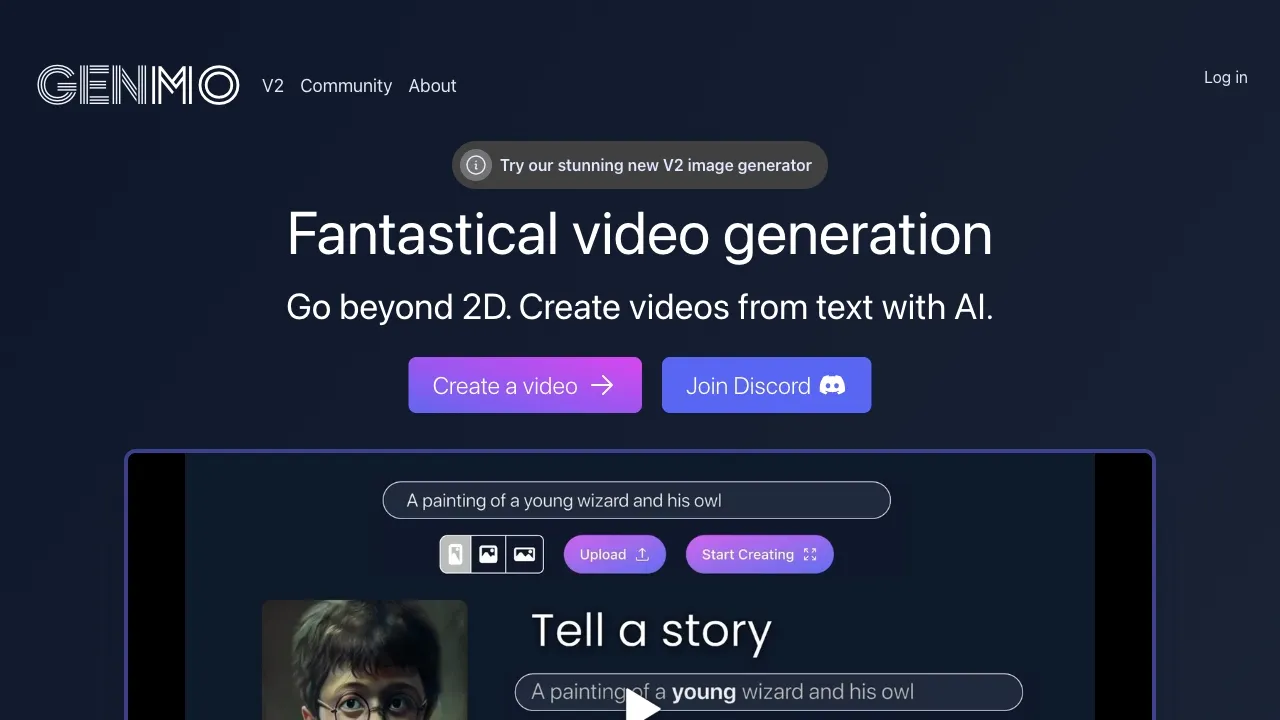
Genmo turns written scene descriptions into generated videos through its interactive playground. Its featured open-source model, Mochi 1, converts text prompts into visual stories, and users can try it in the playground or run and customize it locally. The project provides a GitHub repository, a Hugging Face download, and a quickstart using pip and a Python command-line demo; ComfyUI is also named as an option for running Mochi.
Ads
What is Genmo AI?
Genmo centers on text-to-video creation. In the interactive browser playground, users enter a written scene prompt or start with a suggested random prompt and generate a video. The product displays examples of generated scenes, including glass shattering, a chalk mural being drawn, and performers preparing backstage. Genmo also develops Mochi 1, an open-source text-to-video model intended to turn written concepts into visual stories. Developers and researchers can download the model, clone its GitHub repository, install dependencies with pip, and generate a first video through a Python CLI demo. Mochi can be customized locally and used through ComfyUI, offering a hosted way to experiment as well as a self-run route for adaptation and contribution.
Who will use Genmo AI?
- Video creators and filmmakers
- Artists and creative professionals
- AI and machine-learning researchers
- Developers experimenting with generative video
- ComfyUI users
How to use the Genmo AI?
- Step1: Open Genmo’s Playground in a browser.
- Step2: Enter a written scene description or choose a suggested random prompt.
- Step3: Generate a video and review the result.
- Step4: To run Mochi locally, download the model and clone the GitHub repository.
- Step5: Install the dependencies with pip, then run the Python CLI demo; customize Mochi or use it with ComfyUI as needed.
Platform
- Web
Genmo AI's Core Features & Benefits
The Core Features
- Generate videos from written text prompts in an interactive playground
- Provide random prompt suggestions to try
- Offer Mochi 1 as an open-source text-to-video model
- Support local model use and customization through a repository and CLI
- Provide a ComfyUI option for running Mochi
The Benefits
- Turn written scene ideas into visual video outputs
- Try video generation through a browser playground
- Inspect and adapt an open-source model locally
- Use a command-line workflow to generate videos
Genmo AI's Main Use Cases & Applications
- Creating visual drafts from written scene concepts
- Exploring text-to-video generation in a browser
- Experimenting with open-source video generation models
- Customizing a video-generation model for research or development
- Generating video through a local Python CLI or ComfyUI
Genmo AI's Pros & Cons
The Pros
Offers a browser playground for trying text-to-video generation.
Mochi 1 is open source and can be run and customized locally.
Includes a GitHub repository and a Python CLI quickstart.
ComfyUI is offered as another way to run the model.
The Cons
The locally run workflow requires cloning a repository, installing dependencies, and using a command line.
The described core capability focuses on text-to-video generation rather than a complete video-editing workflow.
Genmo AI's Pricing
| Has free plan | YES |
|---|---|
| Free trial details | |
| Pricing model | freemium |
| Is credit card required | YES |
| Has lifetime plan | No |
| Billing frequency | monthly/yearly |
Details of Pricing Plan
Free
0 USDDiscount:Save 20% on yearly plans.
For the latest prices, please visit: https://www.genmo.ai/pricingFAQs of Genmo AI
Genmo AI Company Information
- Website:
- Company Name: Genmo
- Support Email:
- Facebook:
- X(Twitter):
- YouTube:
- Instagram:
- Tiktok:
- LinkedIn:
Analytic of Genmo AI
Visit Over Time
Monthly Visits
135.7K
Avg Visit Duration
00:00:31
Page Per Visit
3.73
Bounce Rate
37.80%
Jul 2026 - Sep 2026 All Traffic
Geography
Top 5 Regions

United States
19.72%
India
19.7%
Russia
9.64%
Bangladesh
7.39%
Pakistan
6.8%
Jul 2026 - Sep 2026 Worldwide Desktop Only
Traffic Sources
Direct
51.92%
SearchOrganic
34.32%
Referrals
6.77%
SocialOrganic
2.41%
Mail
1.67%
GenAi
1.57%
SocialPaid
0.90%
DisplayAds
0.43%
SearchPaid
0.01%
Affiliate
0.01%
Sep 2026 Desktop Only
Top Keywords
| Keyword | Traffic | Cost Per Click |
|---|---|---|
| genmo | 4.1k | $0.10 |
| genmo ai | 2.3k | $0.07 |
| genmo mochi 1 | 520 | $0.08 |
| genmo ai | — | — |
| mochi ai | 3.2k | $2.34 |
Genmo AI Reviews
5/5
Genmo AI's Main Competitors and alternatives?
Canva
Piktochart
Animoto
Lumen5
Adobe Creative Cloud
You may also like:
Turn text prompts and reference images into AI-generated videos, images, voiceovers, and reusable character-led content.
Turn text prompts, photos, or reference images into 1080p videos up to 30 seconds with generated dialogue, effects, and music.
Create and refine images, videos, audio, and 3D assets in one canvas, with conversational agents that retain project context.
Magi 2 makes 4–30 second 1080p AI videos with native sound, lip sync and shot cuts placed to the second.
Create synchronized videos up to 30 seconds from text, images, and clips, with camera guidance and consistent characters.
Direct camera action, dialogue, sound and cuts to create or revise short videos up to 30 seconds in 1080p.
Generate videos, images, and music from prompts or references in one workspace using shared credits and a centralized asset library.
Create watermark-free videos from text prompts or photos, with selectable models, aspect ratios, durations, and resolutions.
Turn prompts, images, or references into reviewable video drafts with text-to-video, image-to-video, and first-and-last-frame controls.
Turn a photo, text prompt, or reference image into a short AI video using templates and adjustable generation settings.
Create directed video scenes from text, photos, or paired keyframes, with controls for camera movement, framing, and sound.
Turn prompts and reference media into up-to-30-second videos with directed shots, synchronized sound, and output up to 1080p.
Turn text prompts, photos, or ready-made templates into AI-generated videos, then revisit finished work in your My Creations library.
Generate short videos from text, images, or reference media, with synchronized sound, shot controls, and downloadable MP4 exports.
TeraBox is an all-in-one AI workspace and cloud storage platform for creating presentations, writing content, generating
Create images and short videos from prompts or photos, switching among multiple generation models and reusable templates in one account.
Turn text prompts and images into videos, with options for synchronized audio, frame control, and resolutions up to 4K.
Yovid turns text prompts, photos, or existing clips into downloadable AI videos with model, duration, and resolution controls.
Create short videos from prompts and references, then refine scenes conversationally with native ambience, dialogue, and music direction.
Recreate short viral-style videos by replacing visible subjects, products, objects, or backgrounds while preserving the reference motion and timing.