

GenTube
0
Gentube turns text prompts into visual creations, including images, character concepts, and videos. Users can also explore a community feed, remix existing creations, and use dedicated character and story creation areas. Its browser-based experience brings prompt-led creation together with creator profiles, search, and challenges, making it possible to discover ideas as well as make new visual work.
Promote this Tool
Update this Tool
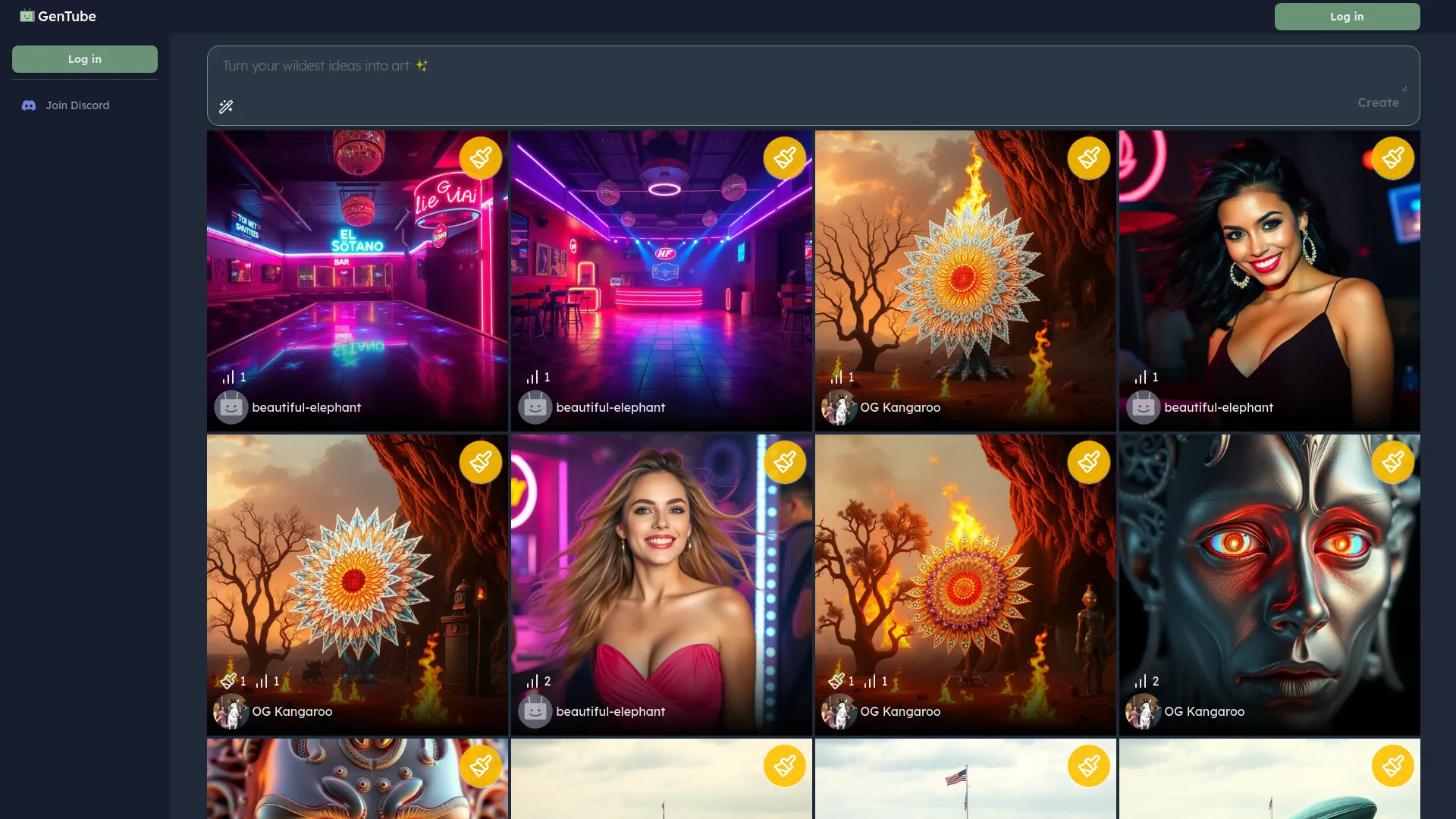
Gentube turns text prompts into visual creations, including images, character concepts, and videos. Users can also explore a community feed, remix existing creations, and use dedicated character and story creation areas. Its browser-based experience brings prompt-led creation together with creator profiles, search, and challenges, making it possible to discover ideas as well as make new visual work.
Ads
What is GenTube?
Gentube is a browser-based creative tool for generating and exploring visual content. Type a prompt to create images or videos, then refine an idea by remixing an existing creation. Character-focused tools let users create and develop original characters, with separate areas for character creation and character stories. A Flow section offers another creation entry point. The community experience includes feeds for featured work, recent creations, characters, and creators, along with search and challenges. Creations appear with their prompts and creator profiles, so users can browse examples and build from them. Gentube is focused on visual generation and character-led creative work rather than general-purpose writing or productivity tasks.
Who will use GenTube?
- AI art and image creators
- Character designers and illustrators
- Writers developing visual characters and stories
- Hobbyists exploring prompt-based image and video creation
- Creators seeking inspiration from a community feed
How to use the GenTube?
- Step1: Open Gentube in a browser and choose a creation area, such as Create or Character Create.
- Step2: Enter a text prompt describing the image, video, or character concept you want to make.
- Step3: Review the generated visual result and adjust your prompt or choose an existing creation to remix.
- Step4: Explore creator feeds, search, or challenges to find ideas and examples.
- Step5: Use the character or story areas to continue developing character-focused concepts.
Platform
- Web
GenTube's Core Features & Benefits
The Core Features
- Generate images and videos from text prompts
- Create and develop character concepts
- Remix existing visual creations
- Create character-focused stories
- Browse creator, character, and recent-work feeds
- Search creations and explore community challenges
The Benefits
- Turn written ideas into visual concepts
- Iterate on existing creations through remixing
- Find inspiration in a community of creators
- Keep character creation and storytelling in a dedicated workflow
GenTube's Main Use Cases & Applications
- Generating prompt-based illustrations and visual concepts
- Creating character designs for original stories
- Developing character-led visual narratives
- Making short visual videos from written descriptions
- Remixing community creations into new variations
- Browsing creator work for inspiration
GenTube's Pros & Cons
The Pros
Supports prompt-based image and video creation.
Includes dedicated character creation and story areas.
Lets users remix creations and explore community work.
Combines creator feeds, search, and challenges.
The Cons
Its core scope is visual creation and character-led work, not general-purpose writing or productivity.
Some creation areas, including Character Create V2, Flow, and Story, are labeled beta.
FAQs of GenTube
GenTube Company Information
- Website:
- Company Name: GenTube
- Support Email:
- Facebook:
- X(Twitter):
- YouTube:
- Instagram:
- Tiktok:
- LinkedIn:
Analytic of GenTube
Visit Over Time
Monthly Visits
321.2K
Avg Visit Duration
00:02:55
Page Per Visit
6.22
Bounce Rate
38.77%
Jul 2026 - Sep 2026 All Traffic
Geography
Top 5 Regions

United States
24.79%
Italy
8.83%
United Kingdom
6.92%
India
6.57%
Mexico
4.09%
Jul 2026 - Sep 2026 Worldwide Desktop Only
Traffic Sources
Direct
44.91%
SearchOrganic
30.09%
SocialOrganic
11.88%
Referrals
3.71%
SearchPaid
3.37%
Mail
1.98%
GenAi
1.75%
DisplayAds
1.44%
SocialPaid
0.86%
Sep 2026 Desktop Only
Top Keywords
| Keyword | Traffic | Cost Per Click |
|---|---|---|
| gentube | 4.2k | $0.33 |
| gentube ai | 3.8k | $0.17 |
| vtuber maker | 4.3k | $1.59 |
| gen tube | 590 | $0.23 |
| gentube app | 280 | $0.11 |
GenTube Reviews
5/5
GenTube's Main Competitors and alternatives?
MidJourney
DALL-E
Artbreeder
You may also like:
TUNiB creates conversational A.I. that emotionally engages people for various applications.
Create realistic and touching AI-generated videos with just two photos using VividHubs.ai's advanced technology.
Vidu Studio AI converts text and images into professional-quality videos effortlessly.
Turn a product sentence, image, or link into a human-led video draft with matched presenters, products, and scenes.