
- For large teams
- Custom pricing available
- Contact sales for details

HelloSign
0
Dropbox Sign turns agreement workflows into a digital signing process: teams choose a document from Dropbox or a connected app, add signers and signature fields, and send it for secure review. Recipients can sign without creating an account. After completion, signed documents can be saved automatically to preferred storage, while integrations connect the workflow with tools such as Google Drive, Salesforce, OneDrive, and Slack.
Promote this Tool
Update this Tool
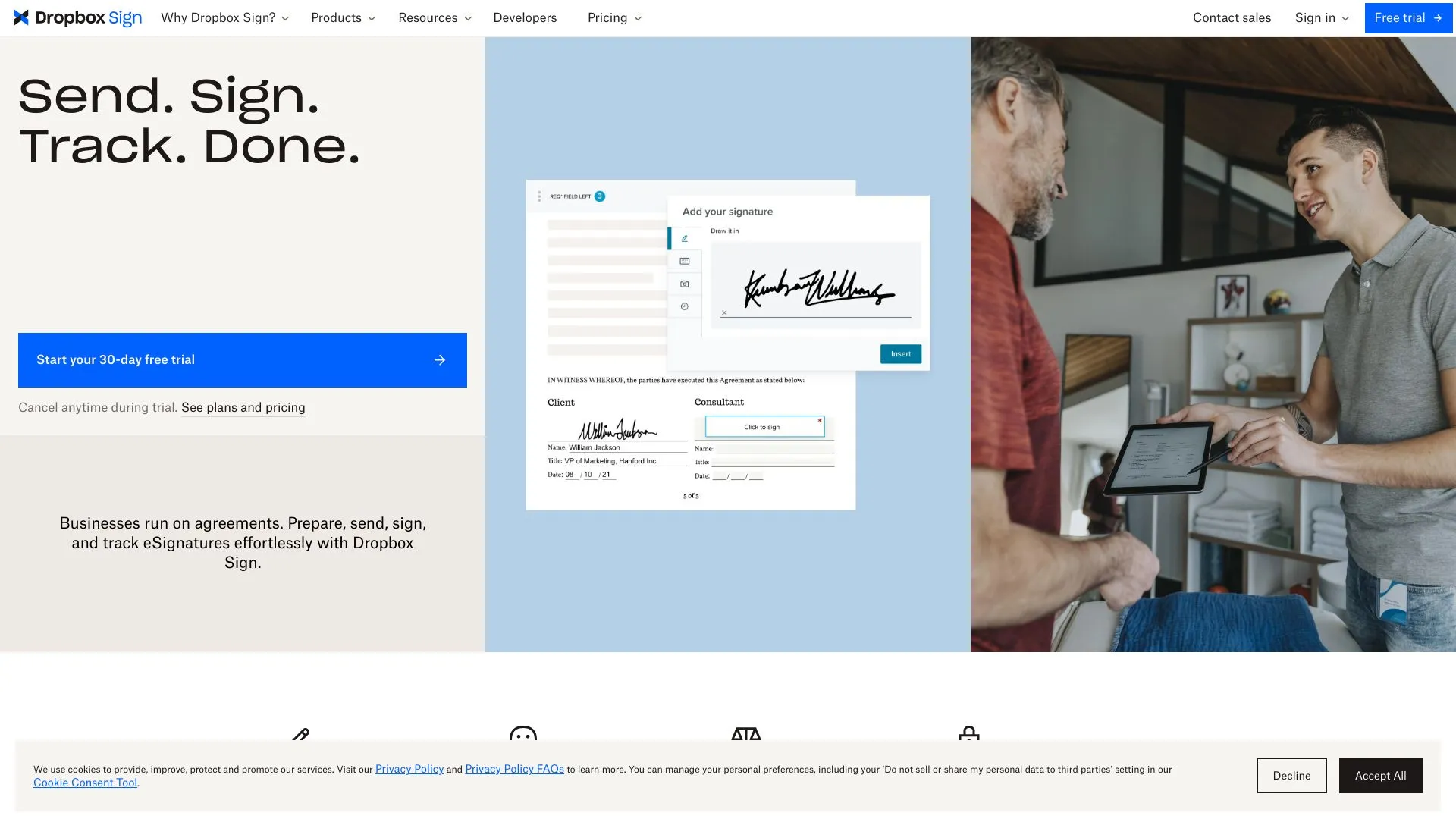
Dropbox Sign turns agreement workflows into a digital signing process: teams choose a document from Dropbox or a connected app, add signers and signature fields, and send it for secure review. Recipients can sign without creating an account. After completion, signed documents can be saved automatically to preferred storage, while integrations connect the workflow with tools such as Google Drive, Salesforce, OneDrive, and Slack.
Ads
What is HelloSign?
Dropbox Sign lets teams send documents for electronic signatures, prepare requests with signer details and fields, and collect completed agreements online. Users can start with files from Dropbox or connected apps, personalize a message, and send the agreement to recipients for review and signing. Recipients do not need an account to sign. Completed documents can be saved automatically to a preferred storage account, and integrations connect signing workflows with tools including Google Drive, Salesforce, OneDrive, Slack, and HubSpot. The service also offers reusable templates for recurring agreements, PDF fill-and-sign workflows, and document management for storing and organizing signed files. Teams can use the Dropbox Sign API to embed signing experiences in a website, app, or customer workflow.
Who will use HelloSign?
- Sales and business development teams
- Human resources and recruiting teams
- Startups
- Real estate professionals
- Financial technology teams
- On-demand service businesses
- Teams that send agreements for signature
How to use the HelloSign?
- Step1: Choose a document from Dropbox or another connected app.
- Step2: Add the signers, signature fields, and any other required fields.
- Step3: Include a personalized message and send the agreement.
- Step4: Recipients review and sign the document.
- Step5: Save the completed agreement to a preferred storage account.
Platform
- Web
- Android
- iOS
- Mac
- Windows
HelloSign's Core Features & Benefits
The Core Features
- Send documents for electronic signature
- Add signers and signature fields to requests
- Create and reuse agreement templates
- Fill and sign PDFs
- Store and organize signed documents
- Connect signing workflows to workplace tools
- Embed signing into apps and websites with the API
The Benefits
- Collect signatures without paper-based back-and-forth
- Let recipients sign without creating an account
- Reduce manual steps by using connected tools
- Automatically save completed agreements to preferred storage
- Support signing workflows across multiple departments
HelloSign's Main Use Cases & Applications
- Sending sales contracts and closing deals
- Collecting signed hiring, onboarding, and offboarding paperwork
- Processing real estate agreements
- Signing NDAs and internal approvals
- Collecting agreements from on-demand workers
- Embedding electronic signatures in fintech products and customer workflows
HelloSign's Pros & Cons
The Pros
Supports a clear workflow from selecting a file through saving the signed document.
Recipients can sign without creating an account.
Integrates with tools such as Dropbox, Google Drive, Salesforce, OneDrive, and Slack.
Offers reusable templates and an API for embedded signing workflows.
The Cons
The product is focused on sending, signing, and managing agreements rather than serving as a general-purpose document creation suite.
The stated legal recognition applies in the United States, European Union, United Kingdom, and many other countries; legal requirements can vary by jurisdiction.
HelloSign's Pricing
| Has free plan | YES |
|---|---|
| Free trial details | 30-day free trial with access to paid plan features, no charge if canceled within 30 days |
| Pricing model | Free Trial |
| Is credit card required | No |
| Paid from | 15 USD |
| Has lifetime plan | No |
| Billing frequency | Monthly |
Details of Pricing Plan
Premium
0 USDEssentials
15 USD- Unlimited signature requests
- Individual use
- Email and chat support
Standard
25 USD- For small teams
- User-based pricing
- Email and paid customer support
- Unlimited signature requests
Discount:15% off first three months on monthly plans or 30% off first year on annual plans with Enterprise994 coupon code
For the latest prices, please visit: https://www.hellosign.com/products/dropbox-sign/pricingFAQs of HelloSign
HelloSign Company Information
- Website:
- Company Name: HelloSign, now Dropbox Sign
- Support Email:
- Facebook:
- X(Twitter):
- YouTube:
- Instagram:
- Tiktok:
- LinkedIn:
Analytic of HelloSign
Visit Over Time
Monthly Visits
4.4M
Avg Visit Duration
00:07:44
Page Per Visit
8.50
Bounce Rate
28.92%
Jul 2026 - Sep 2026 All Traffic
Geography
Top 5 Regions

United States
68.5%
United Kingdom
6.4%
Canada
5.2%
Australia
4.24%
Spain
1.86%
Jul 2026 - Sep 2026 Worldwide Desktop Only
Traffic Sources
Direct
70.04%
Mail
16.95%
Referrals
6.62%
SearchOrganic
3.75%
SocialOrganic
1.59%
GenAi
0.56%
DisplayAds
0.43%
SearchPaid
0.05%
Affiliate
0.01%
SocialPaid
0.00%
Sep 2026 Desktop Only
Top Keywords
| Keyword | Traffic | Cost Per Click |
|---|---|---|
| hellosign | 39.3k | $6.76 |
| dropbox sign login | 7.5k | $1.00 |
| dropbox sign | 71.7k | $12.39 |
| hello sign | 12.1k | $7.93 |
| hellosign login | 3.3k | $2.69 |
HelloSign Reviews
5/5
HelloSign's Main Competitors and alternatives?
You may also like:
Panzoe organizes schedules, email, documents, tasks, and connected apps through one shared AI memory and daily briefing.
Eigent is an open-source AI workforce platform managing complex workflows via multi-agent collaboration.
Rewrite, proofread, summarize, and create content with tools for polishing text, checking originality, generating visuals, and building presentations.
Tennr is an advanced AI agent facilitating personalized learning experiences and recommendations.
Botpress resolves customer support tickets by answering questions, updating accounts, issuing refunds, and coordinating multi-step workflows.
An open-source RAG-based AI tool enabling LLM-driven Q&A over cybersecurity datasets for contextual threat insights.
RAGApp simplifies building retrieval-augmented chatbots by integrating vector databases, LLMs, and toolchains in a low-code framework.
Deep Research Agent automates literature review by retrieving, summarizing, and analyzing scientific papers using AI-driven search and NLP.
Enables interactive Q&A over CUHKSZ documents via AI, leveraging LlamaIndex for knowledge retrieval and LangChain integration.