
- 3 videos per month
- Videos up to 3-mins
- 720p video export
- Standard video processing
- 3 Avatar IV videos per month
- 1 Custom Video Avatar
- 500+ Stock Video Avatars
- 30+ languages
- Share & download videos

HeyGen
0
HeyGen turns scripts, images, audio, and presentations into videos featuring AI avatars, voiceovers, visuals, and captions. You can create a video from a prompt, edit scenes and delivery in AI Studio, or translate existing footage into more than 175 languages and dialects with voice cloning and lip-sync. Its tools also generate avatars and convert images or audio into video for business, training, education, and social content.
Promote this Tool
Update this Tool
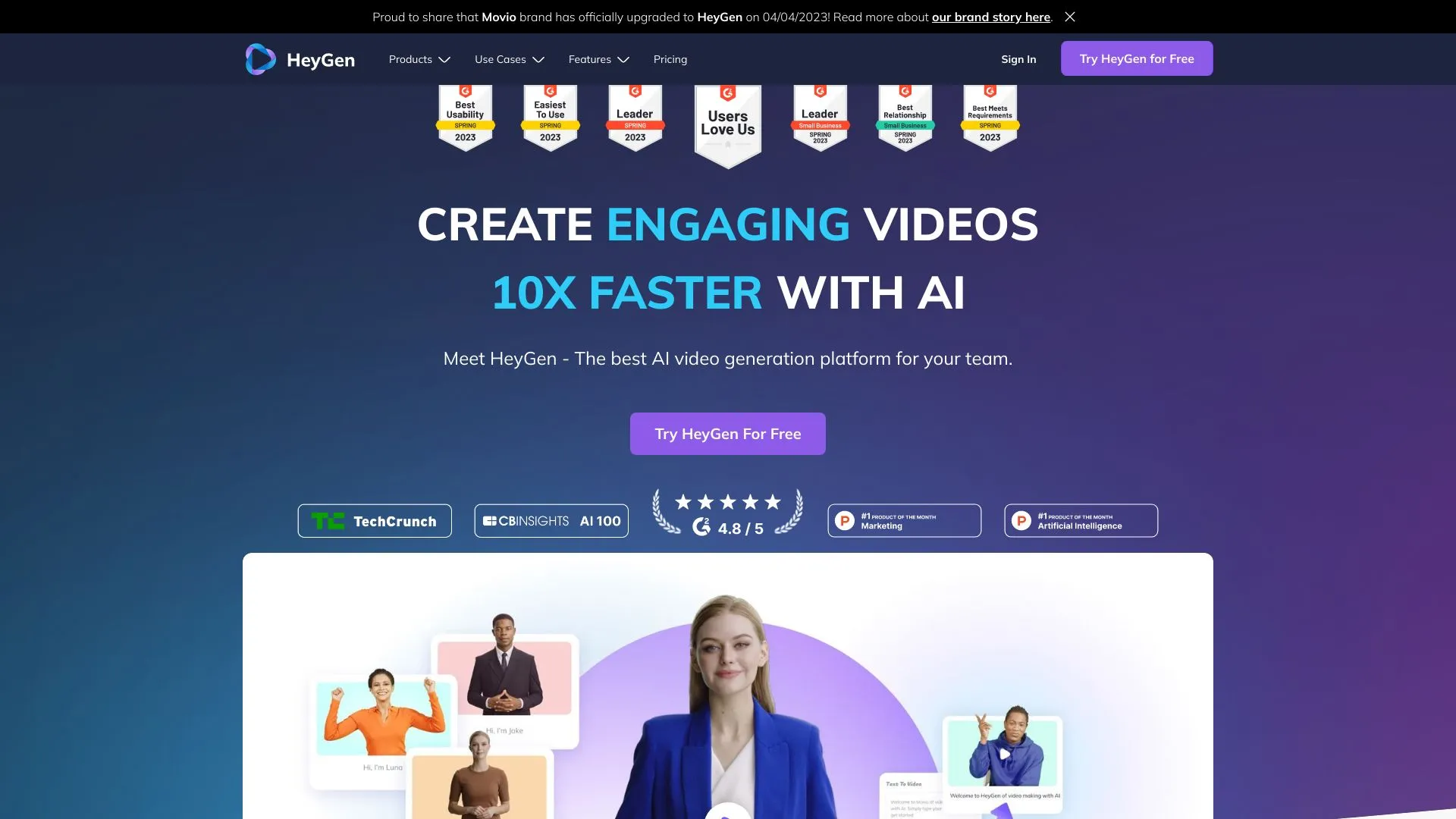
HeyGen turns scripts, images, audio, and presentations into videos featuring AI avatars, voiceovers, visuals, and captions. You can create a video from a prompt, edit scenes and delivery in AI Studio, or translate existing footage into more than 175 languages and dialects with voice cloning and lip-sync. Its tools also generate avatars and convert images or audio into video for business, training, education, and social content.
Ads
What is HeyGen?
HeyGen is a video creation suite for generating and adapting videos with AI presenters. Users can create videos from text prompts or scripts, animate images, convert audio into video, and turn PPT or PDF slides into scenes with avatars and voiceovers. AI Studio provides a text-based editor for adjusting script, tone, delivery, gestures, emotion, timing, color, and layout. Users can add captions, B-roll, brand elements, and collaborate through comments, tagging, and multi-user editing. Video translation supports more than 175 languages and dialects, with voice cloning and lip-sync for localized footage. Custom avatars can be trained to preserve a person's look and behavior, and require on-camera identity verification. A free plan is available; advanced creation and editing options are offered on paid plans.
Who will use HeyGen?
- Marketing and social media teams
- Educators and e-learning course creators
- Corporate learning and development teams
- Sales teams creating personalized outreach
- Businesses producing product demos, onboarding, or compliance videos
- Agencies and content creators localizing video for global audiences
How to use the HeyGen?
- Step1: Create an account and choose a video workflow, such as text-to-video, image-to-video, audio-to-video, or PPT/PDF-to-video.
- Step2: Enter a prompt or script, or upload the image, audio, presentation, or video you want to use.
- Step3: Choose an avatar and voice, then select a language and adjust tone, delivery, gestures, and visuals.
- Step4: Edit scenes, timing, captions, branding, and other elements in AI Studio; collaborate with teammates if needed.
- Step5: Generate the video, review it, then download, edit, or share it.
- Step6: To localize existing footage, upload a video or paste a YouTube link, select the target language, and generate the translated version with lip-sync.
Platform
- Web
HeyGen's Core Features & Benefits
The Core Features
- Generate videos from prompts and scripts with AI presenters, voiceovers, and visuals
- Convert images, audio files, PPTs, and PDFs into videos
- Create custom avatars and talking-photo videos
- Edit scripts, tone, gestures, emotion, timing, colors, and layouts in AI Studio
- Translate videos into more than 175 languages and dialects with voice cloning and lip-sync
- Collaborate with comments, tagging, and multi-user editing
The Benefits
- Produce presenter-led content without filming each video
- Adapt training, marketing, and social videos for multiple audiences and languages
- Make edits to generated scenes without rebuilding the video from scratch
- Create video from common text, image, audio, and presentation inputs
- Keep branding and team feedback within a shared video workflow
HeyGen's Main Use Cases & Applications
- Create social media clips and marketing videos
- Produce product demos and sales outreach videos
- Create online courses and educational explainers
- Develop employee onboarding and compliance training
- Convert slide decks and PDFs into narrated video
- Translate and dub existing videos for international audiences
- Turn podcast or voiceover audio into avatar-led video
HeyGen's Pros & Cons
The Pros
Supports video generation from scripts, prompts, images, audio, PPTs, and PDFs
AI Studio allows editing of text, visuals, timing, layout, tone, and gestures
Video translation includes voice cloning and lip-sync across 175+ languages and dialects
Offers a free plan and collaboration features for teams
The Cons
Advanced video creation and editor options are reserved for paid plans
Custom-avatar creation requires on-camera identity verification of the person depicted
Content moderation excludes violence, political campaigning, and harm to minors
HeyGen's Pricing
| Has free plan | YES |
|---|---|
| Free trial details | |
| Pricing model | Freemium |
| Is credit card required | No |
| Paid from | 29 USD |
| Has lifetime plan | No |
| Billing frequency | Monthly |
Details of Pricing Plan
Free
0 USDCreator
29 USD- Unlimited videos
- Videos up to 30-mins
- 1080p video export
- Fast video processing
- 5 minutes of Avatar IV per month
- 1 Custom Video Avatar
- 1 Custom Interactive Avatar
- 700+ Stock Video Avatars
- Voice cloning
- 175+ languages and dialects
- Generate Looks
- Look Packs
- Watermark removal
- Brand Kit
Team
39 USD- Unlimited videos
- Videos up to 30-mins
- 4k video export
- Faster video processing
- 5 minutes of Avatar IV per month
- 2 seats included
- 2 Custom Video Avatars
- 2 Custom Interactive Avatars
- Unlimited Photo Avatars
- Edit & proofread translation script
- Workspace collaboration
- Video draft commenting & editing
- Invites & team management
- Pay as you grow
- Scale your brand and centralize assets
Discount:Save 22% if you pay yearly
For the latest prices, please visit: https://app.heygen.com/guest?sid=rewardful&via=creati-aiFAQs of HeyGen
HeyGen Company Information
- Website:
- Company Name: HeyGen
- Support Email:
- Facebook:
- X(Twitter):
- YouTube:
- Instagram:
- Tiktok:
- LinkedIn:
Analytic of HeyGen
Visit Over Time
Monthly Visits
6.4M
Avg Visit Duration
00:09:01
Page Per Visit
9.41
Bounce Rate
33.74%
Jul 2026 - Sep 2026 All Traffic
Geography
Top 5 Regions

United States
17.54%
India
8.4%
Brazil
8.15%
Germany
4.43%
Pakistan
3.02%
Jul 2026 - Sep 2026 Worldwide Desktop Only
Traffic Sources
Direct
59.98%
Referrals
16.69%
SearchOrganic
7.91%
GenAi
4.14%
SocialOrganic
4.13%
SearchPaid
3.57%
DisplayAds
1.90%
Mail
1.42%
SocialPaid
0.26%
Sep 2026 Desktop Only
Top Keywords
| Keyword | Traffic | Cost Per Click |
|---|---|---|
| heygen | 1387.8k | $0.79 |
| heygen ai | 65.1k | $0.39 |
| hey gen | 92.0k | $0.78 |
| hygen | 40.4k | $1.14 |
| haygen | 12.1k | $0.79 |
HeyGen Reviews
5/5
HeyGen's Main Competitors and alternatives?
You may also like:
Turn one or two portraits into short rap performances with generated vocals, music, selectable scenes, and downloadable video clips.
Create conversion-ready UGC product ads from photos or reference ads, with creator-style videos and multiple variants for testing.
Create product-focused UGC video ads with AI creators, scripts, voiceovers, captions, and platform-ready exports in minutes.
All-in-one AI video and image generator with popular AI models. Create stunning content for free, with no watermark.
AI video generator that creates realistic talking videos with accurate lip synchronization in minutes.
AI video generator for creating cinematic clips from text, images, references, and audio inputs.
AI-powered video creation platform for recording, editing, repurposing, and publishing professional videos in minutes.
AI UGCVideo.ai creates realistic influencer-style video ads from text or URLs, fast and without filming.
Browser-based AI video generator from ByteDance that transforms prompts and images into cinematic clips in seconds.
All-in-one AI ad creative suite for generating copy, videos, product images, and social ads fast.
AI video generator that turns text, images, and clips into cinematic videos with native audio.
AI Fruit generates talking fruit videos, meme clips, and ASMR-style short-form content for social media.
Free AI lip sync generator that turns photos or videos into realistic talking videos in seconds.
VEME is an AI platform for turning text, images, and photos into polished videos and images quickly.
AI video ad generator that turns ecommerce product links into high-converting video ads in minutes.
An AI platform for generating, enhancing, and editing images and videos with advanced models.
Open-source AI video generator that creates synchronized video and audio from text or images.
Browser-based AI video generator that turns prompts and images into lifelike human videos.
AI video generator for cinematic short clips with audio, keyframes, and reference images.