
- 5,000 Zaps per month
- Up to 500 image generations
- Up to 16 video generations
- Create 10 original characters
- Export images without watermark

Komiko : AI Comics, AI Characters & AI Anime
0
KomikoAI combines anime-focused image and video creation with tools for original characters, comics, effects, and character chat. Enter a prompt to generate anime artwork, animate a prompt or image into a clip, or start from a template to transform an uploaded photo. The studio also offers text-to-speech for anime-style lines, image utilities such as background removal and upscaling, and a canvas for building comics. Creators can browse community examples and recreate selected works.
Promote this Tool
Update this Tool
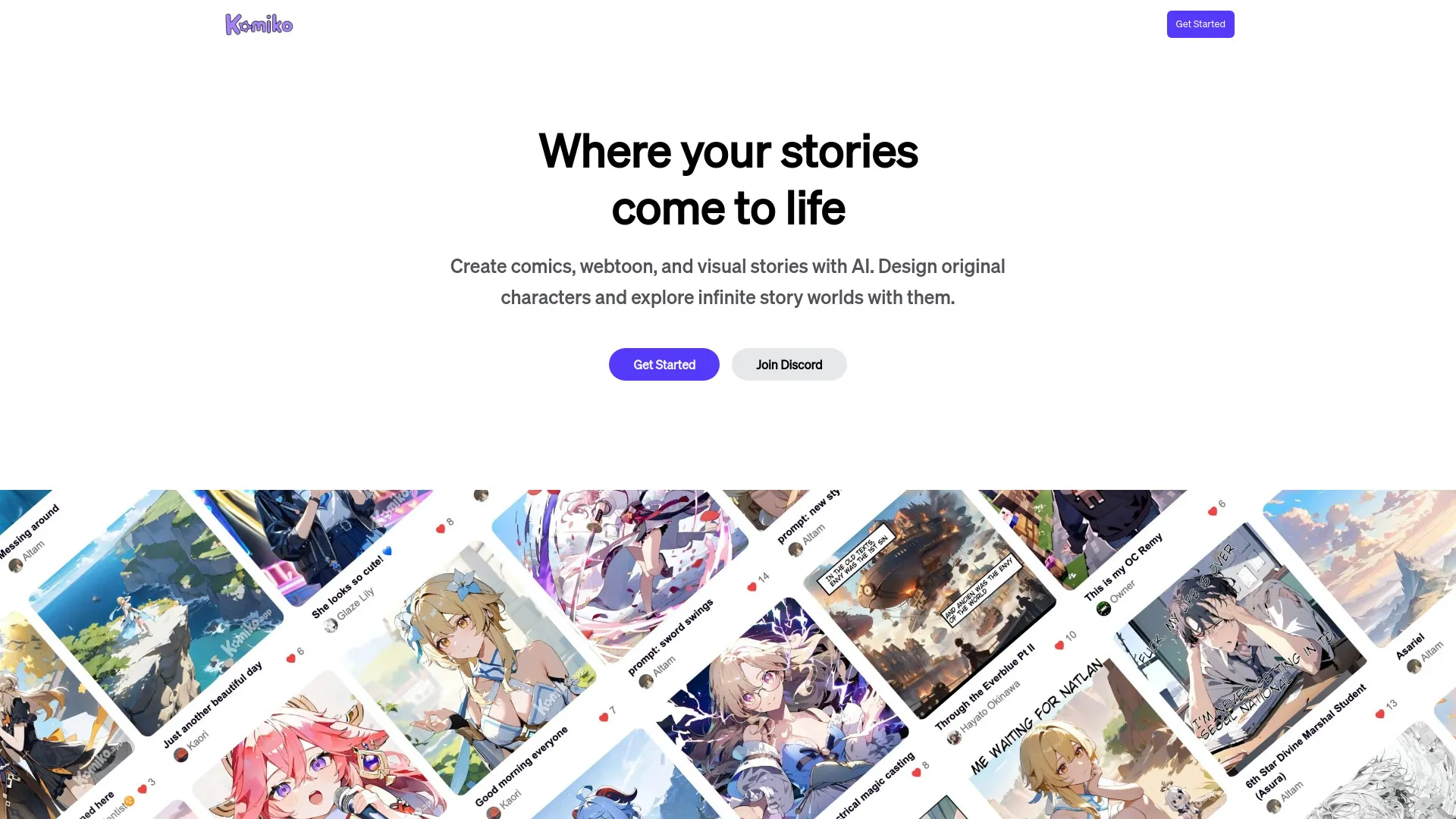
KomikoAI combines anime-focused image and video creation with tools for original characters, comics, effects, and character chat. Enter a prompt to generate anime artwork, animate a prompt or image into a clip, or start from a template to transform an uploaded photo. The studio also offers text-to-speech for anime-style lines, image utilities such as background removal and upscaling, and a canvas for building comics. Creators can browse community examples and recreate selected works.
Ads
What is Komiko : AI Comics, AI Characters & AI Anime?
KomikoAI is a browser-based creative studio for making anime and manga-inspired content. Its image generator turns prompts into anime artwork and offers multiple styles, while video tools animate prompts or images and transform uploaded videos into different styles. OC Maker supports designing original characters, and the comic generator turns story ideas into manga pages; a separate canvas provides a place to create comics from scratch. The tool collection also includes one-tap effects, image editing utilities such as background removal and upscaling, line-art colorization, and sketch cleanup. Users can chat with characters, create speech from text, and explore community artwork to recreate. The product brings several creative workflows together, with individual tools suited to different kinds of outputs.
Who will use Komiko : AI Comics, AI Characters & AI Anime?
- Anime and manga artists
- Fans creating character art and fandom content
- Writers and storytellers developing original characters
- Comic and manga creators
- Creators making short animated clips
How to use the Komiko : AI Comics, AI Characters & AI Anime?
- Step1: Open KomikoAI in a browser and choose a tool, such as the image generator, OC Maker, AI Comic, or video generator.
- Step2: Provide the input for that tool, such as a text prompt, story idea, image, or video.
- Step3: Choose a style, effect, or template where available, then run the generation or transformation.
- Step4: Review the result and use another tool or prompt to continue developing the artwork, character, comic, or clip.
- Step5: Explore community creations for inspiration or select a work marked for recreation.
Platform
- Web
- Android
- iOS
Komiko : AI Comics, AI Characters & AI Anime's Core Features & Benefits
The Core Features
- Generate anime-style images from text prompts
- Animate prompts or images into video clips
- Design original characters with OC Maker
- Generate manga pages from story ideas and create comics on a canvas
- Apply image and video effects and use image utilities
- Chat with characters and generate speech from text
The Benefits
- Bring character and story concepts into visual form
- Create still images, comics, and animated clips in one browser-based studio
- Use templates and effects to transform images
- Explore community creations for ideas and recreation
Komiko : AI Comics, AI Characters & AI Anime's Main Use Cases & Applications
- Creating anime-style character illustrations from prompts
- Designing original characters for stories and fandom projects
- Turning story ideas into manga pages
- Animating an image or prompt into a short clip
- Applying anime and other visual effects to uploaded media
- Chatting with characters or generating spoken lines
Komiko : AI Comics, AI Characters & AI Anime's Pros & Cons
The Pros
Combines image, animation, character, comic, effects, and character-chat tools in one creative studio.
Supports both prompt-based creation and workflows that start from images or videos.
Includes community examples that users can explore and recreate.
The Cons
Its creative focus is anime, manga, and fandom-style content rather than general-purpose design or production workflows.
Komiko : AI Comics, AI Characters & AI Anime's Pricing
| Has free plan | YES |
|---|---|
| Free trial details | |
| Pricing model | Freemium |
| Is credit card required | No |
| Paid from | 8.33 USD |
| Has lifetime plan | No |
| Billing frequency | Monthly |
Details of Pricing Plan
Starter
8.33 USDPlus
16.66 USD- 15,000 Zaps per month
- Up to 1,500 image generations
- Up to 50 video generations
- Create 20 original characters
- Export images without watermark
- Early access to new features
Premium
41.66 USD- 50,000 Zaps per month
- Up to 5,000 image generations
- Up to 166 video generations
- Create 10,000 original characters
- Export images without watermark
- Early access to new features
Enterprise
Contact Sales USD- Custom Zaps according to your needs
- Custom features
- Priority customer support
Discount:Annual plan saves 17%
For the latest prices, please visit: https://komiko.app/pricingFAQs of Komiko : AI Comics, AI Characters & AI Anime
Komiko : AI Comics, AI Characters & AI Anime Company Information
- Website:
- Company Name: Komiko
- Support Email:
- Facebook:
- X(Twitter):
- YouTube:
- Instagram:
- Tiktok:
- LinkedIn:
Analytic of Komiko : AI Comics, AI Characters & AI Anime
Visit Over Time
Monthly Visits
1.2M
Avg Visit Duration
00:03:17
Page Per Visit
5.24
Bounce Rate
44.69%
Jul 2026 - Sep 2026 All Traffic
Geography
Top 5 Regions

United States
31.65%
Brazil
15.76%
El Salvador
6.03%
Russia
4.44%
Mexico
3.08%
Jul 2026 - Sep 2026 Worldwide Desktop Only
Traffic Sources
Direct
59.15%
SearchOrganic
29.45%
SocialOrganic
5.48%
Referrals
4.48%
Mail
0.61%
GenAi
0.56%
DisplayAds
0.12%
SocialPaid
0.11%
SearchPaid
0.04%
Sep 2026 Desktop Only
Top Keywords
| Keyword | Traffic | Cost Per Click |
|---|---|---|
| komiko | 8.0k | $1.48 |
| komiko ai | 2.8k | $1.23 |
| komiko app anime aura | 2.2k | — |
| komikoai | 2.0k | $2.71 |
| anime aura | 8.8k | $1.34 |
Komiko : AI Comics, AI Characters & AI Anime Reviews
5/5
Komiko : AI Comics, AI Characters & AI Anime's Main Competitors and alternatives?
Canva
Manga Studio
Comic Draw
Pixton
You may also like:
Create anime images, comic panels, and directed video shots from prompts, scripts, characters, and reference images.
Create viral AI videos and photos in one click — 100LazyKiwi is an all-in-one AI creation platform for photos and videos
Turn written stories into consistent, editable comic panels, then export finished pages as PDF, PNG, or ZIP.
Create anime episodes, manga, comics, and webtoons from text in varied art styles without drawing or animation skills.
Browser-based AI manga creator that generates consistent characters, panels, and layouts—produce full manga pages in minutes.
AI Manga Translator instantly translates manga images into multiple languages online.
AI-powered manga translator supporting 100+ languages with original layout preservation.
AI-powered image translation tool for transforming any image with text into multiple languages.
Transform your story prompts into engaging comics with AI-generated characters and panels.
Use Zoki AI for high-quality, multi-language AI content creation, dubbing, and avatar animation.
Create, animate, and chat with customized original characters using OC Maker's AI-powered tools