

OpusClip Captions
0
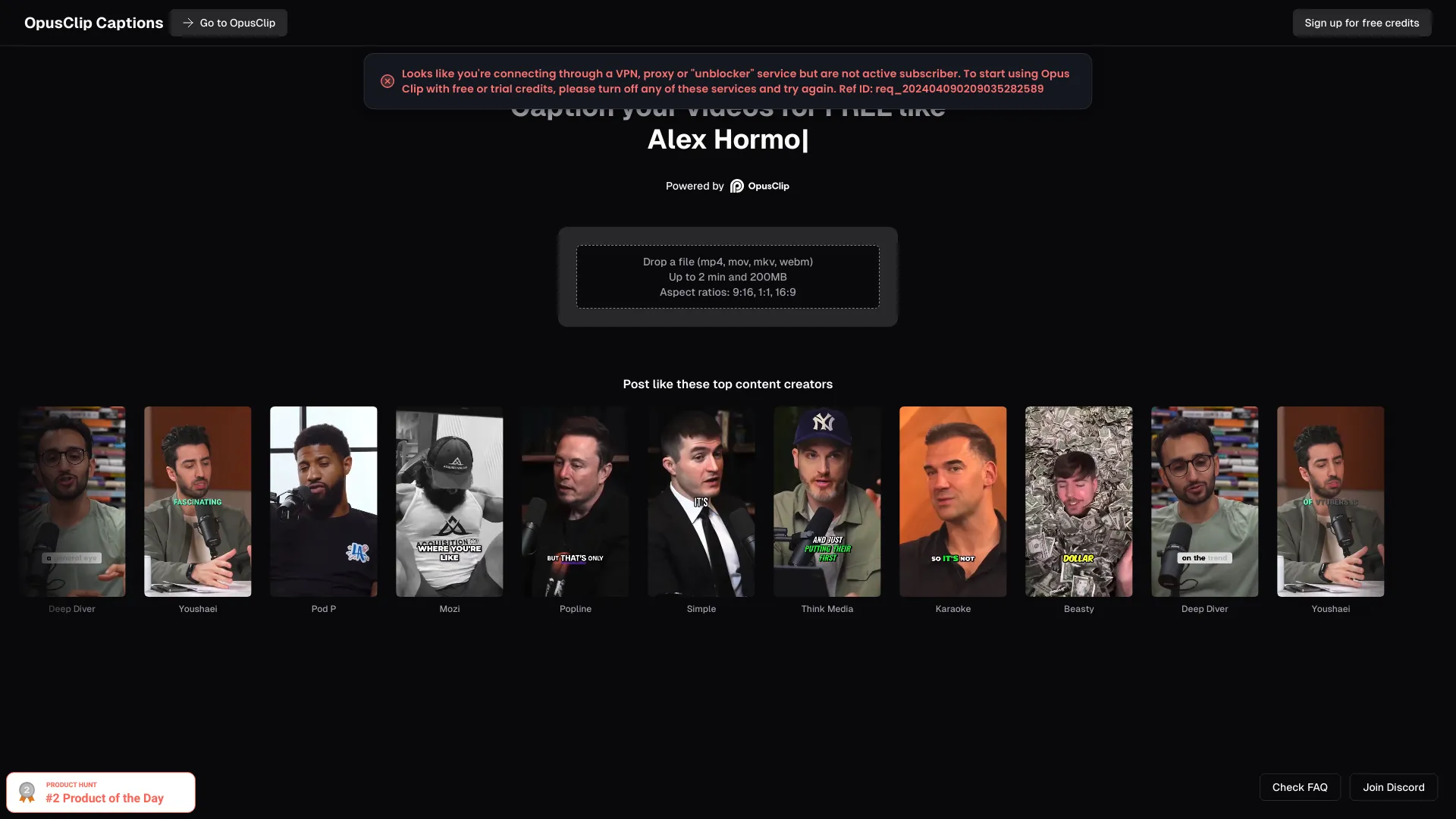
OpusClip turns long videos into shorter clips for social media and supports publishing them across social platforms in one click. Upload a video in MP4, MOV, MKV, or WEBM format, work with vertical, square, or landscape aspect ratios, and add captions. Its workflow is designed for creators who want to adapt existing recordings into content suited to social feeds.
Promote this Tool
Update this Tool
OpusClip turns long videos into shorter clips for social media and supports publishing them across social platforms in one click. Upload a video in MP4, MOV, MKV, or WEBM format, work with vertical, square, or landscape aspect ratios, and add captions. Its workflow is designed for creators who want to adapt existing recordings into content suited to social feeds.
Ads
What is OpusClip Captions?
OpusClip is a browser-based video-repurposing service for turning long videos into shorter clips for social publishing. Users upload video files in MP4, MOV, MKV, or WEBM format, then work with outputs in vertical 9:16, square 1:1, or landscape 16:9 aspect ratios. The product also offers video captioning and describes publishing clips to social platforms in one click. This workflow is aimed at creators who want to adapt recordings into social-ready content, including podcasts, interviews, or other long-form videos. It focuses on repurposing existing footage, with captions and multiple aspect ratios supporting different viewing formats. Creators can use the upload-to-publish workflow to prepare longer recordings for social distribution.
Who will use OpusClip Captions?
- Video creators
- Podcasters
- Social media creators
- Content teams repurposing long-form recordings
How to use the OpusClip Captions?
- Step1: Upload a video in MP4, MOV, MKV, or WEBM format.
- Step2: Create short clips from the long video using OpusClip's repurposing workflow.
- Step3: Choose a vertical 9:16, square 1:1, or landscape 16:9 aspect ratio for the clips.
- Step4: Add captions to the video content.
- Step5: Publish clips to social platforms through the one-click publishing workflow.
Platform
- Web
OpusClip Captions's Core Features & Benefits
The Core Features
- Repurposes long videos into short clips
- Accepts MP4, MOV, MKV, and WEBM video uploads
- Supports 9:16, 1:1, and 16:9 aspect ratios
- Provides video captioning
- Supports one-click publishing to social platforms
The Benefits
- Adapts longer recordings for social feeds
- Offers several common video aspect ratios
- Combines clip repurposing and social publishing in one workflow
OpusClip Captions's Main Use Cases & Applications
- Turning podcast recordings into social clips
- Repurposing interviews for social media
- Preparing long-form creator videos for social feeds
- Adding captions to video clips
OpusClip Captions's Pros & Cons
The Pros
Accepts several common video file formats.
Supports vertical, square, and landscape aspect ratios.
Includes captioning and social publishing in its video-repurposing workflow.
The Cons
The workflow depends on existing video footage rather than creating videos from scratch.
FAQs of OpusClip Captions
OpusClip Captions Company Information
- Website:
- Company Name: Opus
- Support Email:
- Facebook:
- X(Twitter):
- YouTube:
- Instagram:
- Tiktok:
- LinkedIn:
Analytic of OpusClip Captions
Visit Over Time
Monthly Visits
3.9M
Avg Visit Duration
00:08:54
Page Per Visit
6.57
Bounce Rate
26.96%
Jul 2026 - Sep 2026 All Traffic
Geography
Top 5 Regions

United States
32.68%
Brazil
8.64%
India
4.42%
United Kingdom
3.53%
Ecuador
3.21%
Jul 2026 - Sep 2026 Worldwide Desktop Only
Traffic Sources
Direct
34.95%
Referrals
21.49%
SearchOrganic
16.50%
SocialOrganic
13.81%
DisplayAds
5.90%
SearchPaid
3.74%
GenAi
1.72%
Mail
1.32%
SocialPaid
0.54%
Affiliate
0.03%
Sep 2026 Desktop Only
Top Keywords
| Keyword | Traffic | Cost Per Click |
|---|---|---|
| mov to mp4 | 400.1k | $0.18 |
| webm to mp4 | 197.8k | $0.25 |
| video compressor | 553.3k | $0.19 |
| youtube transcript | 630.6k | $0.36 |
| mov to mp4 converter | 63.4k | $0.22 |
OpusClip Captions Reviews
5/5
OpusClip Captions's Main Competitors and alternatives?
You may also like:
Turn long videos into social-ready clips with AI highlight detection, animated captions, and automatic vertical reframing.
Create word-timed subtitles from videos, apply brand fonts and animated styles, then export captions as MP4, SRT, VTT, or ASS.
Turn case audio, video, photos, and documents into searchable, citable evidence and draft legal documents from one workspace.
Coordinate expert-reviewed labeling, model evaluation, and dataset workflows across text, images, video, and audio in one platform.
Appacella is an AI agent that streamlines content generation and enhances workflow efficiency.
Humanize, rewrite, and create undetectable AI-generated content easily.
Free bilingual subtitles plugin for videos, supporting YouTube, local subtitles, and more.
A reliable subtitle search engine that provides all genres of movie subtitles.
Capture browser audio for real-time transcription and translation in 125+ languages.
Capture and translate videos easily with Showcase Screen Recorder.
CNTXT offers AI-driven solutions to augment human intelligence and drive innovation.
Convert audio and video files to text effortlessly with easy-to-use transcription software.