

PicLumen - AI Image Generator
0
Discontinued
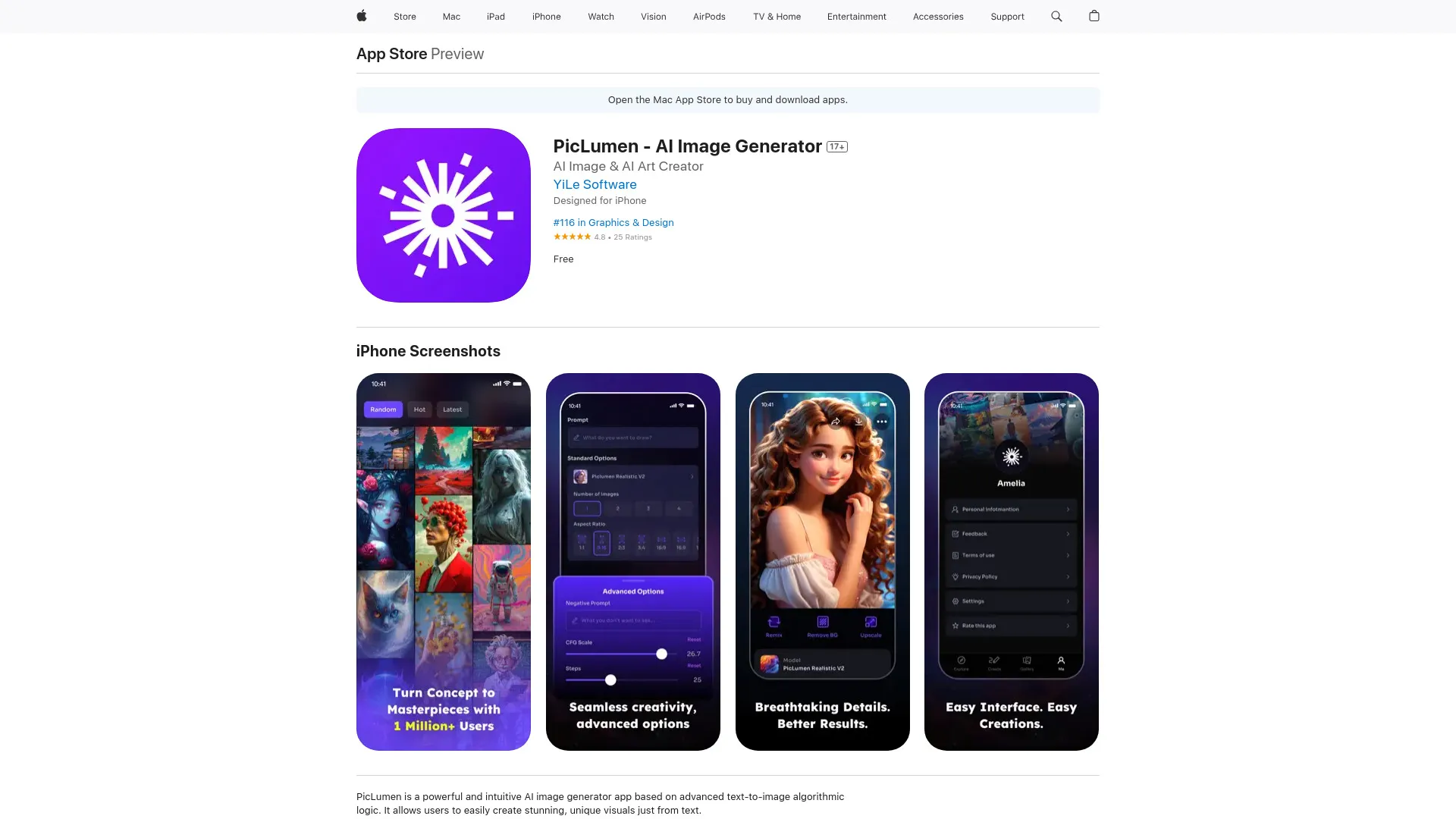
1 ReviewsPicLumen is an AI image generator that transforms simple text prompts into breathtaking artwork effortlessly. With varied styles and community engagement, it’s perfect for both casual and professional creators.
Text to Image
AI Background Remover
AI Facebook Assistant
AI Art Generator
AI Graphic Design
Prompt Engineering
AI Character
AI Translate
AI Photo & Image Generator
AI Illustration Generator
Photo & Image Editor
AI Cartoon Generator
AI Twitter Assistant
AI Social Media Assistant
AI Reviews
AI Instagram Assistant
AI Design Generator
AI Anime Art
...
PicLumen - AI Image Generator
PicLumen is an AI image generator that transforms simple text prompts into breathtaking artwork effortlessly. With varied styles and community engagement, it’s perfect for both casual and professional creators.
Text to Image
AI Background Remover
AI Facebook Assistant
AI Art Generator
AI Graphic Design
Prompt Engineering
AI Character
AI Translate
AI Photo & Image Generator
AI Illustration Generator
Photo & Image Editor
AI Cartoon Generator
AI Twitter Assistant
AI Social Media Assistant
AI Reviews
AI Instagram Assistant
AI Design Generator
AI Anime Art
...
Discontinued
Ads
What is PicLumen - AI Image Generator?
PicLumen is a dynamic AI image generator that enables users to create stunning images from mere text prompts in a few seconds. With six specialized AI models optimized for various artistic styles, from realistic art to anime, this application allows for easy customization with tools like background remover, inpainting, and upscaling. It also features a community hub for sharing and discovering art. Available as a freemium model, PicLumen offers advanced features under subscription plans.
Who will use PicLumen - AI Image Generator?
- Artists
- Graphic Designers
- Creatives
- Storywriters
- Social Media Managers
- Hobbyists
How to use the PicLumen - AI Image Generator?
- Step1: Download and install PicLumen from the app store.
- Step2: Open the app and sign up or log in.
- Step3: Enter a text prompt describing your desired image.
- Step4: Select the style you want from the available AI models.
- Step5: Click generate, and your image will be created in seconds.
- Step6: Customize the image using built-in tools like the background remover or upscaler.
- Step7: Save and share your creation with the community or on social media.
Platform
- iOS
- Mac
PicLumen - AI Image Generator's Core Features & Benefits
The Core Features
- Create AI images from text prompts
- Community hub
- Background remover
- Remix tool
- Advanced editing tools (inpaint, colorize, upscale)
The Benefits
- Effortless creativity
- Wide range of artistic styles
- User-friendly tools
- Community engagement
- Subscription plans with additional features
PicLumen - AI Image Generator's Main Use Cases & Applications
- Creating custom artwork
- Generating visual content for social media
- Designing characters for stories
- Enhancing creative projects
- Collaborating with other artists
FAQs of PicLumen - AI Image Generator
PicLumen - AI Image Generator Company Information
- Website:
- Company Name: YiLe Software
- Support Email:
- Facebook:
- X(Twitter):
- YouTube:
- Instagram:
- Tiktok:
- LinkedIn:
PicLumen - AI Image Generator Reviews
5/5
Comments (1)

Surinder Singh
July 30 2025
"A 10-year-old Indian girl with two braids, wearing a blue salwar kameez and a brown shoulder bag, waking up at 4 AM in a small rural room. Her sick mother is sleeping on a cot. Dim light from an oil lamp. 3D animation style, emotional lighting."
PicLumen - AI Image Generator's Main Competitors and alternatives?
DALL-E
DeepArt
Dreamona
PicToVid
AI Image Generator by DALI Art
You may also like:

Turn text prompts and reference images into AI-generated videos, images, voiceovers, and reusable character-led content.
Generate and refine images from text or references, with targeted edits, transparent backgrounds, and multilingual text rendered directly into designs.
Create watermark-free videos from text prompts or photos, with selectable models, aspect ratios, durations, and resolutions.
Upload a room photo and generate visual redesign concepts to compare furniture, colors, finishes, and styles before making changes.
Generate 1K–4K images from text prompts, steer composition with up to 16 references, and render readable multilingual lettering.
Turn written prompts into looping animated GIFs, with adjustable frames, timing, aspect ratios, and downloadable formats.
Create images and short videos from prompts or photos, switching among multiple generation models and reusable templates in one account.
Generate realistic or anime feet images from prompts and presets, then download clean results without signing up or watermarks.
Generate images and videos from text or visual references, with synchronized native audio and multi-shot character consistency.
Create images and videos from plain-language ideas, photos, and templates while Orylia selects a suitable model.
Generate and refine images from prompts and references, with natural-language edits, integrated typography, batch creation, and output up to 4K.
Create images or edit uploaded photos with one sentence, including readable text, multi-image blending, and 4K output.
Create and revise product visuals, posters, illustrations, and explanations from text prompts and reference images.
Generate illustrations, photos, posters, and product visuals from text or reference images, then upscale and edit them.
Create usable visuals from text prompts or reference images, then compare revisions and download the version that fits your brief.
Create high-definition images from text prompts, then refine photos with background removal, upscaling, expansion, and object erasing tools.
Generate detailed images, edit existing photos, and maintain recognizable products or characters across multiple visual scenes.
Generate and edit images from prompts and reference photos while preserving readable text, faces, products, and selected visual details.
Create images from text in any language, enhance prompts automatically, and edit photos with simple AI instructions.
Generate or edit images from text and photos, refine changes step by step, and create transparent-background results in 1K–4K resolutions.