
Platstack is a versatile web app that simplifies the process of saving, organizing, and sharing various types of digital content. Whether it's articles, videos, or links, Platstack makes it easier than ever to build a personalized library of your favorite online resources.
Promote this Tool
Update this Tool
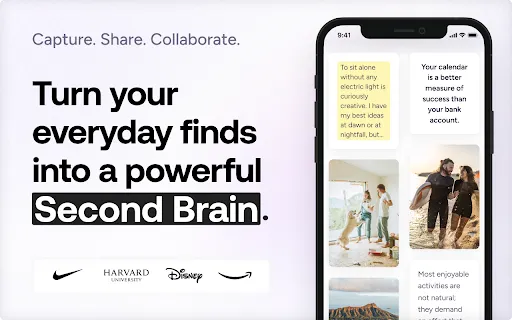

Platstack: The Save button for the internet
Platstack is a versatile web app that simplifies the process of saving, organizing, and sharing various types of digital content. Whether it's articles, videos, or links, Platstack makes it easier than ever to build a personalized library of your favorite online resources.
Ads
What is Platstack: The Save button for the internet?
Platstack serves as your personal digital library where you can save and organize a plethora of online content. Users can effortlessly collect links, images, and notes, allowing for seamless access and sharing with friends or collaborators. The platform is designed to enhance productivity by promoting efficient organization and easy retrieval of saved content, making it an ideal tool for students, professionals, and anyone who frequently engages with online information.
Who will use Platstack: The Save button for the internet?
- Students
- Professionals
- Content Creators
- Research Enthusiasts
- General Internet Users
How to use the Platstack: The Save button for the internet?
- Step1: Install the Platstack extension from the Chrome Web Store.
- Step2: Click on the Platstack icon in your browser whenever you find content you want to save.
- Step3: Choose your preferred organization method for saved links (folders, tags, etc.).
- Step4: Access your saved content anytime from the Platstack dashboard.
- Step5: Share saved links with friends or on social media from your account.
Platform
- Web
- Chrome Extensions
Platstack: The Save button for the internet's Core Features & Benefits
You may also like:

AI search visibility platform for auditing brand mentions, competitor presence, and GEO opportunities across leading AI
Build and deploy business-aware AI agents by combining models, organizational knowledge, tools, memory, and governance in one platform.
Teamie is an education platform designed to improve collaboration, engagement, and learning outcomes.
Scholar Sprint automates quiz creation and analytics for enhanced productivity and engagement.
EVE AI is a customizable, private, and powerful AI assistant integrated into your Chrome browser.
An AI-powered assistant for your browser's side panel, offering real-time assistance and information.
Chatterlytics transforms business data interaction using AI for instant insights and visualizations.
Inquir is an AI-powered search platform for creating custom search engines and integrating diverse data sources.