
- 500 credits total
- Approximately 1 AI presentation generation total
- Approximately 50 AI ChatPDF documents total
- Approximately 150 AI chats total

PopAi
0
PopAi turns a topic, brief, outline, or source file into an editable presentation. Start with a prompt or upload a PDF, Word document, PPTX, or webpage; review and adjust the suggested outline, choose a template or visual style, then generate slides. Refine text, images, and layouts in the online editor, share the deck, or export it as PPTX or PDF, subject to account-plan options.
Promote this Tool
Update this Tool
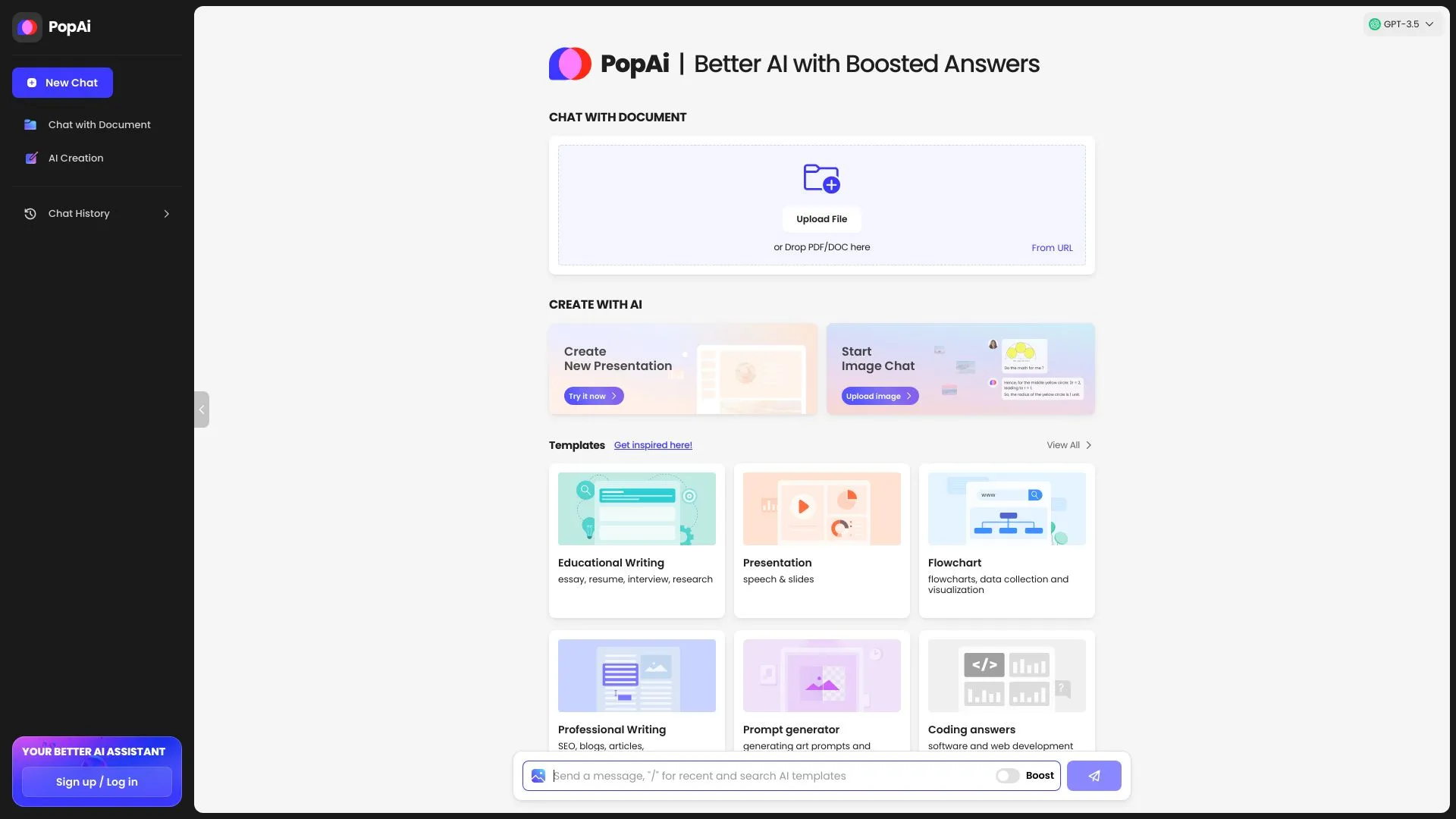
PopAi turns a topic, brief, outline, or source file into an editable presentation. Start with a prompt or upload a PDF, Word document, PPTX, or webpage; review and adjust the suggested outline, choose a template or visual style, then generate slides. Refine text, images, and layouts in the online editor, share the deck, or export it as PPTX or PDF, subject to account-plan options.
Ads
What is PopAi?
PopAi creates presentation drafts from prompts and existing materials, including PDFs, Word documents, PowerPoint files, and webpages. For prompt-based decks, users can specify the audience, purpose, length, tone, and key points. The product proposes an outline that can be reviewed and reordered before slide generation. Users can choose a template or visual style, then edit wording, images, and layouts in a browser-based editor. Finished presentations can be shared or exported as PPTX or PDF, with available export options and branding removal varying by subscription plan. PopAi is intended to produce an editable starting point rather than a verified final deck: users should check facts, citations, figures, and formatting against their source material before presenting.
Who will use PopAi?
- Business professionals preparing proposals, pitch decks, and project updates
- Teachers, trainers, and educators creating lesson or training slides
- Students preparing class presentations and group projects
- Marketing, sales, and HR teams developing presentations
- Analysts and consultants turning reports into slide decks
- Event planners and small organizations preparing client or stakeholder presentations
How to use the PopAi?
- Step1: Enter a topic, brief, or outline, or upload a PDF, Word document, PPTX file, or webpage.
- Step2: Describe the audience, purpose, length, tone, and key points to guide the presentation.
- Step3: Review and adjust the proposed outline, section order, slide titles, and key points.
- Step4: Choose a template or visual style and generate the slides.
- Step5: Edit text, images, and layouts in the online editor; verify facts and formatting against the source.
- Step6: Share the deck or export it as PPTX or PDF if your plan supports the required option.
Platform
- Web
- Android
- iOS
- Linux
- Mac
- Windows
PopAi's Core Features & Benefits
The Core Features
- Generate slide outlines and presentations from prompts, topics, or briefs
- Create presentations from PDF, Word, PPTX, and webpage sources
- Review and edit outline structure before generating slides
- Choose presentation templates and visual styles
- Edit slide text, images, and layouts in a browser editor
- Share presentations and export to PPTX or PDF, subject to plan
The Benefits
- Reduces manual work when turning source documents into slides
- Helps structure a presentation before designing individual slides
- Allows users to revise content and layouts before sharing
- Supports common presentation workflows for business, education, and reporting
PopAi's Main Use Cases & Applications
- Creating business proposals and investor pitch decks
- Turning quarterly reports into executive summaries and review presentations
- Converting lesson plans and reading materials into educational slides
- Preparing sales and marketing presentations
- Building onboarding and corporate training materials
- Summarizing project updates, research, and findings in slide form
- Creating client decks and event proposals
PopAi's Pros & Cons
The Pros
Accepts prompts as well as PDF, Word, PPTX, and webpage sources
Lets users inspect and revise the outline before generating slides
Includes an online editor for updating text, images, and layouts
Offers sharing and PPTX/PDF export options
The Cons
The free option is limited, and AI credits and output features vary by plan
Full export options and branding removal may require a paid plan
Generated content needs human review for accuracy, citations, and formatting
PopAi's Pricing
| Has free plan | YES |
|---|---|
| Free trial details | |
| Pricing model | freemium |
| Is credit card required | No |
| Has lifetime plan | No |
| Billing frequency |
Details of Pricing Plan
Free
0FAQs of PopAi
PopAi Company Information
- Website:
- Company Name: PopAi
- Support Email:
- Facebook:
- X(Twitter):
- YouTube:
- Instagram:
- Tiktok:
- LinkedIn:
Analytic of PopAi
Visit Over Time
Monthly Visits
187.7K
Avg Visit Duration
00:01:32
Page Per Visit
3.65
Bounce Rate
41.86%
Jul 2026 - Sep 2026 All Traffic
Geography
Top 5 Regions

United States
17.31%
Malaysia
10.48%
India
6.85%
Colombia
6.74%
Spain
6.21%
Jul 2026 - Sep 2026 Worldwide Desktop Only
Traffic Sources
SearchPaid
32.88%
Direct
31.47%
SearchOrganic
16.14%
SocialOrganic
8.09%
DisplayAds
4.92%
Referrals
3.38%
Affiliate
1.58%
GenAi
1.07%
Mail
0.37%
SocialPaid
0.09%
Sep 2026 Desktop Only
Top Keywords
| Keyword | Traffic | Cost Per Click |
|---|---|---|
| gamma | 1714.5k | $0.31 |
| popai | 11.6k | $1.10 |
| pop ai | 3.9k | $1.10 |
| gamma ai | 897.3k | $0.31 |
| canva | 66624.2k | $0.72 |
PopAi Reviews
5/5
PopAi's Main Competitors and alternatives?
You may also like:
Gamma turns meeting briefs into editable, outline-first presentations you can present in-browser or export as PDF, PPTX, or PNG.
Create browser-playable HTML presentations from AI-generated decks, then share links, embeds, or video exports without installs.
AI-powered presentation generator that turns text, files, and links into polished, editable slide decks in minutes.
AI-powered presentation maker that generates, beautifies, and exports professional slide decks in minutes.
AI-driven PPT maker that creates, beautifies, and exports professional PowerPoint presentations with speaker notes and charts in minutes.
AI-powered tool that quickly turns science concepts into clear, publication-ready diagrams for teachers and researchers.
Premast AI Assistant enhances your design process with smart automation and intuitive tools.
PrivateAI offers powerful, secure AI tools for data processing without compromising privacy.
Pointer enhances Google Docs with intelligent writing support and context-aware suggestions.
Yoo.ai offers a low-code AI agent builder enabling enterprises to create secure, memory-enabled conversational agents.
A .NET C# framework to build and orchestrate GPT-based AI agents with declarative prompts, memory, and streaming.
GPT Reader provides free, AI-driven text-to-speech using premium ChatGPT voices.
AI PPT Maker converts content into professional presentations in seconds using advanced AI technologies.
Note Companion is an AI-powered plugin that organizes and formats your notes automatically.