
- 12 Presentations / year
- 2500 Character Input / Presentation
- 120 AI Credits / year
- 12 Video Export / year (Coming Soon)
- Document Upload (Coming soon)

SlidesAI
0
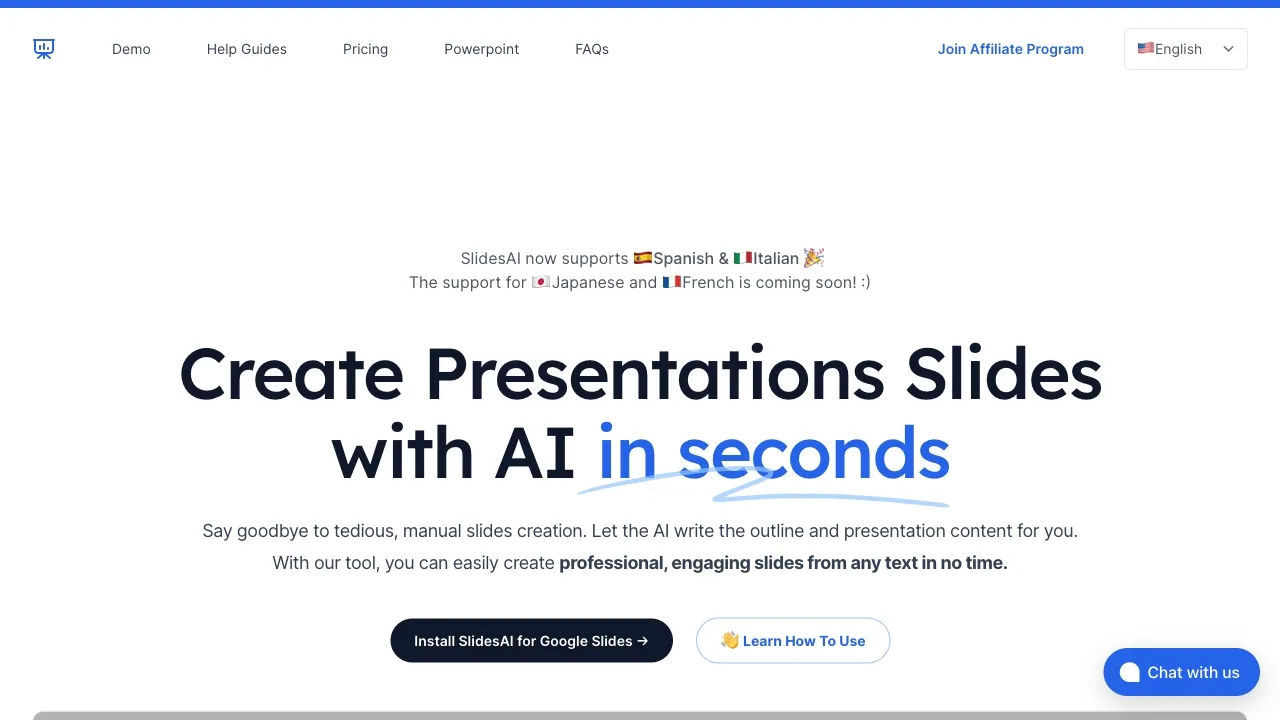
SlidesAI turns topics, notes, scripts, and documents into presentation decks in Google Slides, PowerPoint, ChatGPT, or its web app. Start with source material and a style, review and rearrange the slide outline, then refine the text before SlidesAI designs the deck. You can apply brand colors, fonts, logos, and layouts, and export the result to PowerPoint or Google Slides.
Promote this Tool
Update this Tool
SlidesAI
SlidesAI turns topics, notes, scripts, and documents into presentation decks in Google Slides, PowerPoint, ChatGPT, or its web app. Start with source material and a style, review and rearrange the slide outline, then refine the text before SlidesAI designs the deck. You can apply brand colors, fonts, logos, and layouts, and export the result to PowerPoint or Google Slides.
Ads
What is SlidesAI?
SlidesAI creates presentations from a topic, prompt, notes, script, or document. Users can choose a style and confirm details such as slide count, audience, tone, and language before generating an outline. The outline appears as one line per slide and can be rewritten or reordered before the full slide text is created. Users can edit text themselves or review suggested AI changes, then generate the designed presentation. Brand Kit features use an uploaded PowerPoint template to apply colors, fonts, logos, and layouts. SlidesAI works through a web app and integrates with Google Slides, PowerPoint, and ChatGPT. Finished decks can be presented, shared by link, or exported to PowerPoint or Google Slides.
Who will use SlidesAI?
- Business professionals creating meeting decks, reports, and proposals
- Educators preparing lessons and lecture slides
- Students making class presentations or thesis defenses
- Sales teams preparing client pitches and follow-up decks
- Founders creating investor updates and pitch decks
- Marketers building campaign and performance presentations
How to use the SlidesAI?
- Step1: Enter a topic or prompt, paste notes or a script, or upload a document.
- Step2: Choose a style and confirm the audience, tone, language, and slide count.
- Step3: Review the generated outline, edit slide titles or lines, and reorder slides as needed.
- Step4: Generate the slide text, revise it yourself or review suggested changes, and create the deck.
- Step5: Present or share the finished deck, or export it to PowerPoint or Google Slides.
Platform
- Web
SlidesAI's Core Features & Benefits
The Core Features
- Generate presentation outlines and slides from topics, notes, scripts, and documents
- Edit and reorder the outline before generating slide content
- Review or revise AI-generated slide text
- Apply brand colors, fonts, logos, and layouts from an uploaded PowerPoint template
- Use SlidesAI in a web app, Google Slides, PowerPoint, and ChatGPT
- Share presentations or export them to PowerPoint and Google Slides
The Benefits
- Convert existing material into a slide structure more quickly
- Shape the narrative before the full deck is created
- Keep presentations aligned with brand styling
- Continue working in familiar presentation tools
SlidesAI's Main Use Cases & Applications
- Turn meeting notes into business updates or client pitch decks
- Create lecture slides from lesson plans or course material
- Turn research notes and essays into student presentations
- Build sales proposals and follow-up decks from call notes
- Prepare investor updates from pitch notes or product roadmaps
- Transform campaign reports and brand briefs into marketing presentations
SlidesAI's Pros & Cons
The Pros
Accepts a range of starting material, including topics, notes, scripts, and documents
Lets users review and rearrange the outline before completing the deck
Can apply a brand identity using an uploaded PowerPoint template
Offers workflows in Google Slides, PowerPoint, ChatGPT, and a browser app
The Cons
AI-generated slide content and layouts may need review and editing to fit the audience and source material
SlidesAI's Pricing
| Has free plan | YES |
|---|---|
| Free trial details | |
| Pricing model | freemium |
| Is credit card required | No |
| Paid from | 8.33 USD |
| Has lifetime plan | No |
| Billing frequency | Monthly |
Details of Pricing Plan
Basic
0 USDPro
8.33 USD- 120 Presentations / year
- 6000 Character Input / Presentation
- 600 AI Credits / year
- 120 Video Export / year (Coming Soon)
- Document Upload (Coming soon)
Premium
16.67 USD- Unlimited Presentations
- 12000 Character Input / Presentation
- 1200 AI Credits / year
- 240 Video Export / year (Coming Soon)
- Document Upload (Coming soon)
Discount:🎉SAVE16%
For the latest prices, please visit: https://www.slidesai.io/pricingFAQs of SlidesAI
SlidesAI Company Information
- Website:
- Company Name: SlidesAI
- Support Email:
- Facebook:
- X(Twitter):
- YouTube:
- Instagram:
- Tiktok:
- LinkedIn:
Analytic of SlidesAI
Visit Over Time
Monthly Visits
272.2K
Avg Visit Duration
00:01:04
Page Per Visit
3.95
Bounce Rate
40.15%
Jul 2026 - Sep 2026 All Traffic
Geography
Top 5 Regions

United States
18.13%
Vietnam
8.58%
India
5.43%
Russia
5.34%
Mexico
4.75%
Jul 2026 - Sep 2026 Worldwide Desktop Only
Traffic Sources
SearchOrganic
61.63%
Direct
26.78%
Referrals
5.10%
GenAi
3.64%
SocialOrganic
2.29%
Mail
0.42%
DisplayAds
0.13%
Sep 2026 Desktop Only
Top Keywords
| Keyword | Traffic | Cost Per Click |
|---|---|---|
| slidesai | 8.3k | $0.15 |
| slide ai | 15.7k | $0.14 |
| slides ai | 10.5k | $0.16 |
| google slides | 4170.3k | $2.11 |
| slides ai io | 530 | — |

How to install?
SlidesAI Reviews
5/5
SlidesAI's Main Competitors and alternatives?
Magicslides.app
Beautiful.AI
Canva
Google Slides
PowerPoint
You may also like:
Turn a story idea or chapter into a short film, then explore interactive dramas and AI character stories.
Scenaloom formats screenplay pages automatically while keeping AI revisions optional and subject to writer approval.
Create anime images, comic panels, and directed video shots from prompts, scripts, characters, and reference images.
Turn stories, scripts, or ideas into voiced anime videos with consistent characters, reviewed storyboards, dialogue, sound, and music.
AI video generator that turns prompts, images, and references into cinematic 30-second clips.
Conversational AI video editor that lets you transform scenes, swap characters, and refine edits step by step.
Omni Flash is a multimodal AI generator for cinematic 4K videos and photoreal images with synced audio.
AI video generation platform for turning prompts, images, and voice ideas into cinematic videos.
An AI video generation platform that turns text prompts and images into cinematic videos in seconds.
Ella is an AI-powered video creation platform that generates, edits, captions, and exports content in one Chrome workspace.
Anijam is an AI-native animation platform that turns ideas into polished stories with agentic video creation.
AI platform that instantly generates illustrated stories and reusable characters in 50+ art styles, exportable as PDFs.
Seedance 2.0 is a multimodal AI video generator turning text, images, audio and video into cinematic multi-shot clips.
Seeddance is a multimodal AI platform that generates cinematic short videos with built‑in stereo audio and visual consistency.
Seedance 2 is a multimodal AI video generator delivering consistent characters, multi-shot storytelling, and native audio at 2K.
Veo 4 is an advanced AI video generator producing cinematic videos with synchronized audio and realistic lip sync.
AI-first browser that enhances productivity with built-in AI tools and smart browsing features.
Premast AI Assistant enhances your design process with smart automation and intuitive tools.