

SnippAI
0
SNIP is a robust platform designed to help JavaScript developers manage, store, and share their code snippets with ease, boosting productivity and collaboration.
Promote this Tool
Update this Tool
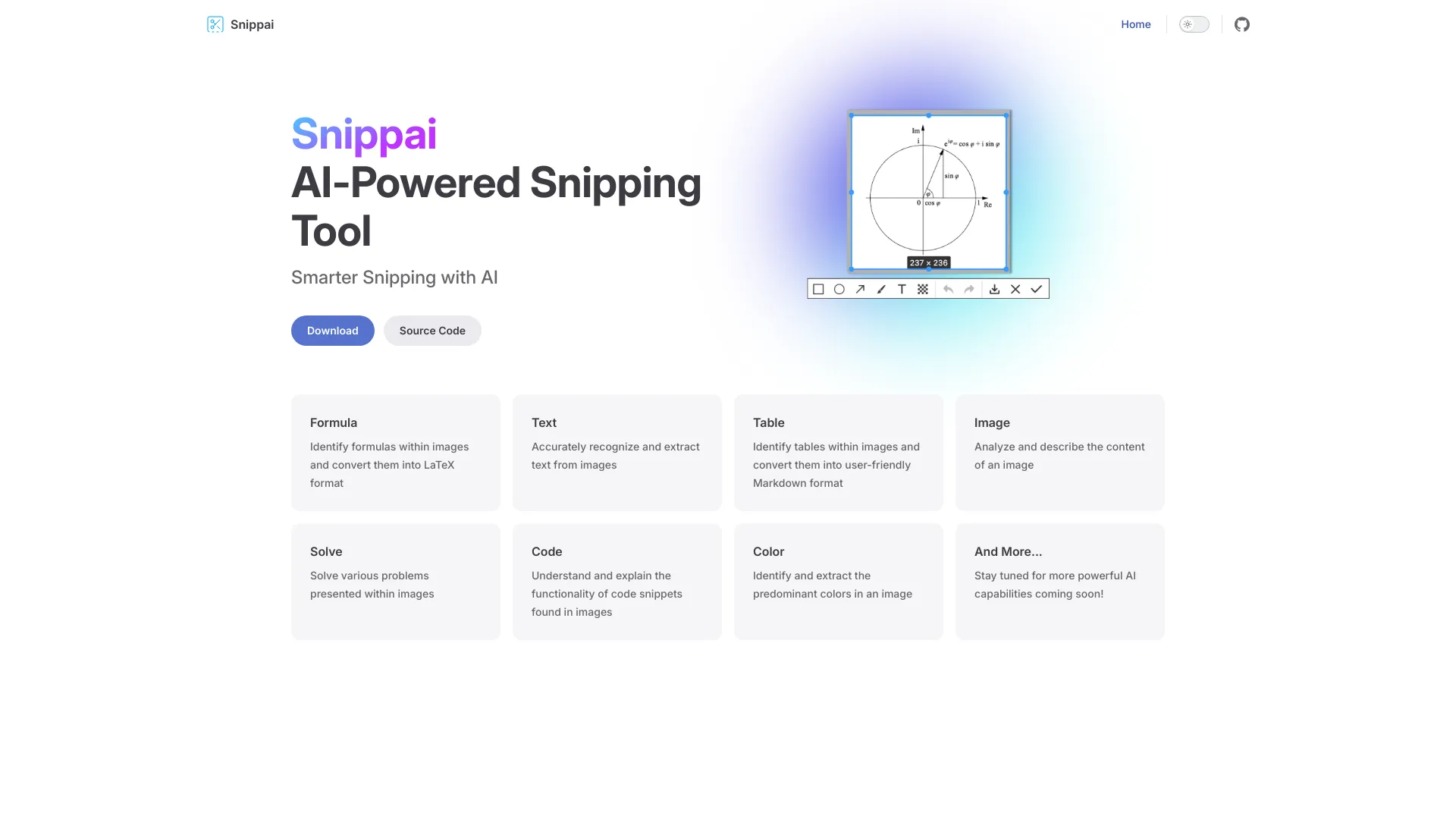
SNIP is a robust platform designed to help JavaScript developers manage, store, and share their code snippets with ease, boosting productivity and collaboration.
Ads
What is SnippAI?
SNIP is a powerful tool tailored for JavaScript developers, aimed at improving their productivity through efficient management of code snippets. The platform offers a centralized repository to store, organize, and retrieve snippets, reducing the time spent looking for reusable code. It features a user-friendly interface that streamlines the process of code snippet management, alongside sharing capabilities to foster collaboration among developers. Whether you're a beginner or an expert, SNIP simplifies code reuse and helps maintain clean, well-documented codebases.
Who will use SnippAI?
- JavaScript developers
- Front-end developers
- Back-end developers
- Full-stack developers
- Web developers
- Software engineers
How to use the SnippAI?
- Step1: Sign up for a SNIP account.
- Step2: Log in to your dashboard.
- Step3: Create a new snippet by clicking the 'New Snippet' button.
- Step4: Enter the code, title, and description for your snippet.
- Step5: Organize snippets using tags and folders.
- Step6: Save the snippet to your repository.
- Step7: Share snippets with team members via link or email.
Platform
- Web
- Linux
- Mac
- Windows
SnippAI's Core Features & Benefits
The Core Features
- Snippet creation
- Snippet organization
- Snippet sharing
- Search functionality
- Version control
The Benefits
- Increases development efficiency
- Facilitates code reuse
- Enhances team collaboration
- Keeps code organized
- Ensures code consistency
SnippAI's Main Use Cases & Applications
- Storing frequently used code snippets
- Sharing code snippets among team members
- Organizing personal snippets for quick access
- Reusing standardized code in multiple projects
- Documenting code snippets for future reference
SnippAI's Pros & Cons
The Pros
Uses AI to accurately extract formulas, text, and tables from images.
Converts complex image data into practical formats like LaTeX and Markdown.
Supports multiple types of content recognition including code and color analysis.
Open source with downloadable releases on GitHub.
SnippAI's Pricing
| Has free plan | No |
|---|---|
| Free trial details | |
| Pricing model | |
| Is credit card required | No |
| Paid from | |
| Has lifetime plan | No |
| Billing frequency |
FAQs of SnippAI
SnippAI Company Information
- Website:
- Company Name: SNIP.js
- Support Email:
- Facebook:
- X(Twitter):
- YouTube:
- Instagram:
- Tiktok:
- LinkedIn:
Analytic of SnippAI
Visit Over Time
Monthly Visits
898
Avg Visit Duration
00:00:19
Page Per Visit
2.20
Bounce Rate
45.05%
Jul 2026 - Sep 2026 All Traffic
Geography
Top 5 Regions

Ireland
32.69%
China
22.27%
New Zealand
18.2%
Finland
17.45%
Korea, Republic of
9.39%
Jul 2026 - Sep 2026 Worldwide Desktop Only
Traffic Sources
Direct
44.02%
SearchOrganic
28.72%
Referrals
12.92%
SocialOrganic
6.09%
Mail
2.50%
DisplayAds
1.74%
GenAi
1.36%
SearchPaid
1.25%
Affiliate
0.94%
SocialPaid
0.45%
Sep 2026 Desktop Only
Top Keywords
| Keyword | Traffic | Cost Per Click |
|---|---|---|
| snippai | 270 | — |
| snip | 14.3k | $0.91 |
| snipping tool | 196.6k | $0.60 |
| snipdle | 1.6k | — |
| snipki | 1.1k | $2.40 |
SnippAI Reviews
5/5
SnippAI's Main Competitors and alternatives?
Pastel
Gist
Snippet Manager
SnippetsLab
You may also like:
Turn a photo, text prompt, or reference image into a short AI video using templates and adjustable generation settings.
Turn one or two portraits into short rap performances with generated vocals, music, selectable scenes, and downloadable video clips.
Create short videos from prompts and references, then refine scenes conversationally with native ambience, dialogue, and music direction.
Create 3–30-second videos with synchronized stereo sound from text, images, reference clips, then edit or extend them by sentence.
Turn viral templates or reference videos into publishable 720p variations while preserving motion and timing and restyling visuals.
Create 5–30-second videos from text or images, with optional end frames, sound, adjustable resolution, previews, and downloads.
Generate 1080p videos from text or images, with natural movement, multiple visual styles, and clips produced in minutes.
Create viral AI videos and photos in one click — 100LazyKiwi is an all-in-one AI creation platform for photos and videos
Turn long videos into captioned vertical clips for YouTube Shorts, TikTok, and Reels with AI-selected moments.
Create complete 30-second videos from text, images, and references with synced audio, 3D previews, and region-level redraw editing.
Convert long videos into recap scripts, captions, voiceovers, and vertical clips for Shorts, TikTok, and Reels.
Create short prompt-to-video clips with native scene audio, selectable aspect ratios, duration, and resolution settings.
A unified browser workspace for generating AI videos, images and music from one prompt or image.
A multimodal AI video generator that turns text, images, audio, and video into realistic, physics-aware clips.
AI video creation platform for conversational editing, multimodal references, and coherent short-form generation.
Reference-driven AI video generator that turns images, clips, and frames into short social-ready videos.
Veo Omni AI turns text and images into cinematic videos with synchronized audio and chat-based editing.
An AI video generator for creating cinematic 4K clips with chat-based editing and audio synthesis.
AI video generator that turns text prompts and images into polished short clips for marketing and social content.
A chat-based multimodal video generator for creating, remixing, and editing production-ready clips with precise text rendering.