
Splodge combines a mobile painting studio with guided drawing and coloring activities. Create high-resolution artwork using pressure-sensitive brushes, layers, masks, guides, shapes, and editable text; import photos and apply 13 reversible effects. Beginners can follow step-by-step drawing prompts or color outlined pictures and receive feedback. The app saves finished work to a personal art shelf and can replay paintings as shareable time-lapse videos.
Promote this Tool
Update this Tool
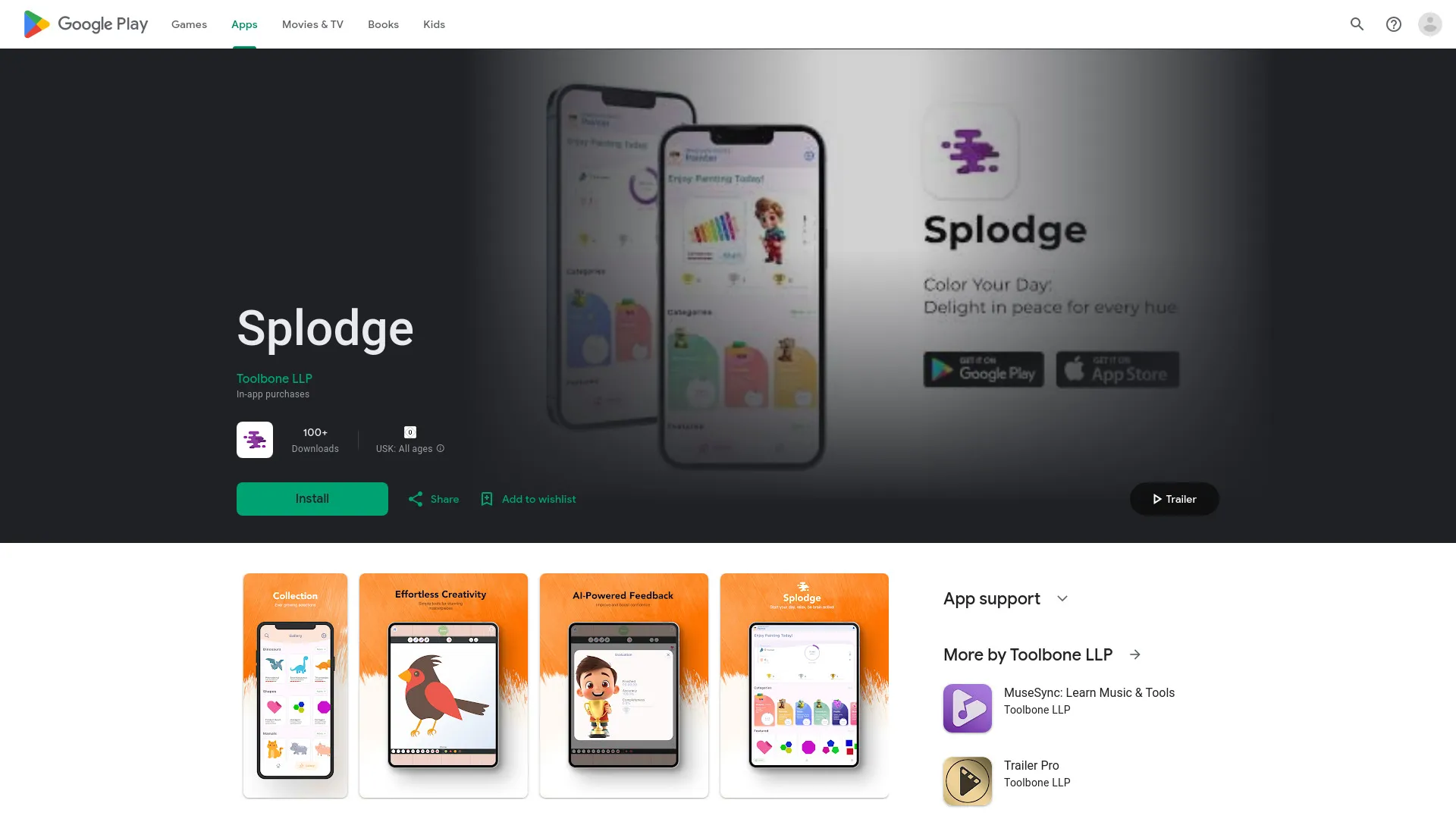

Splodge
Splodge combines a mobile painting studio with guided drawing and coloring activities. Create high-resolution artwork using pressure-sensitive brushes, layers, masks, guides, shapes, and editable text; import photos and apply 13 reversible effects. Beginners can follow step-by-step drawing prompts or color outlined pictures and receive feedback. The app saves finished work to a personal art shelf and can replay paintings as shareable time-lapse videos.
Ads
What is Splodge?
Splodge has two main areas: a painting and drawing studio, and guided activities for learning and coloring. The studio includes pressure-responsive brushes with hundreds of styles, layers and groups, masks, adjustment layers, selections, transforms, re-editable text, shape tools, perspective and symmetry guides, and Quick Shape. Users can import photos and apply reversible effects such as Cartoon, Oil Paint, Neon, and Glitch. Canvases support high resolution, autosave, crash recovery, cropping, resizing, and sharing; time-lapse records a painting as a replayable video. Learn to Draw provides step-by-step shape guides, while Coloring Book offers hundreds of outlines with feedback on fill coverage and staying within lines. Finished pieces are saved to My Art. The app is free to start; an optional subscription or lifetime purchase unlocks the full studio, with purchases protected by a parental gate.
Who will use Splodge?
- Children and young artists learning to draw
- Beginners looking for guided drawing practice
- Hobby artists who want a mobile painting studio
- Parents seeking a child-friendly art app
How to use the Splodge?
- Step1: Install Splodge from Google Play and open the app.
- Step2: Choose the painting studio, Learn to Draw, or Coloring Book.
- Step3: In the studio, select a canvas and use brushes, layers, guides, shapes, or text to create artwork.
- Step4: Import a photo if desired and apply or adjust a reversible effect.
- Step5: Save your work to My Art, then crop, resize, share, or create a time-lapse replay.
- Step6: For guided practice, follow drawing prompts or color an outlined picture and review the feedback.
Platform
- Android
Splodge's Core Features & Benefits
The Core Features
- Painting and drawing studio with pressure-sensitive brushes
- Layers, groups, masks, and adjustment layers
- Photo import with reversible effects
- Perspective and symmetry guides, Quick Shape, selections, and transforms
- Step-by-step drawing lessons and interactive coloring book
- High-resolution canvases, autosave, crash recovery, and time-lapse replay
The Benefits
- Practice drawing through guided, manageable steps
- Explore edits without permanently changing the original photo
- Keep finished artwork together on a personal art shelf
- Use child-focused protections, including a parental gate and no ads
Splodge's Main Use Cases & Applications
- Creating digital paintings and drawings on a mobile device
- Practicing basic drawing skills with guided lessons
- Coloring outlined pictures and receiving feedback
- Applying artistic effects to imported photos
- Saving and sharing artwork and time-lapse replays
Splodge's Pros & Cons
The Pros
Combines a layered art studio with guided drawing and coloring activities.
Includes hundreds of brush styles, reversible photo effects, and high-resolution canvases.
Offers autosave, crash recovery, and time-lapse playback.
Designed for young users with no ads and a parental gate for exits, settings, and purchases.
Free to start, with subscription and lifetime purchase options.
The Cons
The full studio requires an optional subscription or lifetime purchase.
The product is offered as an Android app, limiting use to that platform.
Splodge's Pricing
| Has free plan | YES |
|---|---|
| Free trial details | |
| Pricing model | freemium |
| Is credit card required | No |
| Has lifetime plan | YES |
| Billing frequency | monthly/yearly |
FAQs of Splodge
Splodge Company Information
- Website:
- Company Name: Toolbone
- Support Email:
- Facebook:
- X(Twitter):
- YouTube:
- Instagram:
- Tiktok:
- LinkedIn:
Splodge Reviews
5/5
Splodge's Main Competitors and alternatives?
Procreate
Adobe Fresco
Sketchbook
You may also like:

Turn a story idea or chapter into a short film, then explore interactive dramas and AI character stories.
Scenaloom formats screenplay pages automatically while keeping AI revisions optional and subject to writer approval.
AI Fanfic Generator helps writers create fandom-based stories with guided, paragraph-by-paragraph AI drafting.
WriteHybrid is an AI humanizer and detector that rewrites text naturally while helping users bypass AI detection.
A platform for creating, sharing, and experiencing interactive stories and adventures.
Humanize, rewrite, and create undetectable AI-generated content easily.
Generate humorous, dramatic, and absurd quotes with Incorrect Quote Generator.
Discover the enchanting world of Sparkles Tales, a collection of imaginative and engaging children's stories.