
- Monthly option includes 30 video credits per month
- AI Clipping
- Access to APIs
- Schedule and Post
- 1 social account connection
- Annual option: $72 charged once per year ($6/month equivalent)
- Annual option includes 360 video credits per year; not per month

Ssemble
0
Ssemble turns long videos into vertical clips for YouTube Shorts, Instagram Reels, and TikTok. Paste a video link or upload a recording, and its AI picks highlights, keeps speakers in frame, and adds captions. You can review the clips before scheduling them for publication.
Promote this Tool
Update this Tool
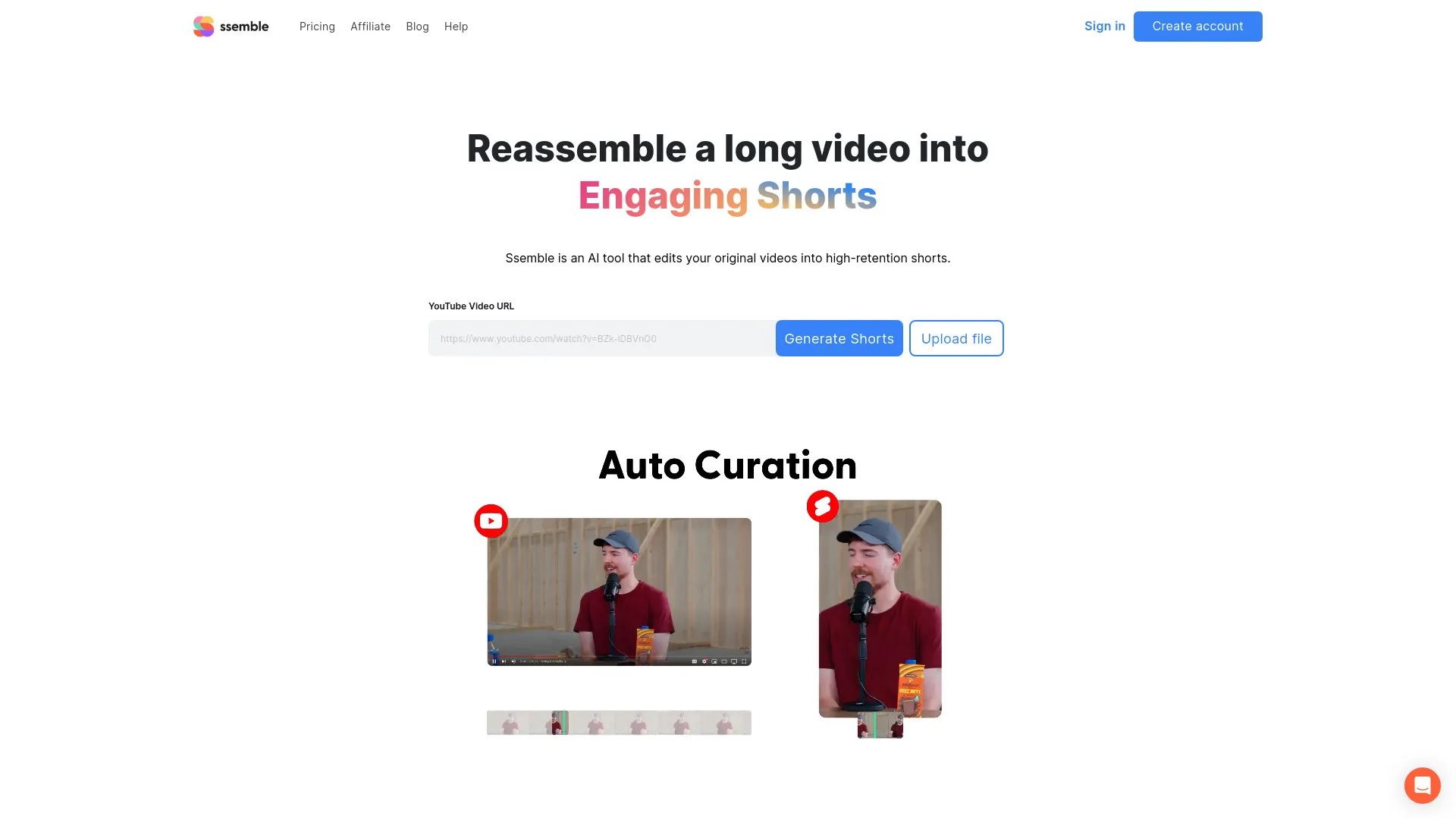
Ssemble turns long videos into vertical clips for YouTube Shorts, Instagram Reels, and TikTok. Paste a video link or upload a recording, and its AI picks highlights, keeps speakers in frame, and adds captions. You can review the clips before scheduling them for publication.
Ads
What is Ssemble?
Ssemble creates short-form clips from video links or uploaded footage. AI Auto Curation identifies moments for clips, while face tracking keeps people centered in vertical framing; Sports Mode tracks the ball or action instead. Automatic captioning adds subtitles, and caption translation supports more than 30 languages while retaining the original audio. The tool can generate hook titles, calls to action, descriptions, and hashtags. Users can schedule multiple clips for TikTok, YouTube Shorts, Instagram Reels, and X, or enable Channel Automation to monitor a YouTube channel and process new uploads. Sources include YouTube, Vimeo, Kick, Twitch, and MP4, MOV, or WEBM uploads. The pricing page lists one credit per video with a selected input segment of up to 20 minutes. A longer original video can be used by selecting a segment; the FAQ gives a 60-minute original as an example.
Billing and workflow boundaries
Pro costs $15 per month on monthly billing with 30 video credits per month. The annual option is $72 charged once a year (equivalent to $6 per month), with 360 credits per year. Annual credits are not a monthly allowance.
Caption translation changes subtitles, not the spoken audio. Channel Automation applies to a connected channel and qualifying uploads, not unrestricted processing of every video. When choosing a clipping tool, check the selected input length, caption export, supported social accounts and how credits are charged.
Official reference: Ssemble pricing and clipping FAQ.
Who will use Ssemble?
- YouTube creators and channel owners
- Podcast hosts and publishers
- Social media creators and short-form video clippers
- Gaming streamers and esports creators
- Sports content publishers
- Marketing and social media teams
How to use the Ssemble?
- Step1: Paste a YouTube, Vimeo, Kick, or Twitch video link, or upload an MP4, MOV, or WEBM file.
- Step2: Let Ssemble identify clip-worthy moments and create vertical clips with captions and face tracking.
- Step3: Review the clips and adjust options such as caption language, hooks, or Sports Mode when relevant.
- Step4: Connect social accounts, then schedule or publish clips to TikTok, YouTube Shorts, Instagram Reels, or X.
- Step5: Optionally connect a YouTube channel to monitor new uploads and automatically process qualifying videos.
Platform
- Web
- Android
- iOS
- Mac
- Windows
Ssemble's Core Features & Benefits
The Core Features
- AI selection of highlights and automatic short-clip creation
- Vertical reframing with face tracking or sports-action tracking
- Automatic captions and translation into 30+ languages
- AI-generated hook titles, calls to action, descriptions, and hashtags
- Scheduling and auto-posting to TikTok, YouTube, Instagram, and X
- YouTube Channel Automation for detecting and clipping new uploads
The Benefits
- Repurpose long videos into multiple short-form clips with less manual editing
- Keep faces or sports action in frame in vertical videos
- Prepare clips for international audiences with translated captions
- Plan and publish content across social channels from one workflow
- Automate recurring clipping and posting for connected YouTube channels
Ssemble's Main Use Cases & Applications
- Repurposing podcasts and interviews into Shorts and Reels
- Creating clips from gaming streams and VODs
- Turning sports footage into vertical clips that follow the action
- Producing captioned short-form content in multiple languages
- Scheduling clips across TikTok, YouTube Shorts, Instagram Reels, and X
- Automatically clipping and posting new YouTube channel uploads
Ssemble's Pros & Cons
The Pros
Accepts links from YouTube, Vimeo, Kick, and Twitch, as well as uploaded video files
Combines clip selection, captions, face tracking, and social scheduling
Includes sports-action tracking and caption translation into 30+ languages
Channel Automation can monitor YouTube uploads and process qualifying videos
The Cons
Paid plans allocate a limited number of video credits, and credits reset each billing cycle without rollover
The workflow is focused on creating short clips from supported video sources rather than general-purpose video production
Ssemble's Pricing
| Has free plan | No |
|---|---|
| Free trial details | |
| Pricing model | subscription |
| Is credit card required | YES |
| Paid from | 15 USD |
| Has lifetime plan | No |
| Billing frequency | monthly/yearly |
Details of Pricing Plan
Pro
15 USD per month, billed monthlyExpert
30 USD per month, billed monthly- 3 social account connections
- Everything in Pro Plan
- Annual option: $144 charged once per year ($12/month equivalent)
- Annual option includes 840 video credits per year; not per month
Business
60 USD per month, billed monthly- Unlimited social account connections
- Everything in Pro Plan
- Annual option: $288 charged once per year ($24/month equivalent)
- Annual option includes 1,800 video credits per year; not per month
Custom
100 USD per month, billed monthly- Unlimited social account connections
- Everything in Pro Plan
- Annual option: $480 charged once per year ($40/month equivalent)
- Annual option includes 2,600 video credits per year; not per month
Discount:Save 60% on Business, Expert, Pro, and Custom plans when billed yearly; yearly subscriptions are charged once per year and renew annually.
For the latest prices, please visit: https://www.ssemble.com/pricingFAQs of Ssemble
Ssemble Company Information
- Website:
- Company Name: Ssemble Inc.
- Support Email:
- Facebook:
- X(Twitter):
- YouTube:
- Instagram:
- Tiktok:
- LinkedIn:
Analytic of Ssemble
Visit Over Time
Monthly Visits
546.5K
Avg Visit Duration
00:03:00
Page Per Visit
4.89
Bounce Rate
36.39%
Jul 2026 - Sep 2026 All Traffic
Geography
Top 5 Regions

India
12.53%
United States
11.72%
Mexico
9.3%
Germany
5.78%
United Kingdom
5.16%
Jul 2026 - Sep 2026 Worldwide Desktop Only
Traffic Sources
SearchOrganic
45.60%
Direct
36.11%
SocialOrganic
9.68%
Referrals
4.12%
DisplayAds
1.35%
Mail
1.10%
GenAi
0.83%
SearchPaid
0.66%
SocialPaid
0.53%
Affiliate
0.01%
Sep 2026 Desktop Only
Top Keywords
| Keyword | Traffic | Cost Per Click |
|---|---|---|
| ssemble | 54.0k | $0.36 |
| ssemble ai | 4.1k | $0.37 |
| ssemble com | 2.1k | $0.14 |
| ssemble.com | 1.4k | $0.15 |
| vyro | 72.3k | $1.16 |
Ssemble Reviews
5/5
Comments (2)

Rodri River
June 13 2025
Quiero entender mejor
Rodri River
June 24 2025
Más o menos
Ssemble's Main Competitors and alternatives?
Canva
Adobe Premiere Pro
Filmora
Kapwing
You may also like:
Turn career evidence into an ATS-ready, role-specific resume with gaps and unsupported claims clearly flagged.
ATSChecker.ai checks resumes against job postings, revealing ATS scores, keyword gaps, formatting issues, and actionable fixes.
AI resume builder that creates ATS-friendly resumes with keyword matching, rewrites, templates, and instant scoring.
Create a clean, ATS-friendly resume in minutes with AI-guided writing, real-time preview, and customizable layouts.
Reachfast.ai accelerates your workflow with AI-powered automation and personal assistance.
Sunrise AI is an intelligent assistant that automates content creation and provides real-time insights.
Solar Pro assists with solar energy solutions through AI-driven intelligence and analytics.
Reclaim automatically schedules tasks, habits, meetings, and breaks around calendar availability, protecting focus time across work and personal routines.
Opper is an AI-powered revenue operations assistant that analyzes CRM data to deliver actionable sales insights and pipeline optimizations.
An AI-powered marketing assistant that generates SEO-optimized website copy, social media posts, and email campaigns instantly.