

TensorFlow
0
TensorFlow provides an open-source machine-learning framework for building and training models. Developers can prepare data with tf.data, create models through tf.keras, then evaluate them and develop deployment workflows. Its ecosystem includes pretrained models, datasets, TensorBoard for tracking, TensorFlow.js for browser and Node.js use, LiteRT for mobile and edge devices, and TFX for production pipelines.
Promote this Tool
Update this Tool
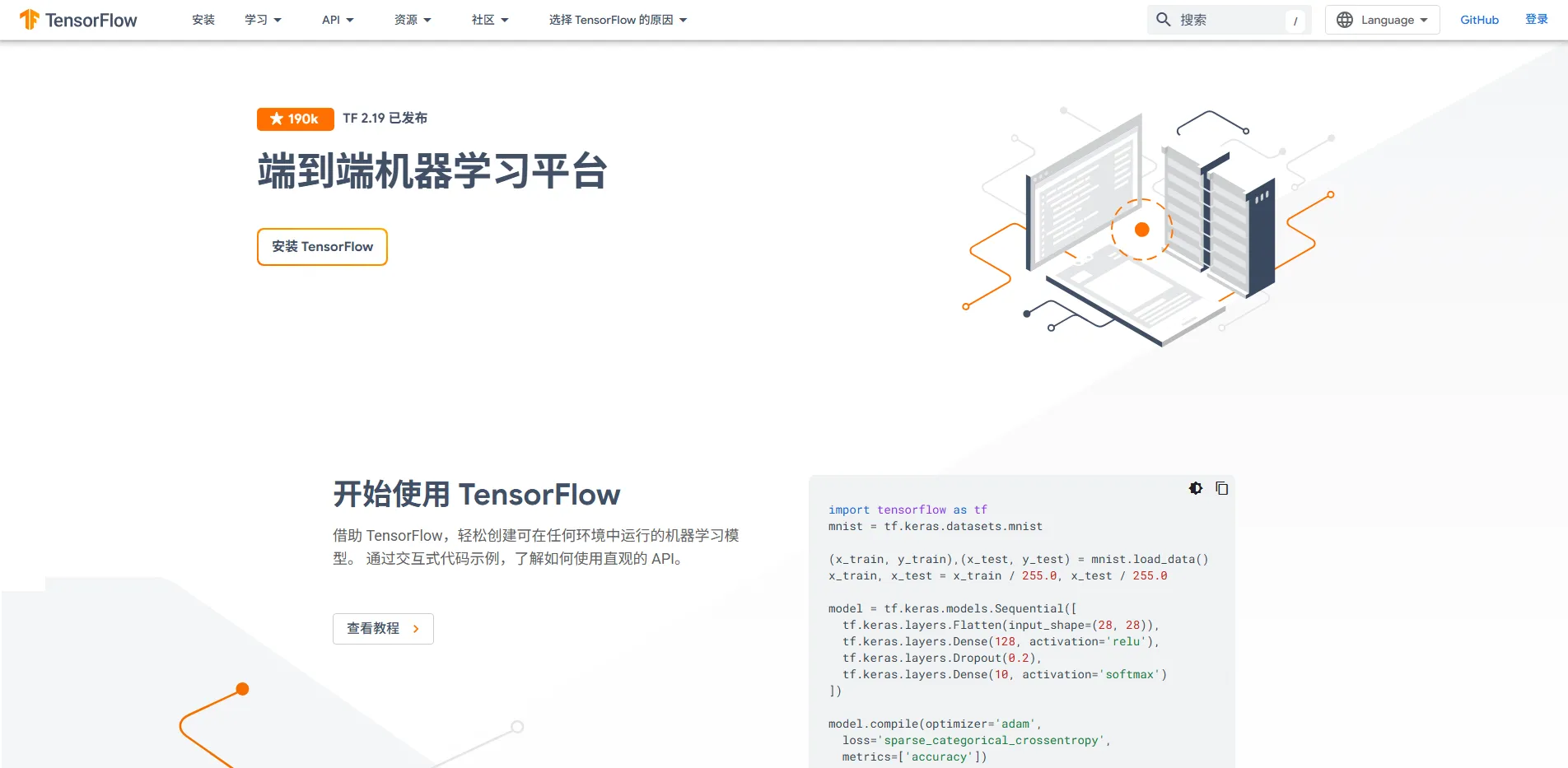
TensorFlow provides an open-source machine-learning framework for building and training models. Developers can prepare data with tf.data, create models through tf.keras, then evaluate them and develop deployment workflows. Its ecosystem includes pretrained models, datasets, TensorBoard for tracking, TensorFlow.js for browser and Node.js use, LiteRT for mobile and edge devices, and TFX for production pipelines.
Ads
What is TensorFlow?
TensorFlow is an open-source platform for creating machine-learning models and taking them through development and deployment. Its APIs include tf.keras for building models and tf.data for preprocessing data and creating input pipelines. Developers can train and evaluate models, using familiar workflows such as loading a dataset, defining layers, compiling a model, and fitting it to training data. TensorBoard helps visualize and track model development. The wider ecosystem includes pretrained models and datasets, TensorFlow.js for running models in browsers or Node.js, LiteRT for mobile and edge deployment, and TFX for production ML pipelines. Tutorials, guides, code samples, and community resources support learning and implementation. TensorFlow is a developer framework, so using it involves writing code and configuring a model workflow.
Who will use TensorFlow?
- Machine-learning developers
- Data scientists
- Researchers
- Software engineers building AI applications
- Teams developing production ML pipelines
How to use the TensorFlow?
- Step1: Install TensorFlow and choose a suitable API or ecosystem library for your project.
- Step2: Load or prepare training data, using tf.data to build preprocessing and input pipelines if needed.
- Step3: Define a model with tf.keras or another TensorFlow API, then configure its training process.
- Step4: Train the model and evaluate its results on test data.
- Step5: Track development with TensorBoard and select an appropriate deployment path, such as TensorFlow.js, LiteRT, or TFX.
Platform
- Web
- Android
- Linux
- Mac
- Windows
TensorFlow's Core Features & Benefits
The Core Features
- Build machine-learning models with tf.keras
- Preprocess data and create input pipelines with tf.data
- Train and evaluate models
- Explore pretrained models and datasets
- Track model development with TensorBoard
- Develop browser, mobile, edge, and production workflows through ecosystem libraries
The Benefits
- Supports workflows from model creation through deployment
- Provides APIs and learning resources for developers
- Offers ecosystem tools for different deployment environments
- Enables use of pretrained models and standard datasets
TensorFlow's Main Use Cases & Applications
- Developing and evaluating machine-learning models
- Building recommendation systems
- Analyzing relational data with graph neural networks
- Creating browser-based machine-learning applications
- Deploying models to mobile and edge devices
- Building production ML pipelines
TensorFlow's Pros & Cons
The Pros
Open-source framework with APIs for model creation, training, and evaluation
Includes a broad ecosystem for data pipelines, model tracking, and deployment
Offers tutorials, code samples, pretrained models, and datasets
The Cons
Requires programming and machine-learning knowledge to build and train models
Developers must implement and configure their own model workflows rather than using a no-code model builder
FAQs of TensorFlow
TensorFlow Company Information
- Website:
- Company Name: Google
- Support Email:
- Facebook:
- X(Twitter):
- YouTube:
- Instagram:
- Tiktok:
- LinkedIn:
Analytic of TensorFlow
Visit Over Time
Monthly Visits
545.5K
Avg Visit Duration
00:01:52
Page Per Visit
8.45
Bounce Rate
47.87%
Jul 2026 - Sep 2026 All Traffic
Geography
Top 5 Regions

United States
22.25%
India
14.08%
Germany
4.5%
Korea, Republic of
4.12%
Russia
3.05%
Jul 2026 - Sep 2026 Worldwide Desktop Only
Traffic Sources
SearchOrganic
47.38%
Direct
30.36%
Referrals
16.13%
GenAi
2.39%
SocialOrganic
2.22%
Mail
1.37%
DisplayAds
0.10%
SocialPaid
0.04%
SearchPaid
0.01%
Sep 2026 Desktop Only
Top Keywords
| Keyword | Traffic | Cost Per Click |
|---|---|---|
| tensorflow | 70.5k | $0.92 |
| tensor flow | 9.0k | $1.03 |
| tensorflow playground | 4.3k | $1.17 |
| playground tensorflow | 1.7k | $1.01 |
| tensorflow.js | 1.6k | $8.63 |
TensorFlow Reviews
5/5
TensorFlow's Main Competitors and alternatives?
PyTorch
Scikit-learn
Keras
MXNet
Caffe
You may also like:
Convert PDFs, including scanned files, into natural speech with OCR, 142+ languages, and MP3 export for listening anywhere.
Create downloadable speech from an authorized voice sample, with multilingual text input, adjustable delivery, and no sign-up trial.
Generate downloadable UK English voiceovers by choosing from 185 RP, Scottish, Welsh, Northern Irish, and young British voices.
Create downloadable child voiceovers from scripts with 66 styles, ten languages, browser previews, and permitted voice cloning.
Browser-based AI text-to-speech tool for generating natural voiceovers, narration, and podcast audio from scripts.
Multimodal AI audio generator for creating complete sound scenes with dialogue, ambience, music, and effects.
Turn ideas, documents, URLs, and audio into professional podcasts with AI voices, custom hosts, and video formats.
All-in-one AI audio studio for voice cloning, vocal conversion, music generation, stem splitting, and mastering.
AnySpeech is an AI voice studio that turns text into natural speech with 100+ voices in 50+ languages.
AI lip sync and video dubbing platform for turning text, audio, and images into talking videos quickly.
Free text-to-speech platform that turns any text into character voices from anime, games, movies, and celebrities.
An AI audio studio for lifelike text-to-speech, dubbing, voice changing, and sound effects creation online.
Tiramisu AI is an all-in-one online studio for text-to-video, image-to-video, image generation and editing.
Create lifelike talking avatars and AI videos from photos, audio, or text—fast, easy, and customizable.
AI-powered web tool that converts PDFs into natural-sounding MP3 audio for listening, learning, and accessibility.
KikiVoice delivers realistic AI text-to-speech and voice cloning for creators, podcasts, and interactive content.
VoiSpark offers advanced AI-powered voice generation, cloning, and modification tools for creators.
AIVocal is an all-in-one AI assistant for podcasting, speech generation, vocal editing, and transcription.
Microsoft SAM TTS brings the classic Windows XP voice synthesizer to modern browsers with nostalgia.