
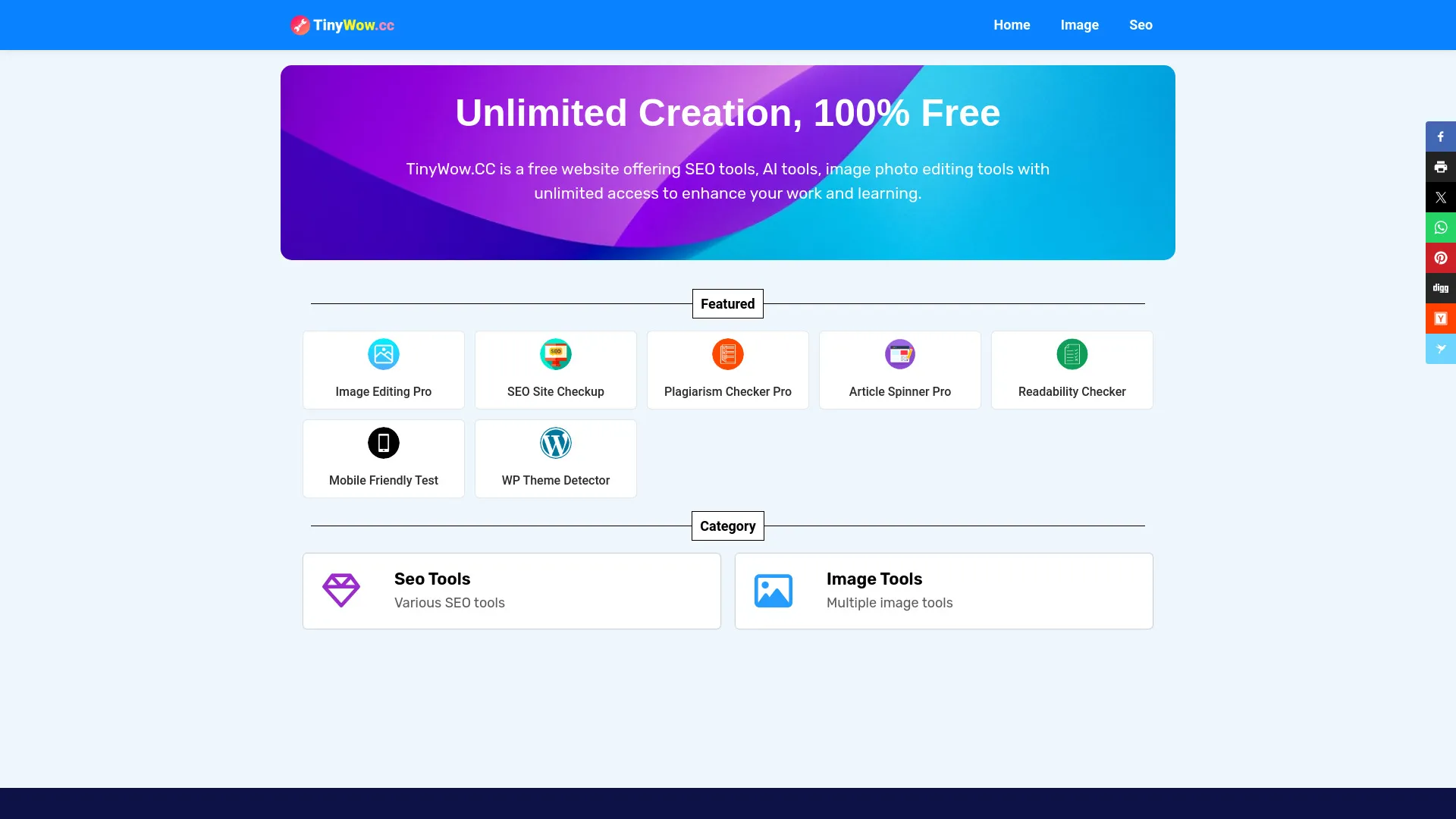
Tiny Wow brings PDF conversion, image editing, YouTube research, SEO checks, and everyday text utilities together in an online collection. Users can convert PDFs to formats such as Word, Excel, and JPG; resize or convert image files; inspect YouTube trends and channel statistics; and create or analyze metadata. The tools are organized by task, so users can open a specific utility for the job they need to complete.
Promote this Tool
Update this Tool

TinyWow.CC
Tiny Wow brings PDF conversion, image editing, YouTube research, SEO checks, and everyday text utilities together in an online collection. Users can convert PDFs to formats such as Word, Excel, and JPG; resize or convert image files; inspect YouTube trends and channel statistics; and create or analyze metadata. The tools are organized by task, so users can open a specific utility for the job they need to complete.
Ads
What is TinyWow.CC?
Tiny Wow is a browser-based collection of utilities for documents, images, YouTube, SEO, and text. Its PDF tools convert files between formats including PDF, Word, Excel, JPG, and PNG, while image utilities resize, compress, convert, and extract text from images. YouTube tools cover tag and hashtag generation or extraction, title and description extraction, channel statistics, trends, video analysis, and related channel information. SEO and general utilities include keyword density checks, meta-tag and Open Graph tools, word counting, text sorting, rewriting, calculators, and generators for common website policies. Each tool is listed separately by category, letting users choose a focused operation rather than work in a single general-purpose editor.
Who will use TinyWow.CC?
- YouTube creators researching channel statistics, trends, and metadata
- People converting or managing PDF documents
- Users resizing, compressing, converting, or extracting text from images
- Website owners and SEO practitioners checking metadata and keyword density
- People needing quick text utilities, calculators, or policy generators
How to use the TinyWow.CC?
- Step1: Open Tiny Wow in a browser and choose a category such as PDF, YouTube, image, or SEO tools.
- Step2: Select the specific utility that matches your task, such as PDF to Word or Image Compressor.
- Step3: Provide the relevant file, text, or YouTube-related information requested by that tool.
- Step4: Run the selected operation or check and review its result.
- Step5: Save or use the resulting file, text, or information as needed.
Platform
- Web
TinyWow.CC's Core Features & Benefits
The Core Features
- Convert PDFs to and from formats including Word, Excel, JPG, PNG, and text
- Resize, compress, convert, and extract text from images
- Generate or extract YouTube tags, hashtags, titles, and descriptions
- View YouTube trends, channel statistics, and video information
- Use SEO checks, metadata tools, text utilities, calculators, and generators
The Benefits
- Combines many common digital tasks in one browser-based collection
- Provides focused utilities for specific file conversions and checks
- Supports workflows for documents, images, YouTube content, and websites
TinyWow.CC's Main Use Cases & Applications
- Converting PDFs for use in Word, Excel, or image formats
- Resizing, compressing, or converting image files
- Extracting text from images
- Finding YouTube channel information and reviewing video statistics
- Generating or extracting YouTube metadata such as tags and hashtags
- Checking website metadata, Open Graph tags, or keyword density
- Counting, sorting, or rewriting text and generating basic policy documents
TinyWow.CC's Pros & Cons
The Pros
Offers a broad range of document, image, YouTube, SEO, and text utilities in one online collection
Includes both generators and extractors for YouTube metadata
Provides several common file conversion and image processing tasks
The Cons
The tools are separate task-specific utilities rather than one unified editing workspace
Using the online tools requires browser and internet access
FAQs of TinyWow.CC
TinyWow.CC Company Information
- Website:
- Company Name: TinyWow
- Support Email:
- Facebook:
- X(Twitter):
- YouTube:
- Instagram:
- Tiktok:
- LinkedIn:
TinyWow.CC Reviews
5/5
TinyWow.CC's Main Competitors and alternatives?
Adobe Acrobat
Canva
Smallpdf
CompressPDF
ilovepdf
You may also like:

100% free AI photo editor for editing images with simple prompts. No sign-up required.
Create polished images from prompts or reference photos, make precise edits, preserve layouts, and export high-resolution results up to 4K.
CreateVision AI generates images, videos, and avatars from prompts or references with model routing and one-click editing tools.
Turn flat images into aligned, editable RGBA layers with configurable layer counts and PNG or WebP exports for creative workflows.
Clean up product photos and test new backgrounds from an upload using plain text prompts.
AI product photography workspace for creating ecommerce listing, studio, lifestyle, and campaign visuals from uploads.
Vidmud AI Photo Enhancer is a free, 1-click tool to unblur and upscale photos to HD with no sign-up and total privacy.
An online AI image editor that removes objects, changes backgrounds, and transforms photos instantly.
ImageFree.net is a truly unlimited Free AI Image Generator that transforms text into high-quality AI images instantly.
A browser-based AI creative suite for generating, editing, and enhancing images and videos with simple prompts.
BatchlyAI batch-generates AI images and videos from reusable multi-variable prompts for fast creative exploration.
AI image generation and editing platform for prompts, references, and polished visual content workflows.
AI image generator for text-rich, style-faithful visuals with consistent outputs and flexible aspect ratios.
A text-to-image generator that turns detailed prompts into polished, publication-ready visuals quickly.
A controllable AI image generator for precise faces, palettes, text, and visual continuity.
Free AI image generator and editor for studio-quality visuals, precise color control, and batch creation.
Uni-1 Luma unifies reasoning and visual imagination to generate culturally-aware, coherent high-quality images and videos quickly.
High-fidelity AI image generator producing native 2K images with character consistency, cultural awareness and one-click 4K upscaling.
Nano Banana: Gemini-powered AI image editor for natural-language photo editing and high-quality text-to-image generation in seconds, 4K-ready.