
- Up to 5 exercises per month
- Up to 3 worksheets per month
- Up to 2 lesson plans per month

To Teach AI
0
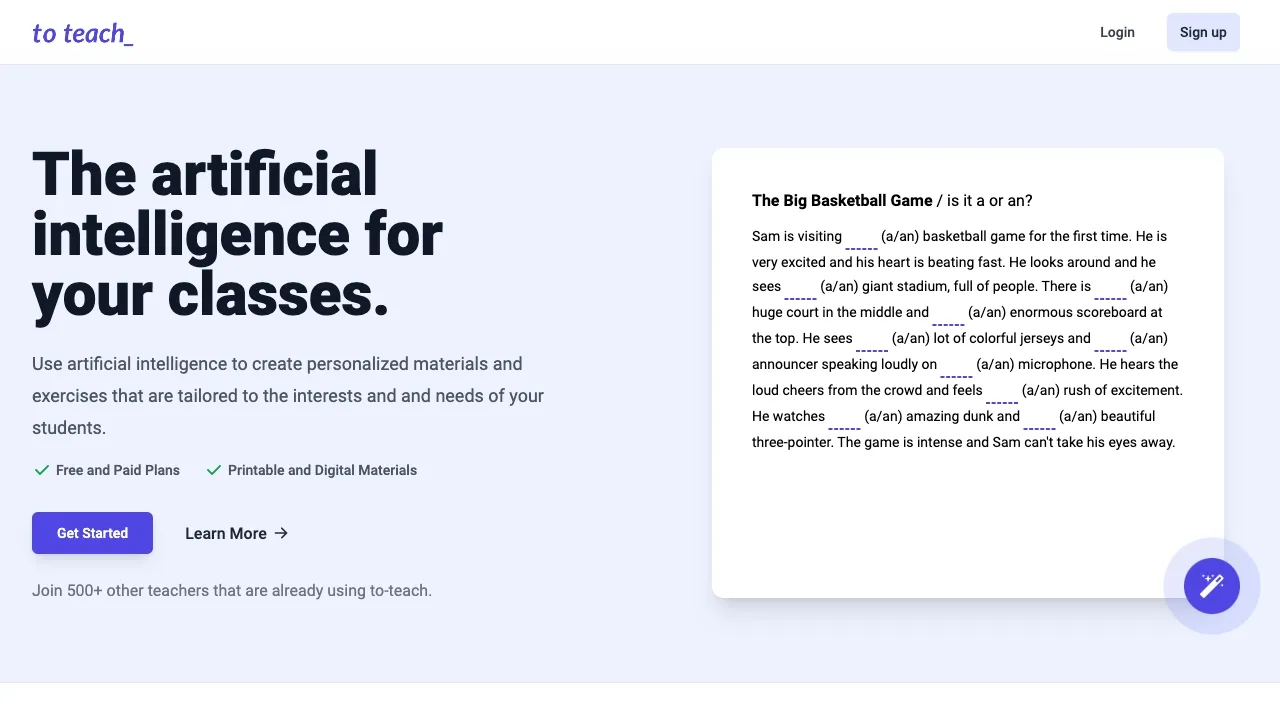
to teach turns a topic, curriculum, or teacher-provided resource into lesson plans and classroom materials. Teachers can generate worksheets, quizzes, presentations, and interactive activities, then edit and adapt their language and difficulty for different learners. Materials can be printed, shared digitally, or exported as PDF, H5P, or DOCX. Teachers can also send content to fobizz, Canva, and Google Classroom.
Promote this Tool
Update this Tool
To Teach AI
to teach turns a topic, curriculum, or teacher-provided resource into lesson plans and classroom materials. Teachers can generate worksheets, quizzes, presentations, and interactive activities, then edit and adapt their language and difficulty for different learners. Materials can be printed, shared digitally, or exported as PDF, H5P, or DOCX. Teachers can also send content to fobizz, Canva, and Google Classroom.
Ads
What is To Teach AI?
to teach supports lesson preparation from planning through classroom delivery. Teachers enter a subject, topic, and learner group to generate a structured plan with learning objectives and a sequence of activities. They can create worksheets, presentations, quizzes, and interactive activities from that plan or use their own texts, documents, links, or curriculum as a starting point. Materials can be edited, simplified, or scaffolded for different learner levels. A YouTube video can also serve as the starting point for a worksheet. Teachers can print materials, share interactive exercises with students, or export content as PDF, H5P, or DOCX. The service includes a curated library of more than 10,000 resources. Free and paid plans have monthly creation limits, and generated content should be reviewed before classroom use.
Who will use To Teach AI?
- School teachers
- Trainee teachers and student teachers
- Educators creating differentiated learning materials
- Schools and teaching teams
How to use the To Teach AI?
- Step1: Enter your subject, topic, grade level, and the students you are teaching; optionally provide your curriculum or other resources.
- Step2: Generate a structured lesson plan with learning objectives and a sequence of activities, then review and adjust it.
- Step3: Create worksheets, presentations, quizzes, or interactive activities from the plan or your own materials.
- Step4: Edit the content and adapt its language or difficulty for different learners.
- Step5: Print or share the materials, or export them as PDF, H5P, or DOCX.
Platform
- Web
To Teach AI's Core Features & Benefits
The Core Features
- Generate structured lesson plans with learning objectives and activities
- Create worksheets, quizzes, presentations, and interactive activities
- Use teacher-provided texts, documents, links, curriculum, or YouTube videos as source material
- Edit and adapt content language and difficulty for different learners
- Export as PDF, H5P, or DOCX and share activities digitally
The Benefits
- Reduces time spent planning lessons and preparing materials
- Supports differentiated instruction for different learner levels
- Provides both printable and digital classroom activities
- Lets teachers review and customize materials before using them
To Teach AI's Main Use Cases & Applications
- Planning a lesson around a subject, topic, or curriculum
- Creating differentiated worksheets for learners at different levels
- Turning a YouTube video into a classroom worksheet
- Making quizzes, presentations, and interactive exercises
- Preparing printable or digitally shared materials for class
- Finding classroom resources in a curated library
To Teach AI's Pros & Cons
The Pros
Creates lesson plans as well as multiple types of teaching materials in one service
Materials can be edited and adapted for different learner levels
Supports printable and interactive formats, with PDF, H5P, and DOCX exports
Students can use printed worksheets or shared interactive exercises without a to teach account
Offers a free plan to try the tools
The Cons
The free plan limits creation to 5 exercises, 3 worksheets, and 2 lesson plans per month
Paid plans also have monthly creation caps, which vary by subscription tier
Generated materials, facts, and answer keys require teacher review before classroom use
To Teach AI's Pricing
| Has free plan | YES |
|---|---|
| Free trial details | |
| Pricing model | freemium |
| Is credit card required | No |
| Paid from | 6 EUR |
| Has lifetime plan | No |
| Billing frequency | monthly/yearly |
Details of Pricing Plan
Free
0 EURStarter
6 EUR- Up to 100 exercises per month
- Up to 20 worksheets per month
- Up to 5 lesson plans per month
- Unlock every gamification option
- Access to all premium worksheets
- Answer keys for exercises and worksheets
- Lesson plans with materials
Pro
12 EUR- Up to 200 exercises per month
- Up to 50 worksheets per month
- Up to 25 lesson plans per month
- Unlock every gamification option
- Access to all premium worksheets
- Answer keys for exercises and worksheets
- Lesson plans with materials
Discount:Save 20% on Starter and Pro plans with yearly billing.
For the latest prices, please visit: https://www.to-teach.aiFAQs of To Teach AI
To Teach AI Company Information
- Website:
- Company Name: To Teach AI
- Support Email:
- Facebook:
- X(Twitter):
- YouTube:
- Instagram:
- Tiktok:
- LinkedIn:
Analytic of To Teach AI
Visit Over Time
Monthly Visits
185.7K
Avg Visit Duration
00:01:14
Page Per Visit
2.81
Bounce Rate
40.70%
Jul 2026 - Sep 2026 All Traffic
Geography
Top 5 Regions

Germany
43.71%
United States
9.78%
Switzerland
3.01%
United Kingdom
2.79%
India
2.39%
Jul 2026 - Sep 2026 Worldwide Desktop Only
Traffic Sources
SearchOrganic
39.28%
Direct
29.47%
Referrals
17.42%
SearchPaid
7.47%
Mail
2.10%
GenAi
1.79%
SocialOrganic
1.73%
DisplayAds
0.67%
SocialPaid
0.08%
Sep 2026 Desktop Only
Top Keywords
| Keyword | Traffic | Cost Per Click |
|---|---|---|
| to teach ai | 2.6k | $0.31 |
| teach ai | 1.4k | $1.08 |
| toteach | 560 | $0.30 |
| welche ki kann man für erstellung von stoffverteilungspläne für die schule gut benutzen | 300 | — |
| ai for preparing lesson | 300 | — |

How to install?
To Teach AI Reviews
5/5
Comments (1)

Dalma Carrazana
July 06 2025
DAME UNA IMGEN DE LOS ORDINAL NUMBERS LINDA PARA NIÑOS
To Teach AI's Main Competitors and alternatives?
Google Classroom
Edmodo
Khan Academy
Quizlet
You may also like:
AI tutor that talks it through and draws every step on a whiteboard, in your language. Start free, no card.
Verla is an AI tutor for university students, with AI detection and an AI Humanizer that makes studying easier and more
Real-time poker AI for GTO-accurate decisions, hand review, and live coaching across 15+ poker platforms.
An AI platform that helps teachers create lesson plans, worksheets, assessments, and support materials fast.
AI-powered report comment writer for Australian primary teachers. Generate personalised, Curriculum V9.0-aligned comment
Free AI math solver offering instant step-by-step solutions for typed problems or uploaded photos across topics.
Twee is an AI-powered platform to create, share, and grade customizable language lessons quickly.
AI-powered personalized learning platform adapting to your unique goals and background.
Planit Teachers offers AI-powered tools for lesson planning, grading, and personalized resources.
AI Tutor leverages cutting-edge AI to provide personalized learning experiences and educational content.
Teachers.Report automates personalized student reports through AI, saving teachers time and ensuring accuracy.
TeachCatalystAI revolutionizes education with AI-powered classroom management and teaching tools.
Turn notes, slides, photos, and past papers into a personalized exam plan with lessons and graded mock exams.