
- 3 transcripts per day
- Uploads up to 30 minutes per file
- Upload 1 file at a time
- Lower transcription priority

TurboScribe
0
TurboScribe turns uploaded audio and video into text in more than 98 languages. Choose a transcription mode, select a language, and optionally identify speakers, translate speech to English, or restore noisy audio. You can translate completed transcripts and subtitles into more than 130 languages, then download them as DOCX, PDF, TXT, CSV, SRT, or VTT. Free users can transcribe three files daily; paid subscribers get unlimited transcription and uploads up to 10 hours long.
Promote this Tool
Update this Tool
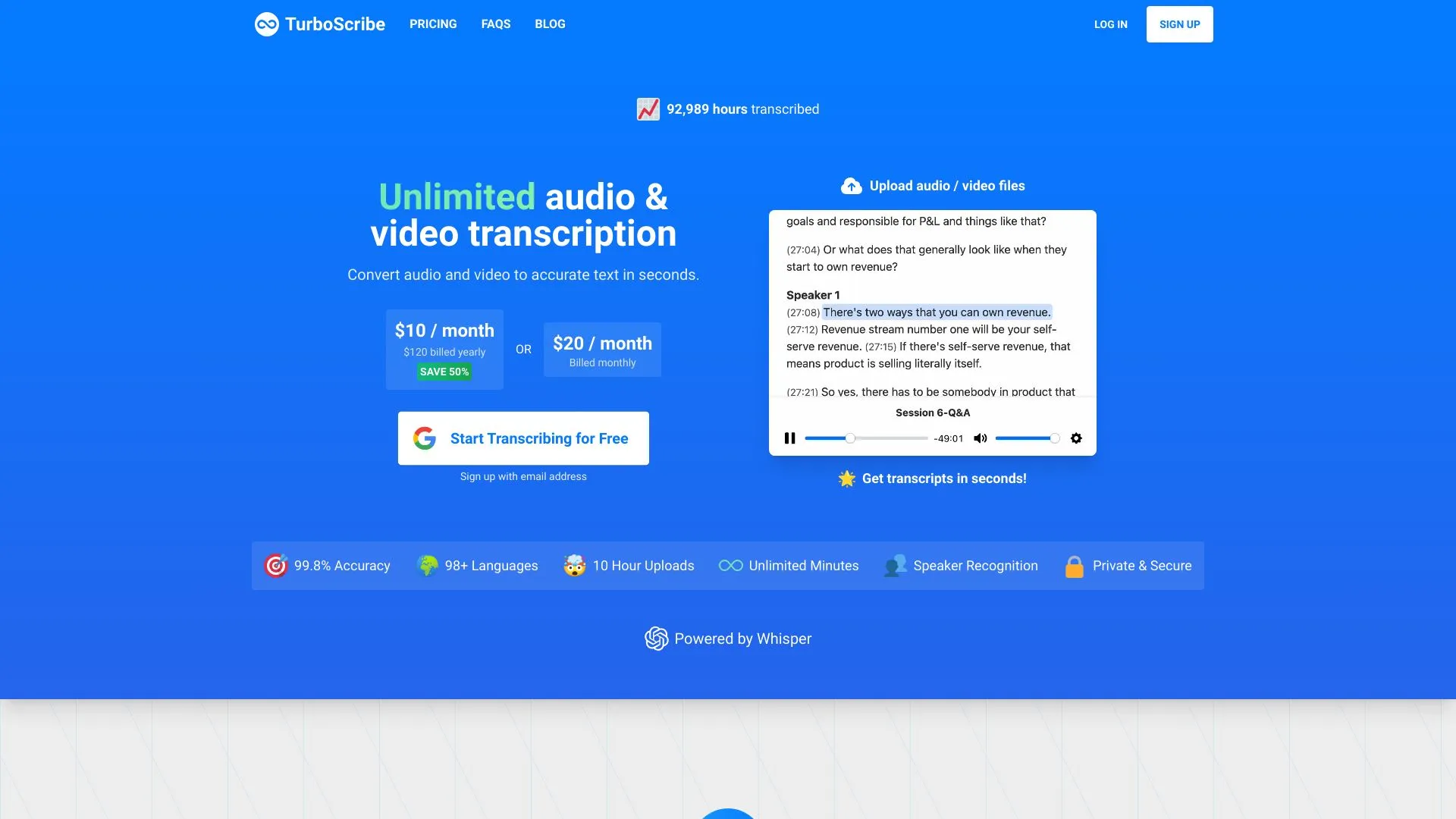
TurboScribe turns uploaded audio and video into text in more than 98 languages. Choose a transcription mode, select a language, and optionally identify speakers, translate speech to English, or restore noisy audio. You can translate completed transcripts and subtitles into more than 130 languages, then download them as DOCX, PDF, TXT, CSV, SRT, or VTT. Free users can transcribe three files daily; paid subscribers get unlimited transcription and uploads up to 10 hours long.
Ads
What is TurboScribe?
TurboScribe transcribes audio and video files into text, supporting common formats such as MP3, MP4, WAV, M4A, MOV, and OGG. It supports more than 98 spoken languages and offers Cheetah, Dolphin, and Whale transcription modes. Optional speaker recognition labels transcript sections by speaker, while audio restoration can reduce background noise and enhance speech. Users can transcribe speech directly into English, or translate transcripts and subtitles into more than 130 languages. Completed work can be exported as DOCX, PDF, TXT, CSV, SRT, or VTT. The free tier allows three transcripts per day, with 30-minute file limits and one upload at a time. Unlimited subscribers can upload files up to 10 hours or 5 GB and process up to 50 files at once.
Choose by workflow
Choose TurboScribe when you already have an audio or video file and need a transcript, speaker labels or subtitle files. Transcription produces text; subtitle translation changes its language; audio restoration improves the recording and is not translation.
For meeting notes and follow-up actions, compare Otter. For a searchable workspace spanning recordings and documents, compare Sonix. These workflows overlap, so check the input, export format and collaboration requirements before choosing.
Official references: TurboScribe, Otter, Sonix.
Who will use TurboScribe?
- Researchers and students transcribing interviews, lectures, or recorded research
- Journalists and writers working with interviews and audio recordings
- Businesses and teams transcribing meetings, calls, and other interactions
- Podcasters and video creators preparing transcripts, captions, or subtitles
- People who need to convert spoken content into text across multiple languages
How to use the TurboScribe?
- Step1: Open TurboScribe and choose an audio or video file to upload, or drag and drop it into the uploader.
- Step2: Select the audio language and a transcription mode: Cheetah, Dolphin, or Whale.
- Step3: Optionally enable speaker recognition, transcription directly to English, or audio restoration in More Settings.
- Step4: Start transcription and wait for TurboScribe to process the file.
- Step5: Review the transcript, translate it or its subtitles if needed, then download it in a supported format.
Platform
- Web
TurboScribe's Core Features & Benefits
The Core Features
- Transcribes audio and video in more than 98 languages
- Offers three transcription modes
- Labels transcript sections with speaker recognition
- Restores noisy audio and can transcribe directly to English
- Translates transcripts and subtitles into more than 130 languages
- Exports transcripts and subtitles in DOCX, PDF, TXT, CSV, SRT, and VTT
The Benefits
- Creates text from recordings without manual transcription
- Supports caption and subtitle preparation for video
- Provides speaker-attributed transcripts for meetings, interviews, and podcasts
- Offers a free tier for trying transcription on shorter files
- Handles long recordings and batch uploads on the Unlimited plan
TurboScribe's Main Use Cases & Applications
- Transcribing meetings, business calls, and interviews
- Creating transcripts from lectures and research recordings
- Generating captions and subtitles for video content
- Converting podcasts and other audio recordings into text
- Translating transcripts or subtitles for multilingual audiences
TurboScribe's Pros & Cons
The Pros
Supports more than 98 transcription languages and subtitle or transcript translation into more than 130 languages
Includes speaker recognition, audio restoration, and transcription directly to English
Exports to widely used document, text, caption, and subtitle formats
Paid Unlimited plan supports files up to 10 hours or 5 GB and batches of up to 50 files
The Cons
The free tier is limited to three transcripts per day, 30 minutes per file, and one file at a time
Unlimited transcription and longer uploads require a paid subscription
The Unlimited subscription is for one person, and account sharing is not allowed
TurboScribe's Pricing
| Has free plan | YES |
|---|---|
| Free trial details | |
| Pricing model | freemium |
| Is credit card required | No |
| Paid from | 20 USD |
| Has lifetime plan | No |
| Billing frequency | monthly/yearly |
Details of Pricing Plan
TurboScribe Free
0 USDTurboScribe Unlimited
20 USD- Unlimited transcriptions for one person
- Uploads up to 10 hours or 5 GB per file
- Upload 50 files at a time
- Translation to 134+ languages, bulk exports, all transcription modes, and unlimited storage
- Highest transcription priority
- $10 per month when billed yearly
Discount:Save 50% on TurboScribe Unlimited when billed yearly, reducing the price from $20 to $10 per month.
FAQs of TurboScribe
TurboScribe Company Information
- Website:
- Company Name: TurboScribe
- Support Email:
- Facebook:
- X(Twitter):
- YouTube:
- Instagram:
- Tiktok:
- LinkedIn:
Analytic of TurboScribe
Visit Over Time
Monthly Visits
27.1M
Avg Visit Duration
00:03:24
Page Per Visit
3.23
Bounce Rate
55.79%
Jul 2026 - Sep 2026 All Traffic
Geography
Top 5 Regions

Brazil
12.81%
United States
11.69%
Spain
5.61%
Peru
4.27%
Italy
4.22%
Jul 2026 - Sep 2026 Worldwide Desktop Only
Traffic Sources
SearchOrganic
49.75%
Direct
31.46%
SocialOrganic
6.32%
SearchPaid
5.13%
Referrals
4.88%
DisplayAds
0.99%
GenAi
0.75%
Mail
0.60%
SocialPaid
0.11%
Affiliate
0.00%
Sep 2026 Desktop Only
Top Keywords
| Keyword | Traffic | Cost Per Click |
|---|---|---|
| youtube to mp4 | 1812.6k | $1.68 |
| turboscribe | 463.8k | $0.23 |
| baixar video youtube | 479.5k | $0.23 |
| baixar video do youtube | 285.7k | $0.19 |
| descargar videos de youtube | 549.9k | $0.48 |
TurboScribe Reviews
5/5
TurboScribe's Main Competitors and alternatives?
You may also like:
AI-powered tool to transcribe audio, video, YouTube links, and recordings into accurate, searchable text.
Remove vocals, split stems, trim tracks, and turn recordings into readable text directly in your browser without installing software.
Turn video and audio into searchable transcripts with speaker labels, timestamps, 99-language support, and subtitle-ready exports.
Convert audio and video files into editable transcripts with speaker labels, timestamps, and exports in multiple formats.
Turn podcasts and YouTube videos into searchable transcripts with timestamps, summaries, mind maps, and transcript-grounded chat.
Convert video or audio into speaker-labeled transcripts online with word timestamps and five export formats.
Video Transcription AI converts videos, audio, links, and files into accurate searchable transcripts in seconds.
Free AI video transcription tool that converts videos and links into accurate text, subtitles, and summaries.
Free browser-based AI tool that transcribes audio and video into text, with multilingual support and no sign-up.
Instantly convert any video into clear summaries online, ideal for YouTube, Zoom, and MP4 files.
Browser-based international calling platform with pay-as-you-go credits, virtual numbers, and AI transcription.
Saveto AI is a free, all-in-one AI transcription tool that converts videos, audio, and links into accurate text.
Free AI-powered tool that instantly converts YouTube videos into editable, searchable transcripts and summaries.
AI-powered transcription converting audio and video into editable, accurate text in 100+ languages instantly.
NeatScribe provides fast, accurate AI transcription for audio and video in seconds, editable and downloadable.
Turbo Transcription AI offers fast, 99% accurate audio and video transcription powered by Gemini 3 Pro.
DeVoice converts audio and video into accurate text using advanced AI transcription technology.
Instant AI-powered transcription for TikTok videos with easy copying and bulk support.