
- Unlimited free viewers/commenters
- 3 AI generations per month
- AI engine: Autodesigner 1.5
- 2 projects
- 10 free templates

Uizard
0
Uizard turns product ideas into editable interface designs and prototypes for apps, websites, and desktop software. Describe a concept in text to generate screens, then adjust components or create new screens and themes. It can also convert screenshots into editable mockups and hand-drawn wireframes into digital designs. Product teams can use the results to explore ideas, share concepts, and iterate on interface flows before development.
Promote this Tool
Update this Tool
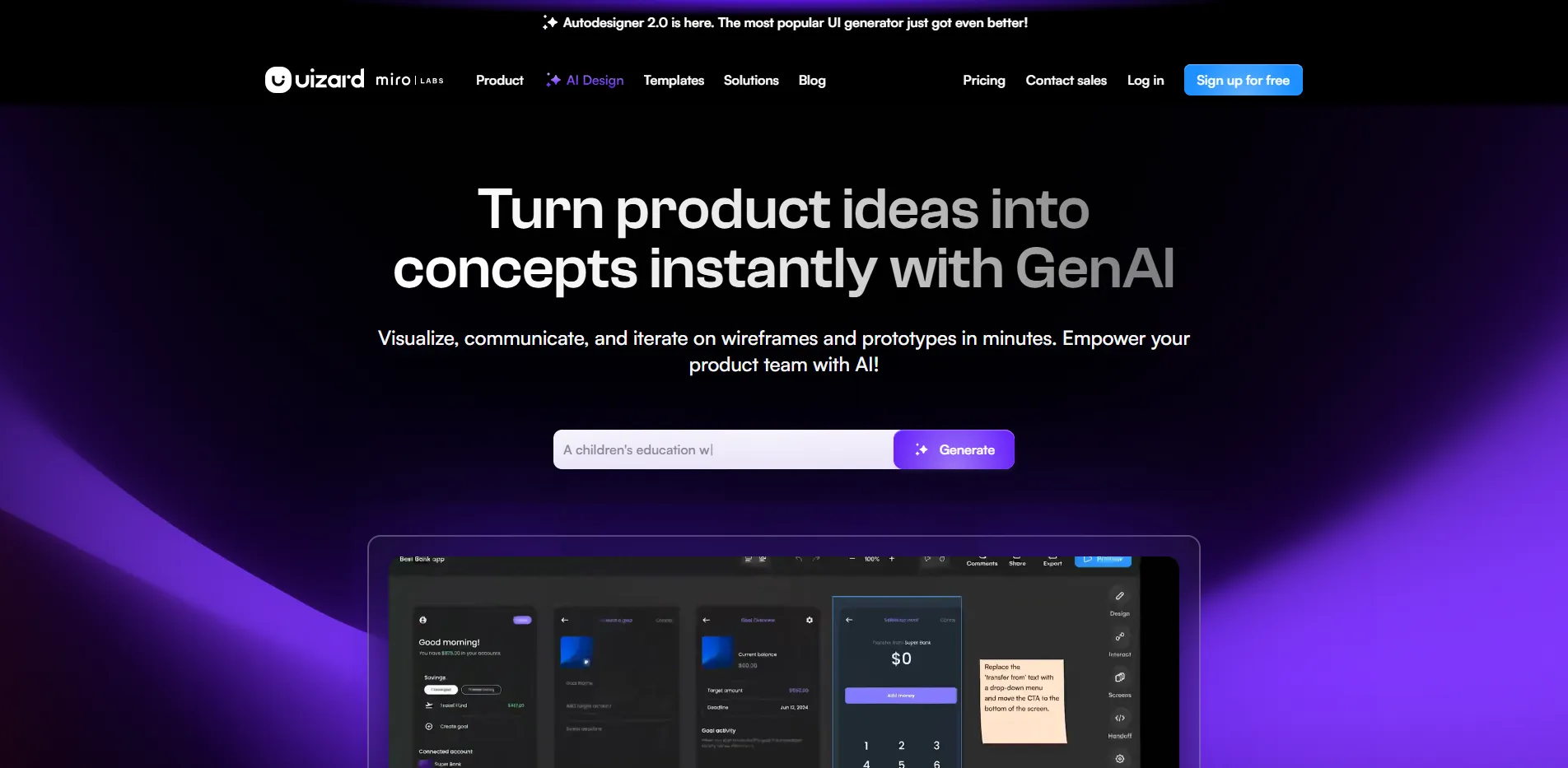
Uizard turns product ideas into editable interface designs and prototypes for apps, websites, and desktop software. Describe a concept in text to generate screens, then adjust components or create new screens and themes. It can also convert screenshots into editable mockups and hand-drawn wireframes into digital designs. Product teams can use the results to explore ideas, share concepts, and iterate on interface flows before development.
Ads
What is Uizard?
Uizard is a UI design and prototyping tool for visualizing digital product concepts. Its Autodesigner creates editable, multi-screen prototypes from text prompts, and can generate additional screens to expand a project. Users can select a component, describe a change, and have Autodesigner modify it. Screenshot Scanner converts interface screenshots into editable mockups, while Wireframe Scanner digitizes hand-drawn wireframes. Theme generation lets users change a project's visual style. Uizard supports design work for apps, websites, and desktop software, with templates for different product formats. Teams can collaborate in real time, making it possible to review concepts and iterate together. The product focuses on interface mockups and prototypes: its described workflows are for visualizing and refining designs, rather than building and deploying production software.
Who will use Uizard?
- Product managers and product teams
- UI and UX designers
- Startup founders
- Marketers
- Business analysts
- Consultants and agencies
- Developers exploring or communicating interface concepts
How to use the Uizard?
- Step1: Start a project and choose a product format or device.
- Step2: Describe the interface you want to create in a text prompt, or provide a screenshot or hand-drawn wireframe.
- Step3: Generate a prototype or editable mockup, then add screens or change the visual theme as needed.
- Step4: Select components and describe edits to refine the design.
- Step5: Share and review the prototype with collaborators, then iterate on the concept.
Platform
- Web
Uizard's Core Features & Benefits
The Core Features
- Generate editable, multi-screen UI prototypes from text prompts
- Create additional screens and modify selected components using descriptions
- Convert screenshots into editable mockups
- Digitize hand-drawn wireframes
- Generate themes to restyle a project
- Collaborate on product designs in real time
The Benefits
- Visualize product ideas before development
- Explore and iterate on interface concepts more quickly
- Make design concepts easier to communicate across a product team
- Start design work from a prompt, screenshot, or sketch
Uizard's Main Use Cases & Applications
- Creating app and website concept mockups
- Turning early product ideas into clickable prototypes
- Digitizing sketches and wireframes for further design
- Reworking existing interface screenshots as editable mockups
- Exploring interface variations and themes with a product team
- Communicating proposed designs to stakeholders
Uizard's Pros & Cons
The Pros
Creates editable, multi-screen prototypes from text prompts
Can turn screenshots and hand-drawn wireframes into editable designs
Supports component-level edits and theme changes
Offers real-time collaboration for product teams
The Cons
The described workflows focus on mockups and prototypes, not production software development or deployment.
Generated designs may need further iteration to match a team's requirements.
Uizard's Pricing
| Has free plan | YES |
|---|---|
| Free trial details | |
| Pricing model | Freemium |
| Is credit card required | No |
| Paid from | 12 USD |
| Has lifetime plan | No |
| Billing frequency | Monthly (billed annually) |
Details of Pricing Plan
Free
0 USDEnterprise
0 USD- Everything from Business
- Unlimited AI generations
- Unlimited teams
- Design system setup
- AI data SLA
- Custom billing
- Whiteglove onboarding support
Pro
12 USD- Unlimited free viewers/commenters
- 500 AI generations per month
- AI engine: Autodesigner 2.0
- Developer handoff React CSS
- Up to 100 projects
- Private projects
- Access to all templates
Business
39 USD- Everything from Pro
- 5,000 AI generations per month
- Faster AI generation
- Custom brand kit
- Unlimited projects
- Priority support
Discount:Save 40% when billed annually for Pro plan
For the latest prices, please visit: https://uizard.io/pricing/FAQs of Uizard
Uizard Company Information
- Website:
- Company Name: Uizard
- Support Email:
- Facebook:
- X(Twitter):
- YouTube:
- Instagram:
- Tiktok:
- LinkedIn:
Analytic of Uizard
Visit Over Time
Monthly Visits
346.5K
Avg Visit Duration
00:01:15
Page Per Visit
3.55
Bounce Rate
41.70%
Jul 2026 - Sep 2026 All Traffic
Geography
Top 5 Regions

India
23.59%
China
8.65%
United States
6.61%
Singapore
4.85%
Indonesia
3.51%
Jul 2026 - Sep 2026 Worldwide Desktop Only
Traffic Sources
SearchOrganic
60.45%
Direct
29.85%
SocialOrganic
3.73%
Referrals
3.12%
GenAi
1.57%
Mail
0.99%
DisplayAds
0.23%
Affiliate
0.07%
Sep 2026 Desktop Only
Top Keywords
| Keyword | Traffic | Cost Per Click |
|---|---|---|
| uizard | 18.9k | $1.26 |
| screenshot editor | 12.9k | $0.24 |
| uizard io | 1.3k | $0.46 |
| ui templates | 2.9k | $0.37 |
| uizard ai | 1.6k | $0.71 |
Uizard Reviews
5/5
Uizard's Main Competitors and alternatives?
Figma
Adobe XD
Sketch
You may also like:
Assistant-UI is an AI agent designed to enhance productivity through automation and intelligent task management.
A cross-platform Qt-based desktop application for visually designing, configuring, and executing interactive CrewAI agent workflows.
Create no-code, AI-powered dashboards with UniDeck for efficient and centralized work management
Discover your people’s strengths and growth opportunities to support professional development.
AI Space of Design offers innovative AI-enhanced digital development and design solutions.
SysDesignA: Visual and interactive co-design platform for rapid prototyping and design documentation.