
- Everything in AI Employees
- Custom-built AI Employees (by Motion's AI Engineers)
- Custom-built Integrations (by Motion's Engineers)
- API with engineering support and implementation
- Unlimited Storage
- Data Backup
- Role-Based Access Control (RBAC)
- Share Externally
- Complete IT and Security Questionnaires
- Single Sign On
- Support from Motion's Engineering and Implementation Team
- Ongoing dedicated Solutions Engineer
- Custom Pricing

Motion
0
Motion combines task planning, project management, calendars, meeting notes, documents, and workflows in one workspace. It prioritizes tasks and schedules them around deadlines, durations, dependencies, and availability, then adjusts plans when work changes. Teams can use it to create projects from descriptions or SOPs, capture meeting summaries and action items, and monitor project progress. Integrations connect Motion with calendars, email, meetings, and communication tools.
Promote this Tool
Update this Tool
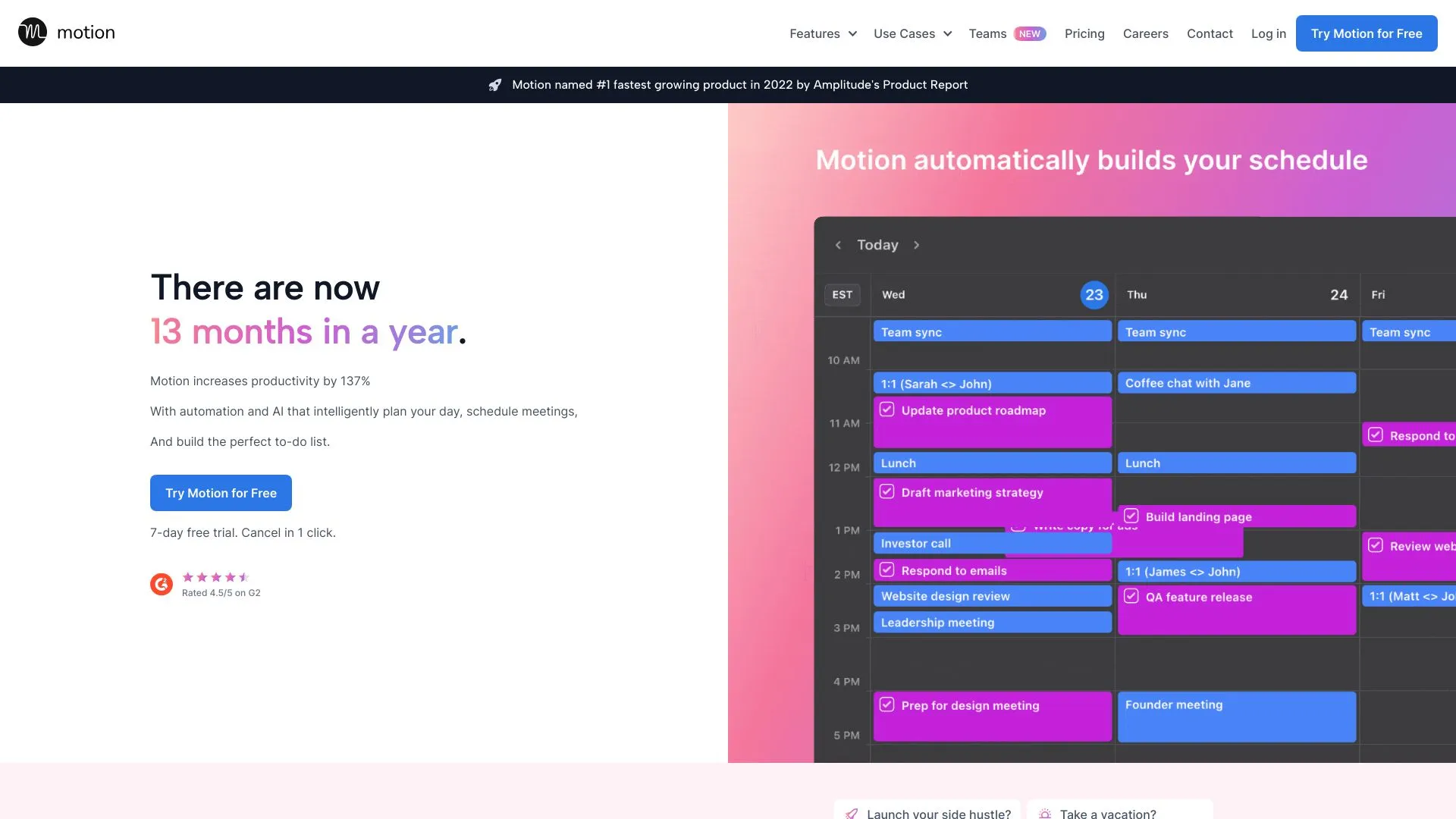
Motion combines task planning, project management, calendars, meeting notes, documents, and workflows in one workspace. It prioritizes tasks and schedules them around deadlines, durations, dependencies, and availability, then adjusts plans when work changes. Teams can use it to create projects from descriptions or SOPs, capture meeting summaries and action items, and monitor project progress. Integrations connect Motion with calendars, email, meetings, and communication tools.
Ads
What is Motion?
Motion organizes work across tasks, projects, calendars, meetings, and documents. Its planner prioritizes tasks using details such as deadlines, duration, dependencies, and preferences, then time-blocks work and revises the schedule as plans change. For teams, it can turn a project description and supporting documents into tasks, deadlines, assignees, and project stages, while tracking status and flagging delays. The meeting notetaker produces recordings, transcripts, summaries, and action items that can become assigned tasks. In Docs, users can draft and summarize content, search work materials, and convert notes into tasks or projects. Workflows can be created from SOPs, and dashboards show project progress and team capacity. Motion also supports meeting booking links and integrations with calendar, email, meeting, and messaging tools.
Who will use Motion?
- Individuals managing work and personal schedules
- Project managers and team leads
- Small and large business teams coordinating projects
- Service businesses and agencies
- Teams that want to turn SOPs into repeatable workflows
- Professionals who need meeting summaries and action tracking
How to use the Motion?
- Step1: Create an account and bring your tasks, projects, calendars, and relevant work information into Motion.
- Step2: Add task priorities, deadlines, durations, and dependencies, or describe a project and attach supporting documents.
- Step3: Let Motion organize tasks, assign project work, and schedule tasks around your availability.
- Step4: Connect supported calendars, email, meeting, and communication tools to bring related work into your workflow.
- Step5: Use meeting notes, Docs, workflows, and dashboards to capture decisions, manage repeatable processes, and review progress.
- Step6: Update work as circumstances change and use Motion’s revised schedule and project status to decide what to do next.
Platform
- Web
- Chrome Extensions
- iOS
Motion's Core Features & Benefits
The Core Features
- Automatic task prioritization and schedule planning
- Project creation with tasks, stages, deadlines, and assignees
- Calendar consolidation, time blocking, and meeting booking links
- Meeting recordings, transcripts, summaries, and action items
- AI-assisted document drafting, summarizing, and search
- SOP-based workflow creation and project dashboards
The Benefits
- Shows the next task to work on based on priorities and deadlines
- Adjusts schedules when work or priorities change
- Keeps project tasks, updates, and discussions together
- Turns meeting takeaways and written notes into trackable work
- Helps teams review project progress and capacity
Motion's Main Use Cases & Applications
- Planning an individual’s workday around tasks and deadlines
- Coordinating team projects and monitoring delays
- Turning onboarding or other SOPs into reusable project workflows
- Capturing meeting notes and assigning follow-up actions
- Managing work calendars and booking meetings
- Finding tasks and information across work documents and projects
Motion's Pros & Cons
The Pros
Combines task planning, project management, calendars, meeting notes, and docs in one workspace.
Automatically reprioritizes and reschedules work as plans change.
Connects meeting summaries and action items with projects and tasks.
Supports team visibility through project status, capacity views, and dashboards.
The Cons
Automated planning depends on keeping task and project details—such as deadlines, priorities, and durations—up to date.
Motion's Pricing
| Has free plan | YES |
|---|---|
| Free trial details | Free trial available, cancel anytime, risk free |
| Pricing model | subscription |
| Is credit card required | No |
| Paid from | 19 USD |
| Has lifetime plan | No |
| Billing frequency | Annually |
Details of Pricing Plan
Enterprise
0 USDAI Workplace
19 USD- AI Project Management
- AI Task Management
- AI Calendar
- AI Meetings
- AI Notes
- AI Docs Editor
- AI Dashboard
- Productivity Charts
- Reporting and Analytics
- Timeline and Gantt
- Time Tracking
- User Permissions
- iOS, Android, and Desktop apps
- Priority Support
AI Employees
29 USD- Everything in AI Workplace
- Unlimited AI Usage
- AI Executive Assistant
- AI Sales Representative
- AI Customer Support
- AI Marketing Associate
- AI Recruiter
- AI Researcher
- AI Project Manager
- AI Customer Success Manager
- AI Legal Assistant
- AI Product Manager
- Integrations: other apps
- Integrations: http request
- Build your own AI Employee
- Build your own AI Brain
- Business Support
FAQs of Motion
Motion Company Information
- Website:
- Company Name: Motion
- Support Email:
- Facebook:
- X(Twitter):
- YouTube:
- Instagram:
- Tiktok:
- LinkedIn:
Analytic of Motion
Visit Over Time
Monthly Visits
605.8K
Avg Visit Duration
00:02:56
Page Per Visit
4.13
Bounce Rate
42.47%
Jul 2026 - Sep 2026 All Traffic
Geography
Top 5 Regions

United States
56.14%
United Kingdom
16.8%
Canada
4%
India
2.49%
Australia
1.27%
Jul 2026 - Sep 2026 Worldwide Desktop Only
Traffic Sources
Direct
68.89%
SearchOrganic
17.22%
SearchPaid
4.06%
DisplayAds
3.04%
SocialOrganic
2.20%
Referrals
1.82%
Mail
1.12%
GenAi
0.93%
SocialPaid
0.70%
Affiliate
0.01%
Sep 2026 Desktop Only
Top Keywords
| Keyword | Traffic | Cost Per Click |
|---|---|---|
| motion | 177.0k | $0.55 |
| motion ai | 20.4k | $1.53 |
| motion app | 9.8k | $2.63 |
| usemotion | 1.6k | $1.85 |
| motion calendar | 1.4k | $1.80 |
Motion Reviews
5/5
Motion's Main Competitors and alternatives?
You may also like:
Panzoe organizes schedules, email, documents, tasks, and connected apps through one shared AI memory and daily briefing.
Managed Openclaw workspace to deploy local-first AI agents, hire AI staff, and join the Moltbook ecosystem.
Conversational AI assistant automating research, browser tasks, web scraping, and file management through natural language.
AI design agent automates workflow creating images, videos, 3D models up to 10x faster.
Ask questions, research the web, summarize information, draft content, and generate images through one conversational assistant.
Appian connects AI agents, employees, and enterprise systems to automate workflows across finance, supply chain, HR, and operations.
Turn speech into natural, real-time AI conversations with LLM connections, interruption handling, and noise suppression.
Agent Analytics AI offers in-depth performance insights and analytics for AI agents.
Coordinate IT service workflows with AI agents that support self-service, analyze operational issues, and recommend or automate remediation.
Sindarin is an AI Agent designed to enhance content creation and assist users with automation tasks.
Prismia is an AI agent that assists users in enhancing their productivity through automation and smart recommendations.