
- 2,400 Credits renew yearly
- Sora 2 Basic videos (Up to 240)
- Sora 2 Pro videos (Up to 16)
- Veo 3 videos (Up to 240)
- Veo 3.1 Basic videos (Up to 120)
- Veo 3.1 Premium videos
- Private Generation
- Faster Generation Speed
- Download Video Without Watermark

V2Sota: Sora 2 AI
0
Discontinued
0 ReviewsV2Sota uses OpenAI Sora 2 technology to generate HD videos with synchronized audio from simple text or image prompts. It’s an accessible, no-download, browser-based platform that transforms ideas into professional videos quickly and easily.
V2Sota: Sora 2 AI
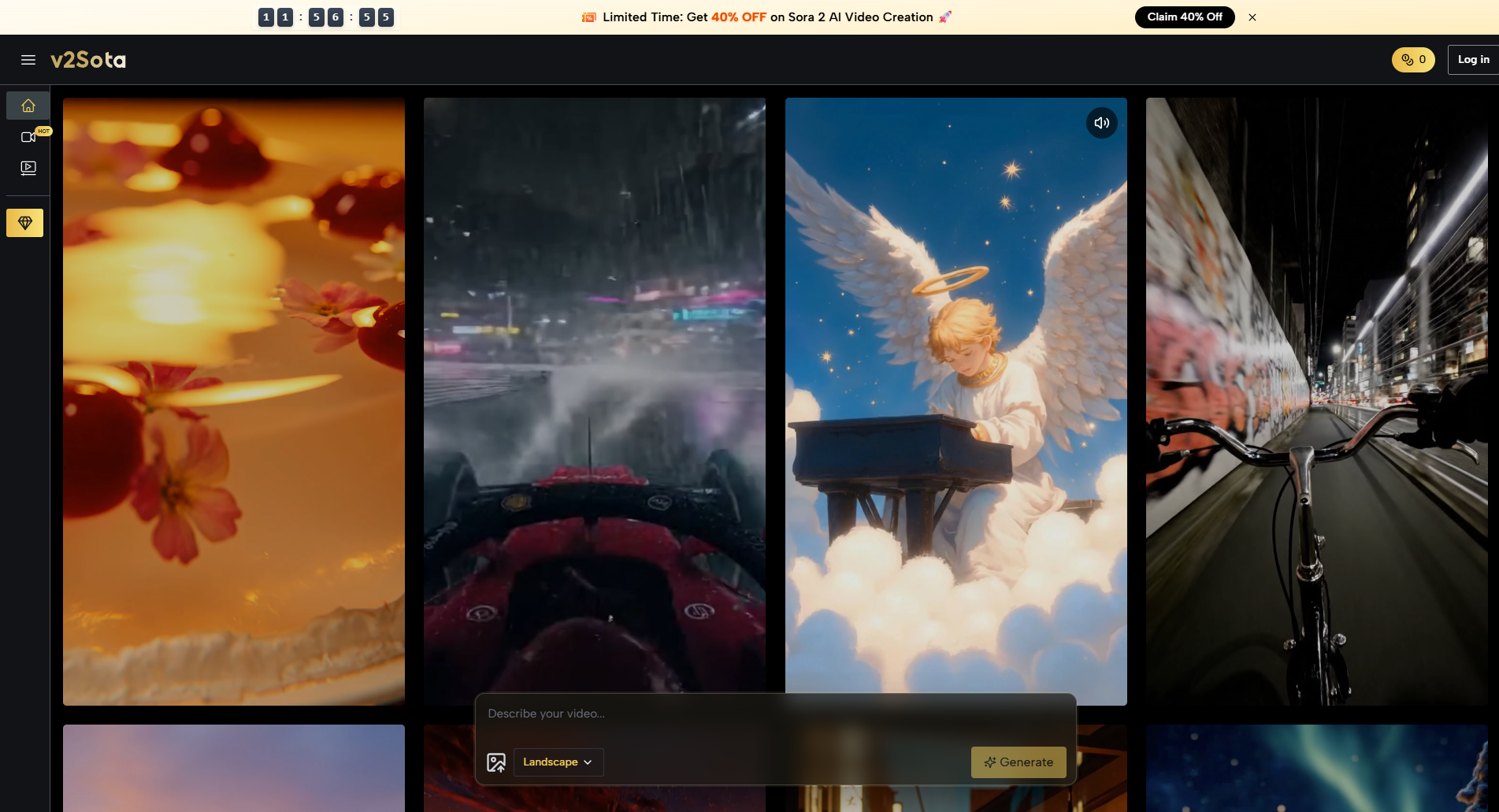
V2Sota uses OpenAI Sora 2 technology to generate HD videos with synchronized audio from simple text or image prompts. It’s an accessible, no-download, browser-based platform that transforms ideas into professional videos quickly and easily.
Discontinued
Ads
What is V2Sota: Sora 2 AI?
V2Sota is an advanced AI video generation platform utilizing OpenAI's Sora 2 model to convert text prompts or images into cinema-quality HD videos with sound and realistic physics simulation. It supports multiple aspect ratios and video formats ideal for social media and professional use. The platform requires no software installation and offers flexible subscription plans with credits for video generation. Users can create videos quickly online with professional output suitable for commercial projects.
Who will use V2Sota: Sora 2 AI?
- Content creators
- Social media marketers
- Video editors
- Businesses needing promotional videos
- Educators and trainers
How to use the V2Sota: Sora 2 AI?
- Step1: Visit the V2Sota website and access the Sora 2 video generator.
- Step2: Enter a text prompt or upload an image to describe your video idea.
- Step3: Choose the Sora 2 model for video generation.
- Step4: Select video aspect ratio and duration (e.g., 10s or 15s).
- Step5: Click the generate button to create the video using AI.
- Step6: Download the generated HD video with sound, no installation required.
Platform
- Web
V2Sota: Sora 2 AI's Core Features & Benefits
The Core Features
- AI text and image to video conversion
- Cinema-quality HD video output with sound
- Support for landscape and portrait video formats
- Realistic physics simulation in videos
- No software download or installation needed
- Flexible pricing plans with credit rollover
The Benefits
- Effortless video creation from simple prompts
- Fast generation in 2-5 minutes
- Commercial use licensing available
- Supports multi-platform video formats
- Cloud-based, accessible from any device
- Enhanced creative control over video output
V2Sota: Sora 2 AI's Main Use Cases & Applications
- Social media content creation
- Marketing and promotional video production
- Educational and training video development
- Client presentations and commercials
- Creative video storytelling
V2Sota: Sora 2 AI's Pros & Cons
The Pros
High-quality cinema-level video output
Includes synchronized sound generation
Easy to use with no technical skills needed
Accessible directly in web browser
Flexible subscription and pricing
The Cons
Not open source
Limited to web platform only
Subscription required for extended use
Video length capped at short durations (10-15 seconds)
No dedicated mobile or desktop apps available
V2Sota: Sora 2 AI's Pricing
| Has free plan | YES |
|---|---|
| Free trial details | |
| Pricing model | Freemium |
| Is credit card required | No |
| Paid from | 8.3 USD |
| Has lifetime plan | No |
| Billing frequency | Monthly |
Details of Pricing Plan
Basic
8.3 USDPopular
24 USD- 9,600 Credits renew yearly
- Sora 2 Basic videos (Up to 960)
- Sora 2 Pro videos (Up to 64)
- Veo 3 videos (Up to 960)
- Veo 3.1 Basic videos (Up to 480)
- Veo 3.1 Premium videos (Up to 160)
- Private Generation
- Faster Generation Speed
- Download Video Without Watermark
Best Value
30 USD- 21,600 Credits renew yearly
- Sora 2 Basic videos (Up to 2,160)
- Sora 2 Pro videos (Up to 144)
- Veo 3 videos (Up to 2,160)
- Veo 3.1 Basic videos (Up to 1,080)
- Veo 3.1 Premium videos (Up to 360)
- Private Generation
- Faster Generation Speed
- Download Video Without Watermark
Discount:40% off when billed yearly
For the latest prices, please visit: https://v2sota.com/pricing/FAQs of V2Sota: Sora 2 AI
V2Sota: Sora 2 AI Company Information
- V2Sota.com
- https://v2sota.com/

How to install?
V2Sota: Sora 2 AI Reviews
5/5
V2Sota: Sora 2 AI's Main Competitors and alternatives?
RunwayML
Pictory AI
Synthesia
Lumen5
You may also like:

Turn text prompts and reference images into AI-generated videos, images, voiceovers, and reusable character-led content.
Turn text prompts, photos, or reference images into 1080p videos up to 30 seconds with generated dialogue, effects, and music.
Create and refine images, videos, audio, and 3D assets in one canvas, with conversational agents that retain project context.
Magi 2 makes 4–30 second 1080p AI videos with native sound, lip sync and shot cuts placed to the second.
Create synchronized videos up to 30 seconds from text, images, and clips, with camera guidance and consistent characters.
Direct camera action, dialogue, sound and cuts to create or revise short videos up to 30 seconds in 1080p.
Generate videos, images, and music from prompts or references in one workspace using shared credits and a centralized asset library.
Create watermark-free videos from text prompts or photos, with selectable models, aspect ratios, durations, and resolutions.
Turn prompts, images, or references into reviewable video drafts with text-to-video, image-to-video, and first-and-last-frame controls.
Turn a photo, text prompt, or reference image into a short AI video using templates and adjustable generation settings.
Create directed video scenes from text, photos, or paired keyframes, with controls for camera movement, framing, and sound.
Turn prompts and reference media into up-to-30-second videos with directed shots, synchronized sound, and output up to 1080p.
Turn text prompts, photos, or ready-made templates into AI-generated videos, then revisit finished work in your My Creations library.
Generate short videos from text, images, or reference media, with synchronized sound, shot controls, and downloadable MP4 exports.
TeraBox is an all-in-one AI workspace and cloud storage platform for creating presentations, writing content, generating
Create images and short videos from prompts or photos, switching among multiple generation models and reusable templates in one account.
Turn text prompts and images into videos, with options for synchronized audio, frame control, and resolutions up to 4K.
Yovid turns text prompts, photos, or existing clips into downloadable AI videos with model, duration, and resolution controls.
Create short videos from prompts and references, then refine scenes conversationally with native ambience, dialogue, and music direction.
Recreate short viral-style videos by replacing visible subjects, products, objects, or backgrounds while preserving the reference motion and timing.