
- Unlimited videos per month
- Character limit per video: 10,000 characters
- iStock® downloads
- Storage: 50 GB
- Video downloads
- Full commercial use rights
- Upload custom media
- Generative image style videos
- Unlimited brands

VideoGen - AI Video Generator
0
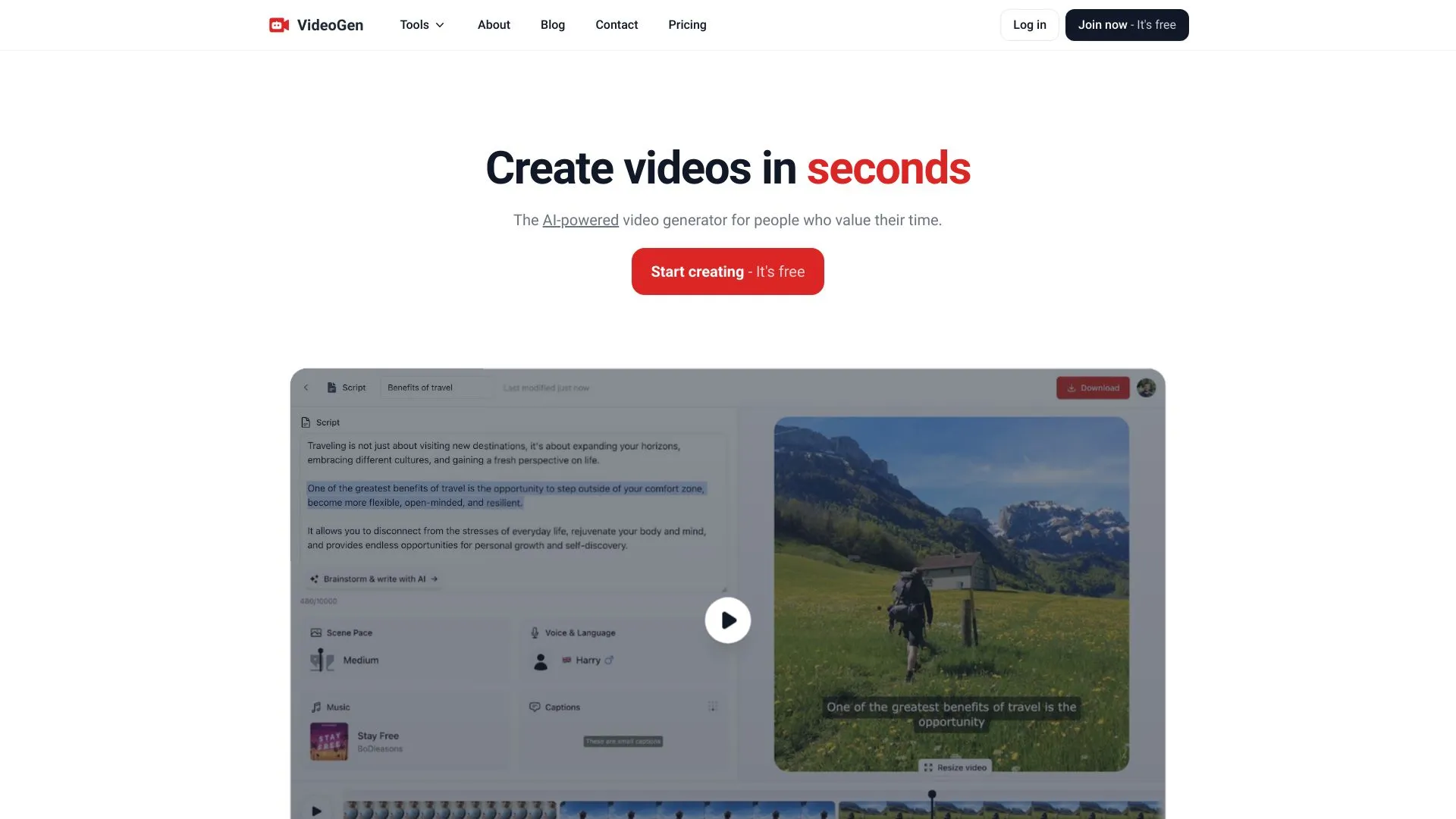
VideoGen turns scripts, storyboards, slides, voiceovers, and existing footage into videos through guided AI workflows. Users can build a video shot by shot, start from a blank editor, or restyle a video they already have. The platform supports outputs such as product ads, explainers, training videos, and social content, with integrations for workflows involving ChatGPT, Premiere, Zapier, and its API.
Promote this Tool
Update this Tool
VideoGen - AI Video Generator
VideoGen turns scripts, storyboards, slides, voiceovers, and existing footage into videos through guided AI workflows. Users can build a video shot by shot, start from a blank editor, or restyle a video they already have. The platform supports outputs such as product ads, explainers, training videos, and social content, with integrations for workflows involving ChatGPT, Premiere, Zapier, and its API.
Ads
What is VideoGen - AI Video Generator?
VideoGen is an AI video creation platform for producing and shaping videos across marketing, e-commerce, education, and workplace training workflows. Start with a written script, storyboard, voiceover, slide deck, or existing video, or open the editor to begin from scratch. Storyboard workflows let users build a video shot by shot, while video-to-video workflows can restyle existing footage. The platform also supports product ads, explainers, tutorials, presentations, and social videos. AI agents work alongside the user through the creation process, keeping the workflow user-directed. Integrations include making videos through ChatGPT, continuing edits in Premiere, automating workflows with Zapier, and connecting through the VideoGen API.
Who will use VideoGen - AI Video Generator?
- Marketing and advertising teams
- E-commerce businesses creating product videos
- Content creators and social media teams
- Learning and development teams
- Educators creating lessons and explainers
- Businesses producing tutorials, demos, and presentations
- Developers building custom video workflows with the API
How to use the VideoGen - AI Video Generator?
- Step1: Sign up and open VideoGen.
- Step2: Choose a starting workflow, such as a script, storyboard, voiceover, slide deck, existing video, or blank editor.
- Step3: Work with the AI agents to develop the video while directing the creation process.
- Step4: Refine the result in the editor or continue editing through the Premiere integration.
- Step5: Connect ChatGPT, Zapier, or the API when they fit your workflow.
Platform
- Web
- Android
- iOS
- Mac
- Windows
VideoGen - AI Video Generator's Core Features & Benefits
The Core Features
- Generate videos from scripts
- Build videos shot by shot with storyboards
- Turn slide decks and voiceovers into videos
- Restyle existing videos
- Create product ads, explainers, tutorials, and social videos
- Integrate with ChatGPT, Premiere, Zapier, and the VideoGen API
The Benefits
- Create video content from several different starting materials
- Keep users involved in directing the creation process
- Support repeatable content workflows across marketing, training, and education
- Connect video creation with existing editing and automation workflows
VideoGen - AI Video Generator's Main Use Cases & Applications
- Creating product ads and e-commerce videos
- Producing social media videos
- Making explainers and tutorial videos
- Building workplace training and learning content
- Turning presentations and slide decks into videos
- Restyling existing video footage
- Automating video creation workflows
VideoGen - AI Video Generator's Pros & Cons
The Pros
Supports multiple starting points, including scripts, storyboards, slides, voiceovers, and existing videos.
Offers workflows for ads, explainers, training, tutorials, and social content.
Connects with ChatGPT, Premiere, Zapier, and an API.
The Cons
The creation workflow is collaborative and user-directed, rather than a fully autonomous video production process.
Getting started with the app requires signing up.
VideoGen - AI Video Generator's Pricing
| Has free plan | No |
|---|---|
| Free trial details | |
| Pricing model | Paid |
| Is credit card required | No |
| Paid from | 12 USD |
| Has lifetime plan | No |
| Billing frequency | Annually |
Details of Pricing Plan
Pro
12 USDBusiness
74 USD- Unlimited videos per month
- Character limit per video: 30,000 characters
- iStock® downloads (50 per month)
- Storage: 500 GB
- 100+ AI avatars
- Video downloads
- Full commercial use rights
- Upload custom media
- Generative image style videos
- Unlimited brands
Enterprise
- Unlimited videos per month
- Custom character limit per video
- Custom iStock® downloads
- Custom storage
- 100+ AI avatars
- Video downloads
- Full commercial use rights
- Upload custom media
- Generative image style videos
- Unlimited brands
- Priority support
- Dedicated account manager
- Early access to new features
Discount:Save 50% with yearly billing
For the latest prices, please visit: https://videogen.io/pricingFAQs of VideoGen - AI Video Generator
VideoGen - AI Video Generator Company Information
- Website:
- Company Name: VideoGen
- Support Email:
- Facebook:
- X(Twitter):
- YouTube:
- Instagram:
- Tiktok:
- LinkedIn:
Analytic of VideoGen - AI Video Generator
Visit Over Time
Monthly Visits
268.0K
Avg Visit Duration
00:02:34
Page Per Visit
3.81
Bounce Rate
36.20%
Jul 2026 - Sep 2026 All Traffic
Geography
Top 5 Regions

India
9.99%
United States
6.71%
Vietnam
6.67%
Brazil
5.46%
Turkey
4.35%
Jul 2026 - Sep 2026 Worldwide Desktop Only
Traffic Sources
Direct
64.38%
SearchOrganic
20.93%
Referrals
3.92%
SocialOrganic
3.36%
GenAi
2.86%
SearchPaid
2.29%
Mail
1.89%
DisplayAds
0.29%
SocialPaid
0.07%
Sep 2026 Desktop Only
Top Keywords
| Keyword | Traffic | Cost Per Click |
|---|---|---|
| videogen | 5.0k | $0.47 |
| video gen | 1.3k | $0.17 |
| videogen pricing | 950 | — |
| tạo video ai | 9.9k | $0.16 |
| ai video gen | 2.2k | $1.39 |

How to install?
VideoGen - AI Video Generator Reviews
5/5
VideoGen - AI Video Generator's Main Competitors and alternatives?
Synthesia
Pictory
Lumen5
Animoto
InVideo
You may also like:
Turn text prompts and reference images into AI-generated videos, images, voiceovers, and reusable character-led content.
Turn text prompts, photos, or reference images into 1080p videos up to 30 seconds with generated dialogue, effects, and music.
Create and refine images, videos, audio, and 3D assets in one canvas, with conversational agents that retain project context.
Magi 2 makes 4–30 second 1080p AI videos with native sound, lip sync and shot cuts placed to the second.
Create synchronized videos up to 30 seconds from text, images, and clips, with camera guidance and consistent characters.
Direct camera action, dialogue, sound and cuts to create or revise short videos up to 30 seconds in 1080p.
Generate videos, images, and music from prompts or references in one workspace using shared credits and a centralized asset library.
Create watermark-free videos from text prompts or photos, with selectable models, aspect ratios, durations, and resolutions.
Turn prompts, images, or references into reviewable video drafts with text-to-video, image-to-video, and first-and-last-frame controls.
Turn a photo, text prompt, or reference image into a short AI video using templates and adjustable generation settings.
Create directed video scenes from text, photos, or paired keyframes, with controls for camera movement, framing, and sound.
Turn prompts and reference media into up-to-30-second videos with directed shots, synchronized sound, and output up to 1080p.
Turn text prompts, photos, or ready-made templates into AI-generated videos, then revisit finished work in your My Creations library.
Generate short videos from text, images, or reference media, with synchronized sound, shot controls, and downloadable MP4 exports.
TeraBox is an all-in-one AI workspace and cloud storage platform for creating presentations, writing content, generating
Create images and short videos from prompts or photos, switching among multiple generation models and reusable templates in one account.
Turn text prompts and images into videos, with options for synchronized audio, frame control, and resolutions up to 4K.
Yovid turns text prompts, photos, or existing clips into downloadable AI videos with model, duration, and resolution controls.
Create short videos from prompts and references, then refine scenes conversationally with native ambience, dialogue, and music direction.
Recreate short viral-style videos by replacing visible subjects, products, objects, or backgrounds while preserving the reference motion and timing.