
- Create Voice Dubs Using AI
- Up To 5 Dubs Per Week
- Up To 1 Cloned Voice Per Week
- Text to Speech Access
- 100% FREE Vocal Remover / Stem Isolation

VoiceDub
0
VoiceDub turns uploaded tracks or pasted links into AI voice covers by separating the vocals, converting them to a selected user-created voice, and balancing them with the instrumental. The browser studio also supports voice cloning from a short recording, duets with two to four voices, text-to-speech, vocal and instrumental stem downloads, and a vocoder for making video or audio clips sing. Finished covers can be downloaded as WAV, stems, or MP3.
Promote this Tool
Update this Tool
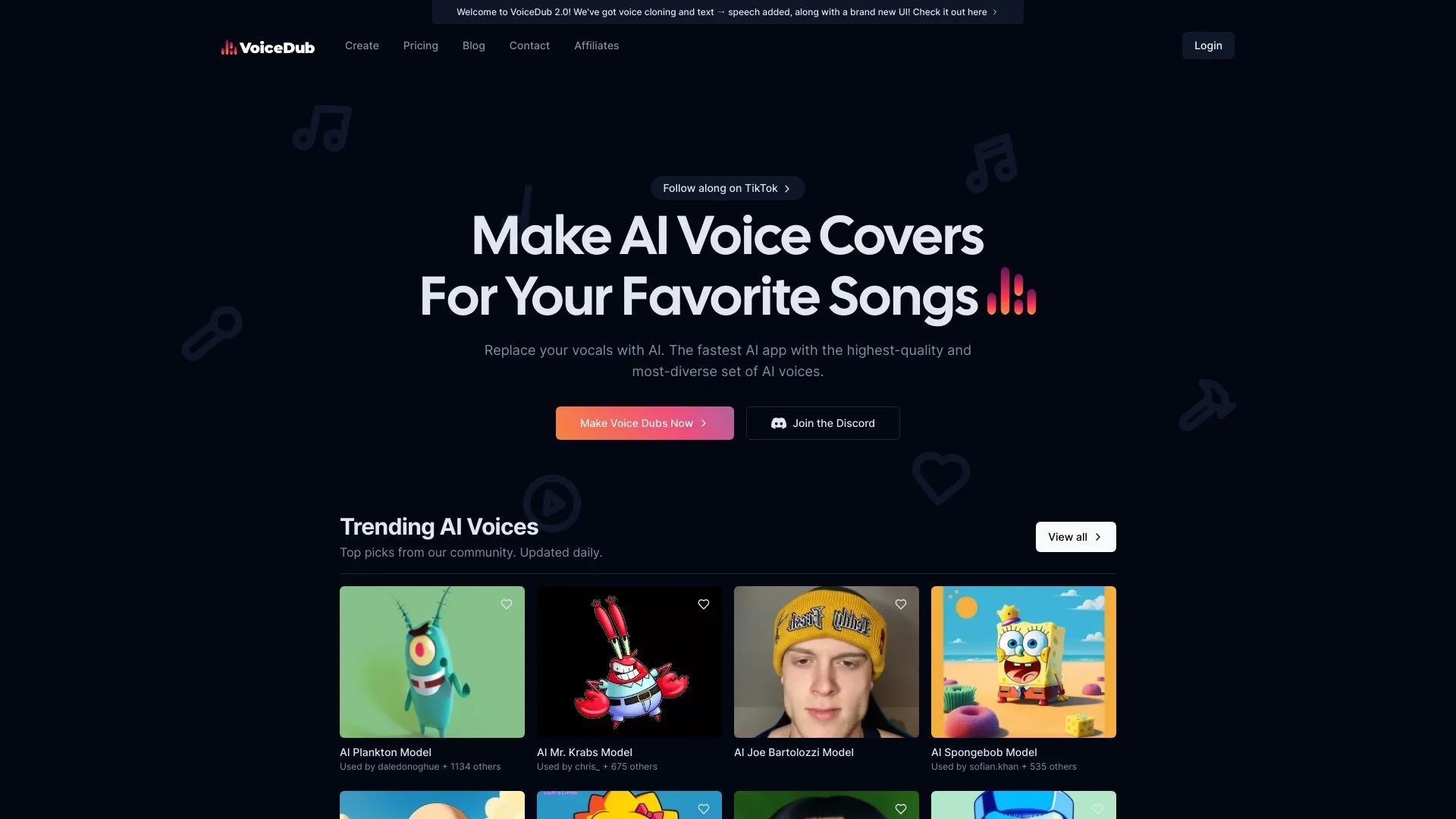
VoiceDub turns uploaded tracks or pasted links into AI voice covers by separating the vocals, converting them to a selected user-created voice, and balancing them with the instrumental. The browser studio also supports voice cloning from a short recording, duets with two to four voices, text-to-speech, vocal and instrumental stem downloads, and a vocoder for making video or audio clips sing. Finished covers can be downloaded as WAV, stems, or MP3.
Ads
What is VoiceDub?
VoiceDub is a browser-based audio studio centered on AI voice covers. Users can upload audio or paste a track link; the service isolates vocals, converts them into a selected voice, then rebalances and masters the vocal against the instrumental. Its voice library contains community-created options, and voice cloning turns a short recording into a reusable profile. The duet tool assigns two to four voices across song sections, with controls to reassign verses and layer choruses. Other tools generate speech from typed scripts, separate vocal and instrumental stems for download, and use a vocoder to make an audio or video clip sing a melody with live preview. Cover exports include WAV, stems, or MP3. The workflow runs in the browser without a DAW or plugins.
Who will use VoiceDub?
- Music fans making AI voice covers
- Creators producing remixes, memes, and short-form audio or video
- Musicians experimenting with vocal arrangements and AI duets
- Voiceover creators generating speech from scripts
- Users who need vocal and instrumental stems
How to use the VoiceDub?
- Step1: Open VoiceDub in a browser and choose a tool, such as Voice Covers, Duets, Voice Cloning, Text-to-Speech, Vocal Remover, or Vocoder.
- Step2: For a cover, paste a track link or upload an audio file; for other tools, provide the relevant recording, script, or clip.
- Step3: Choose a user-created voice, use a saved clone, assign duet voices, or select a melody for the vocoder.
- Step4: Adjust the available section assignments or preview the result, then render or generate the audio.
- Step5: Listen to the output and download the finished cover, speech, clip, or separated stems.
Platform
- Web
VoiceDub's Core Features & Benefits
The Core Features
- Convert a song's vocals into a selected community-created AI voice
- Create a reusable voice profile from a short recording
- Arrange two to four voices across song sections in AI duets
- Generate speech from text using user-created voices
- Separate vocals and instrumentals into downloadable stems
- Use a vocoder to make audio or video clips sing a melody
The Benefits
- Experiment with different vocal interpretations of a track
- Create multi-voice arrangements with editable section assignments
- Prepare isolated vocal and instrumental tracks for reuse
- Generate spoken audio without recording a voiceover take
- Preview vocoder results while moving through a clip
VoiceDub's Main Use Cases & Applications
- Making AI voice covers and remixes
- Creating duet, trio, and quartet song arrangements
- Cloning a voice for covers or spoken audio
- Generating narration and voiceovers from text
- Extracting vocal and instrumental stems
- Making meme, skit, and social clips sing with a vocoder
VoiceDub's Pros & Cons
The Pros
Combines voice covers, cloning, duets, text-to-speech, stem separation, and vocoding in one browser studio.
Supports a large library of user-created voices and lets users make reusable voice profiles.
Duets include controls for assigning voices to sections and layering the chorus.
Cover outputs can include WAV, stems, or MP3.
The Cons
The cover workflow requires a source track or audio file rather than generating a complete song from a text prompt.
Voice cloning requires a voice recording sample.
The tools run in a browser and are not presented as native desktop or mobile applications.
Voice covers focus on vocal conversion and mastering rather than a full DAW-style music production workflow.
VoiceDub's Pricing
| Has free plan | YES |
|---|---|
| Free trial details | |
| Pricing model | freemium |
| Is credit card required | No |
| Paid from | 2.99 USD |
| Has lifetime plan | No |
| Billing frequency | Weekly |
Details of Pricing Plan
Basic
2.99 USDInfluencer
4.99 USD- Everything in Basic
- Up To 100 Dubs Per Month
- Up To 20 Cloned Voices Per Month
- Use Our Latest v2 Instant Voice Cloning
- Faster Processing Times
- Premium Email Support
- Eligible For More Credits
PRO
49.99 USD- Everything in Influencer
- Up To 1000 Dubs Per Month
- Up To 200 Cloned Voices Per Month
- Priority Access To All AI Voice Models
- Custom AI Models
- Faster Processing Times
- < 1 Day Support Response Time
- Eligible For More Credits
Discount:50% Yearly Discount; Influencer plan: First Month 80% Off; PRO plan: First Month 50% Off
For the latest prices, please visit: https://voicedub.ai/?via=creati-aiFAQs of VoiceDub
VoiceDub Company Information
- Website:
- Company Name: VoiceDub.AI
- Support Email:
- Facebook:
- X(Twitter):
- YouTube:
- Instagram:
- Tiktok:
- LinkedIn:
Analytic of VoiceDub
Visit Over Time
Monthly Visits
249.3K
Avg Visit Duration
00:00:55
Page Per Visit
6.01
Bounce Rate
37.94%
Jul 2026 - Sep 2026 All Traffic
Geography
Top 5 Regions

United States
17.8%
Canada
6.08%
Russia
5.29%
United Kingdom
3.74%
Mexico
3.6%
Jul 2026 - Sep 2026 Worldwide Desktop Only
Traffic Sources
SearchOrganic
64.28%
Direct
24.52%
SocialOrganic
3.65%
GenAi
3.60%
Referrals
3.51%
SocialPaid
0.27%
Mail
0.12%
SearchPaid
0.04%
Sep 2026 Desktop Only
Top Keywords
| Keyword | Traffic | Cost Per Click |
|---|---|---|
| voicedub | 2.0k | $1.84 |
| แยกเสียงร้อง | 5.3k | $0.13 |
| ии ковер сделать бесплатно с своим голосом | — | — |
| сделать аи кавер на песню | — | — |
| christopher lloyd voice ai | 260 | — |
VoiceDub Reviews
5/5
Comments (1)

Maria Desi
November 13 2025
jika ditakdirkan Dia untukku
VoiceDub's Main Competitors and alternatives?
Resemble AI
Voice.ai
Dubdub.ai
Ad Auris
You may also like:
Synchronize mouth movements with uploaded audio across videos and images, supporting multiple faces, languages, and head positions.
Understand foreign YouTube videos in your language with automatic translation, natural voice dubbing, and bilingual subtitles across 42 languages.
AI Dubbing provides natural, high-quality video dubbing with support for over 20 languages and 100+ voice tones.
A reliable subtitle search engine that provides all genres of movie subtitles.
Translate videos for global audiences with dubbed speech, synchronized lip movements, subtitles, and localized on-screen text.