
- 2 AI generations/day (6 times in total)
- Import from .docx, .pdf, or .txt
- Import from Google Drive
- Free Input
- 10 pages presentation slides
- Export as .pdf, .ppt, or image
- Watermark included

AiPPT
0
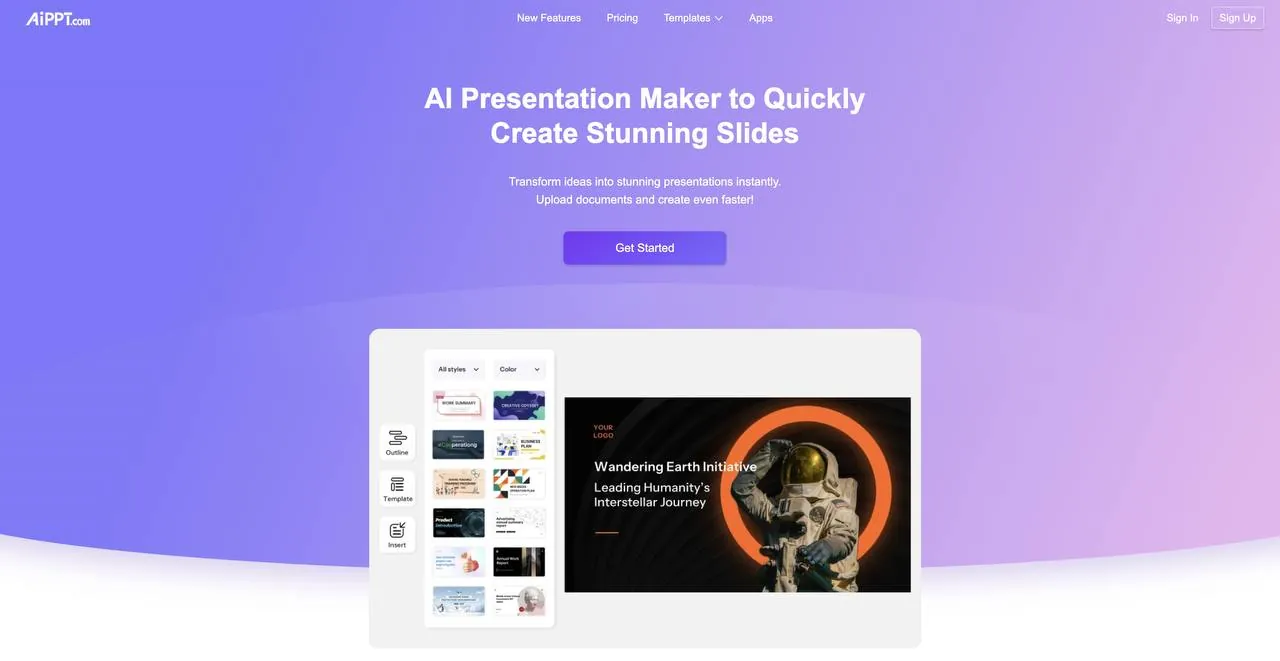
AiPPT turns topics, notes, URLs, and documents into structured presentation slides. Upload PDFs, Word files, PowerPoint or Excel documents, images, or enter text, then choose a theme and customize the generated deck. Conversational editing can revise text, layouts, charts, themes, and visuals, while design refinement adjusts typography, spacing, and slide balance. Export presentations as PPTX, PDF, or images, or share them online.
Promote this Tool
Update this Tool
AiPPT
AiPPT turns topics, notes, URLs, and documents into structured presentation slides. Upload PDFs, Word files, PowerPoint or Excel documents, images, or enter text, then choose a theme and customize the generated deck. Conversational editing can revise text, layouts, charts, themes, and visuals, while design refinement adjusts typography, spacing, and slide balance. Export presentations as PPTX, PDF, or images, or share them online.
Ads
What is AiPPT?
AiPPT creates presentation drafts from topics, pasted text, notes, URLs, and uploaded files, including PDFs, Word documents, PowerPoint files, Excel documents, and images. It extracts key information and organizes it into slide outlines, layouts, and visuals. Users can apply a professionally designed template or customize a theme, then edit slide content and styling. Conversational editing supports requests to rewrite text, change layouts or themes, add charts, and modify visuals. Design refinement can adjust typography, visual hierarchy, spacing, and page-level balance. AiPPT also provides workflows for converting documents and other content into presentations. Finished decks can be exported as editable PPTX, PDF, or image files, or shared online for use with standard presentation tools.
Who will use AiPPT?
- Business analysts and professionals
- Teachers and educators
- Students and researchers
- Product designers
- Sales and marketing teams
- People preparing business, education, research, or creative presentations
How to use the AiPPT?
- Step1: Enter a topic or paste text, notes, or a URL, or upload a supported document or image.
- Step2: Let AiPPT structure the content and generate presentation slides.
- Step3: Choose a template or theme and customize the slide content, layouts, charts, and visuals.
- Step4: Refine typography, spacing, and slide balance, using conversational editing where helpful.
- Step5: Export the deck as PPTX, PDF, or images, or share it online.
Platform
- Web
AiPPT's Core Features & Benefits
The Core Features
- Generate slides from topics, text, URLs, and uploaded files
- Parse documents and extract key information for presentations
- Edit slides through conversational instructions
- Apply and customize presentation themes and templates
- Refine typography, hierarchy, spacing, and layouts
- Export presentations as PPTX, PDF, or images and share online
The Benefits
- Build a structured presentation from existing materials
- Reduce manual slide layout and formatting work
- Customize generated decks for different audiences and purposes
- Reuse and edit presentation content in standard tools
AiPPT's Main Use Cases & Applications
- Creating business presentations and pitch decks
- Turning lesson materials into classroom slides
- Converting research papers and reports into presentations
- Transforming PDFs, Word files, spreadsheets, and URLs into slide decks
- Preparing marketing, finance, portfolio, and project presentations
AiPPT's Pros & Cons
The Pros
Accepts a range of inputs, including text, URLs, documents, and images
Generated slides remain editable and can be exported in common presentation formats
Offers conversational editing and automated design refinement
Includes templates for business, education, research, and other presentation scenarios
The Cons
Generated presentations may need review and manual refinement to fit the user's content and style.
AiPPT's Pricing
| Has free plan | YES |
|---|---|
| Free trial details | |
| Pricing model | Freemium |
| Is credit card required | No |
| Paid from | 0 |
| Has lifetime plan | No |
| Billing frequency |
Details of Pricing Plan
Free
0Plus
0- 20 AI generations/day
- Import from .docx, .pdf, or .txt
- Import from Google Drive
- 20 pages presentation slides
- Export as .pdf, .ppt, or image
- Watermark free
Pro
0- 40 AI generations/day
- Import from .docx, .pdf, or .txt
- Import from Google Drive
- 40 pages presentation slides
- Export as .pdf, .ppt, or image
- Watermark free
FAQs of AiPPT
AiPPT Company Information
Analytic of AiPPT
Visit Over Time
Monthly Visits
733.9K
Avg Visit Duration
00:02:19
Page Per Visit
3.58
Bounce Rate
37.36%
Jul 2026 - Sep 2026 All Traffic
Geography
Top 5 Regions

India
36.16%
Indonesia
11.86%
United States
5.82%
Russia
2.83%
Philippines
2.27%
Jul 2026 - Sep 2026 Worldwide Desktop Only
Traffic Sources
SearchOrganic
57.34%
SearchPaid
20.58%
Direct
15.57%
Referrals
2.42%
DisplayAds
1.50%
SocialOrganic
1.15%
GenAi
0.99%
SocialPaid
0.18%
Mail
0.17%
Affiliate
0.10%
Sep 2026 Desktop Only
Top Keywords
| Keyword | Traffic | Cost Per Click |
|---|---|---|
| aippt | 16.8k | $0.81 |
| gamma ai | 897.3k | $0.31 |
| ai ppt maker | 30.6k | $0.40 |
| ppt maker ai | 30.8k | $0.13 |
| ai ppt | 21.7k | $0.71 |

How to install?

How to install?
AiPPT Reviews
5/5
Comments (1)

ANGELA YOLANDA VASQUEZ GOMEZ
August 21 2025
El proceso de creación, sanción y promulgación de una ley penal especial en Guatemala, según la Constitución, consta de varias etapas. Inicia con la iniciativa de ley, seguida de la discusión y aprobación en el Congreso de la República, la sanción por parte del Presidente, la publicación en el Diario Oficial, y finalmente, su entrada en vigencia.
1. Iniciativa de Ley:
• El proceso comienza con la presentación de una iniciativa de ley ante la Dirección Legislativa del Congreso.
• Esta iniciativa puede ser presentada por diputados, el Organismo Ejecutivo, la Corte Suprema de Justicia, la Universidad de San Carlos, o el Tribunal Supremo Electoral, según lo establecido en la Constitución (artículo 174).
• La Dirección Legislativa verifica que la iniciativa cumpla con los requisitos de redacción, estilo y protocolo, y le asigna un número para su identificación.
2. Discusión:
• La iniciativa es enviada a la comisión o comisiones correspondientes del Congreso, donde se analiza y discute a fondo.
• Se realizan audiencias públicas para escuchar a expertos, organizaciones y ciudadanos interesados en el tema.
• El pleno del Congreso discute la iniciativa en tres debates, en diferentes sesiones.
3. Aprobación:
• Después de la discusión, si la iniciativa cuenta con el apoyo de la mayoría absoluta de los diputados presentes, se aprueba en tercer debate.
• La aprobación se formaliza mediante un decreto legislativo.
4. Sanción:
• El decreto legislativo aprobado se envía al Organismo Ejecutivo (Presidente) para su sanción.
• El Presidente puede sancionar (aceptar) el decreto o vetarlo (rechazarlo).
• Si el Presidente no objeta el decreto en un plazo de 15 días, se considera sancionado.
• En caso de veto, el Congreso puede reconsiderar el decreto y, si lo aprueba por una mayoría calificada (dos tercios de los votos), el decreto se convierte en ley, incluso sin la sanción del Presidente.
5. Publicación:
• Una vez sancionado, el decreto se publica íntegramente en el Diario Ofici
AiPPT's Main Competitors and alternatives?
Beautiful.ai
Tome.app
Decktopus AI
Prezi
SlidesGPT
You may also like:
Repurpose PDFs into videos, presentations, flipbooks, landing pages, and AI chatbots with AI.
Convert PDFs, including scanned files, into natural speech with OCR, 142+ languages, and MP3 export for listening anywhere.
Turn YouTube videos, PDFs, audio, and webpages into concise notes, transcripts, translations, and editable mind maps.
Remove image backgrounds and process PDFs, text, code data, colors, and calculations in browser without signup.
All-in-one online PDF toolkit for converting, editing, securing, and organizing documents in seconds.
AI OCR tool that converts images and PDFs into editable text quickly, securely, and accurately.
OnlyDoc's free PDF summarizer reads through a PDF and pulls out the key points in a clean, structured summary
All-in-one AI assistant for chat, writing, study help, image creation, and video generation in one browser-based platform.
AI Formatter instantly formats professional documents with AI-powered resume, cover letter, and agenda tools.
AI-powered PDF document translation with high accuracy and fast, free, supporting 100+ languages.
AI-powered PDF reader that summarizes, translates, and analyzes your PDFs instantly.
Saladict is a pop-up dictionary and page translator supporting AI, web, PDF translation, and word notebook.
Create AI-powered presentations from websites, PDFs, and Word documents with one click.