
- Text to image
- Uncrop
- Background Removal: 20/24h
- Image Upscaler x2: 20/24h
- Cleanup: 20/24h
- Relight: 20/24h
- Text Remover: 50/24h
- Replace Background

Clipdrop
0
Clipdrop brings image editing and generation tools together in a browser-based suite. Upload a picture to remove its background, erase objects or text, clean defects, relight it, upscale it, or extend its canvas with Uncrop. You can also replace backgrounds, resize images for social media, and generate high-resolution realistic visuals from text. The tools are available individually, with an API for bringing AI image capabilities into other products.
Promote this Tool
Update this Tool
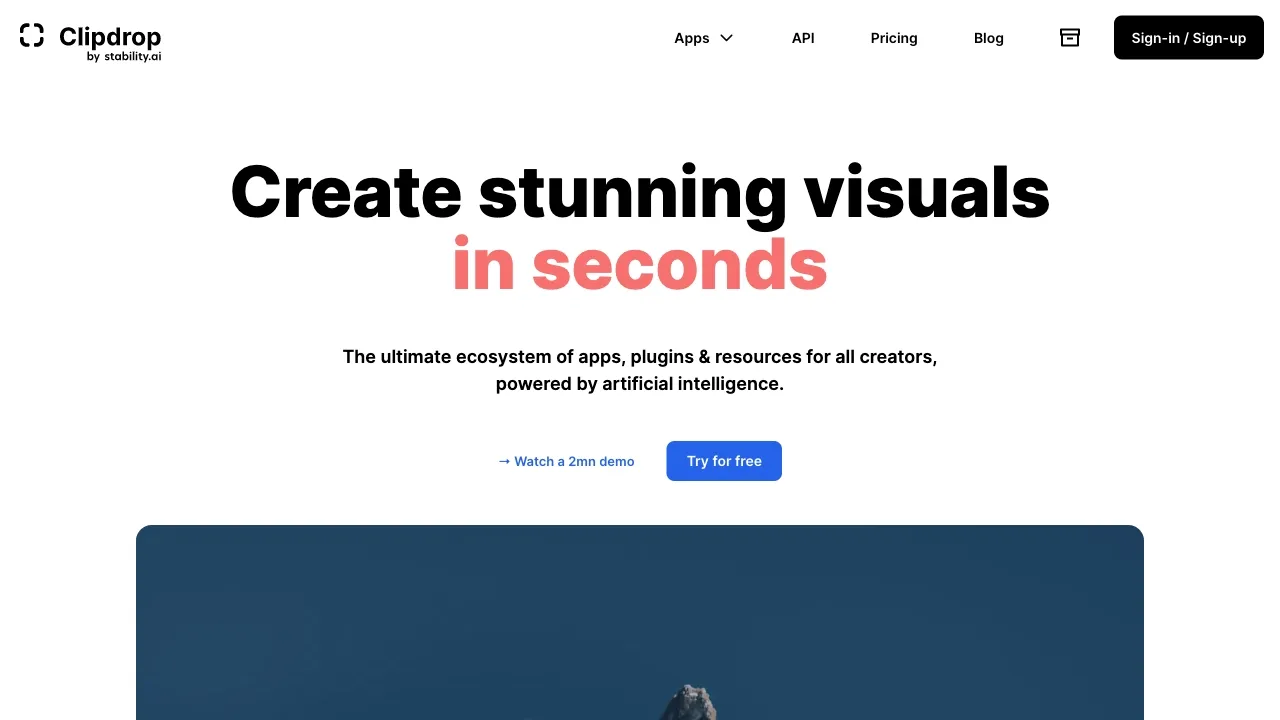
Clipdrop brings image editing and generation tools together in a browser-based suite. Upload a picture to remove its background, erase objects or text, clean defects, relight it, upscale it, or extend its canvas with Uncrop. You can also replace backgrounds, resize images for social media, and generate high-resolution realistic visuals from text. The tools are available individually, with an API for bringing AI image capabilities into other products.
Ads
What is Clipdrop?
Clipdrop offers focused tools for common image creation and editing tasks. Remove Background extracts the main subject, while Cleanup removes selected objects, people, text, and defects. Replace Background changes an image’s setting, and Text Remover targets lettering. Image Upscaler enlarges images by 2x or 4x and can reduce noise and recover detail. Relight adjusts lighting, Uncrop extends photos to new formats, and Universal Resizer prepares images for social media. Text to Image generates high-resolution realistic images from prompts. Users can work with the tools individually, and developers can access image capabilities through Clipdrop’s API. The product is designed around image inputs and outputs rather than a general-purpose design or video workflow.
Who will use Clipdrop?
- Photographers and photo editors
- Graphic designers
- Social media marketers and content creators
- E-commerce sellers preparing product images
- Developers integrating image capabilities through an API
How to use the Clipdrop?
- Step1: Open Clipdrop in a browser and choose an image tool.
- Step2: For editing tools, upload the image you want to change; for Text to Image, enter a prompt.
- Step3: Select or describe the change, such as removing an object, replacing a background, or enlarging the image.
- Step4: Review the generated or edited result.
- Step5: Download the finished image.
Platform
- Web
- Android
- iOS
Clipdrop's Core Features & Benefits
The Core Features
- Remove image backgrounds
- Erase objects, people, text, and defects
- Generate images from text prompts
- Replace backgrounds and relight images
- Upscale images by 2x or 4x and reduce noise
- Uncrop and resize images for different formats
The Benefits
- Prepare images for social media with dedicated resizing
- Clean up photos without manually retouching every unwanted element
- Create realistic visuals from text prompts
- Improve image size and detail with an upscaling tool
- Access multiple image tasks from one browser-based suite
Clipdrop's Main Use Cases & Applications
- Removing backgrounds from product or portrait photos
- Erasing unwanted objects, people, text, or defects from images
- Generating images from text prompts
- Replacing image backgrounds for new compositions
- Upscaling and reducing noise in images
- Resizing or uncropping images for social media and other formats
- Relighting photos for a different look
Clipdrop's Pros & Cons
The Pros
Offers a broad set of focused image tools, including background removal, cleanup, relighting, and upscaling.
Background removal and Cleanup are described as free to use.
Generated images can be used commercially according to the stated terms.
An API is available for integrating image capabilities into other products.
The Cons
The product focuses on individual image tasks rather than a full-featured design or layered photo-editing workflow.
The listed product surface is browser-based, so it may not suit users seeking a dedicated mobile or desktop app.
Clipdrop's Pricing
| Has free plan | YES |
|---|---|
| Free trial details | |
| Pricing model | freemium |
| Is credit card required | No |
| Paid from | 15 USD |
| Has lifetime plan | No |
| Billing frequency | monthly |
Details of Pricing Plan
Free
0 USDPro
15 USD- Skip Queue Text to image: 1000/24h
- Skip Queue Uncrop: 1000/24h
- High Resolution Background Removal: 1000/24h
- High Resolution Image Upscaler x16: 1000/24h
- High Resolution Cleanup: 1000/24h
- High Resolution Relight: 1000/24h
- High Resolution Text Remover: 1000/24h
- High Resolution Replace Background: 1000/24h
FAQs of Clipdrop
Clipdrop Company Information
- Website:
- Company Name: ClipDrop
- Support Email:
- Facebook:
- X(Twitter):
- YouTube:
- Instagram:
- Tiktok:
- LinkedIn:
Analytic of Clipdrop
Visit Over Time
Monthly Visits
543.9K
Avg Visit Duration
00:01:27
Page Per Visit
3.05
Bounce Rate
47.10%
Jul 2026 - Sep 2026 All Traffic
Geography
Top 5 Regions

India
9.79%
United States
9.73%
Japan
5.73%
Spain
5.53%
Mexico
4.38%
Jul 2026 - Sep 2026 Worldwide Desktop Only
Traffic Sources
Direct
47.92%
SearchOrganic
37.16%
SocialOrganic
5.87%
Referrals
3.72%
GenAi
3.67%
DisplayAds
0.95%
Mail
0.62%
Affiliate
0.06%
SearchPaid
0.03%
SocialPaid
0.02%
Sep 2026 Desktop Only
Top Keywords
| Keyword | Traffic | Cost Per Click |
|---|---|---|
| clipdrop | 28.3k | $0.32 |
| uncrop | 2.7k | $0.19 |
| relight | 4.7k | $5.23 |
| remove text from image | 30.0k | $0.39 |
| clipdrop ai | 1.9k | $0.30 |
Clipdrop Reviews
5/5
Clipdrop's Main Competitors and alternatives?
Canva
Adobe Photoshop
Remove.bg
Fotor
Pixlr
You may also like:
Browser-based AI embroidery tool for converting images, previewing stitch files, and inspecting machine formats.
Tiramisu AI is an all-in-one online studio for text-to-video, image-to-video, image generation and editing.
AI-powered tool to extend and enlarge photos naturally without distortion or watermark.
Hive is a Node.js framework enabling orchestration of multi-agent AI workflows with memory management and tool integrations.
Create polished product photos and videos with prompt-based generation, background removal, retouching, upscaling, and batch editing.
Face Crop Jet detects and crops faces from photos for ID cards quickly and efficiently.
AutoCropper: Effortlessly batch crop multiple scanned photos into separate images with AI-powered technology.
Turn clips, text, or images into edited social videos with captions, templates, voiceovers, and AI-assisted effects.