
- 400 credits per seat per month
- Billed monthly at $20 per seat

InVideo
0
invideo lets editors upload footage, describe changes in plain language, and have AI agents find specific moments or apply edits across multiple shots. Work on a multitrack timeline, review and adjust cuts, and use tools for color, audio, and 3D. The editor also supports storyboarding, scriptwriting, custom agents, and real-time collaboration for creative teams.
Promote this Tool
Update this Tool
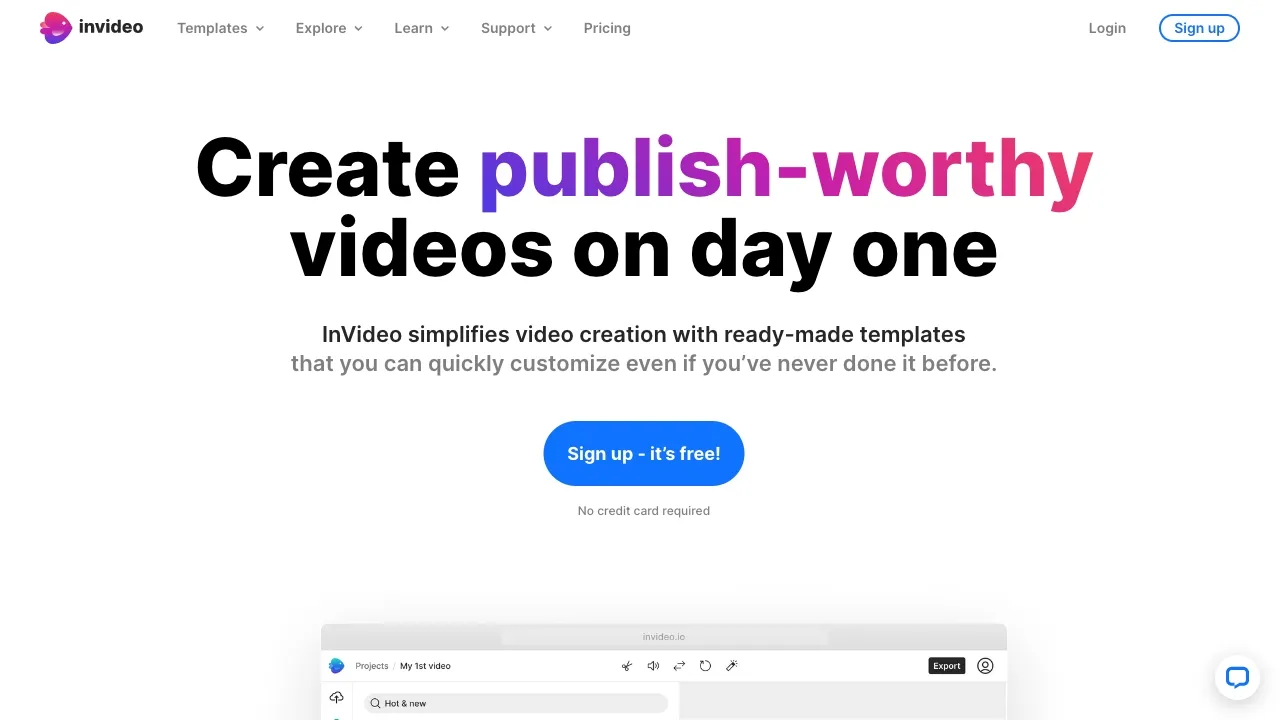
invideo lets editors upload footage, describe changes in plain language, and have AI agents find specific moments or apply edits across multiple shots. Work on a multitrack timeline, review and adjust cuts, and use tools for color, audio, and 3D. The editor also supports storyboarding, scriptwriting, custom agents, and real-time collaboration for creative teams.
Ads
What is InVideo?
invideo is an AI-assisted video editor built around footage editing on a multitrack timeline. Upload clips and describe a moment to find; the editing agent watches and logs footage so you can locate shots through descriptions. Give it one direction to make changes across multiple shots, such as cutting pauses or matching a look, then take control of the timeline and review edits frame by frame. The workspace includes storyboarding that turns a script or idea into a shot-by-shot plan, scriptwriting with an AI co-writer, and professional color, audio, and 3D tools. Teams can collaborate with live cursors, while custom agents can take roles such as cinematographer or music designer. Users can also connect external agents to trim, grade, and mix on the timeline.
Who will use InVideo?
- Video editors
- Filmmakers and creative professionals
- Advertising and marketing teams
- Social media creators
- Producers and collaborative video teams
How to use the InVideo?
- Step1: Create an invideo account and start a project.
- Step2: Upload footage to the project.
- Step3: Describe the moment or edit you need in plain language.
- Step4: Review the agent’s changes on the multitrack timeline and adjust the cut as needed.
- Step5: Collaborate with teammates or use storyboarding and scriptwriting tools, then export the finished video.
Platform
- Web
InVideo's Core Features & Benefits
The Core Features
- Search footage moments using natural-language descriptions
- Apply edits across multiple shots from a single direction
- Multitrack timeline editor with frame-level review
- Scriptwriting and AI-assisted storyboarding
- Real-time multiplayer editing with live cursors
- Custom and connected agents for editing tasks
The Benefits
- Find footage moments without scrubbing through every clip
- Reduce repetitive edits across many shots
- Keep editorial control over AI changes on a timeline
- Coordinate creative work with collaborators
InVideo's Main Use Cases & Applications
- Finding a specific moment in uploaded footage
- Applying consistent edits across many shots
- Editing and reviewing video on a multitrack timeline
- Planning scenes from a script or idea
- Collaborative filmmaking and advertising production
- Creating multiple social-media video cuts
InVideo's Pros & Cons
The Pros
Natural-language instructions let users request edits without specialized prompt writing.
Agents can locate moments and apply changes across multiple shots.
Includes a full multitrack timeline and professional color, audio, and 3D tools.
Real-time multiplayer editing and custom agent roles support team workflows.
The Cons
Monthly credit allowances vary by subscription tier, so usage is plan-limited.
Access to advanced agents, models, and features depends on the selected plan.
The Starter plan provides Agent Two Lite and does not include Seedance 2.5.
InVideo's Pricing
| Has free plan | No |
|---|---|
| Free trial details | |
| Pricing model | subscription |
| Is credit card required | YES |
| Paid from | 20 USD |
| Has lifetime plan | No |
| Billing frequency | monthly/yearly |
Details of Pricing Plan
Starter
20 USDPlus
60 USD- 2,000 credits per seat per month
- Billed monthly at $60 per seat
- 10 free guest seats with 190 credits each
Max
250 USD- 8,000 credits per seat per month
- Billed monthly at $250 per seat
- 20 free guest seats with 190 credits each
Discount:Annual plans are advertised at 50% off and include unlimited image generation for 30 days.
For the latest prices, please visit: https://invideo.io/pricing/FAQs of InVideo
InVideo Company Information
- Website:
- Company Name: InVideo
- Support Email:
- Facebook:
- X(Twitter):
- YouTube:
- Instagram:
- Tiktok:
- LinkedIn:
Analytic of InVideo
Visit Over Time
Monthly Visits
6.6M
Avg Visit Duration
00:02:16
Page Per Visit
5.38
Bounce Rate
39.41%
Jul 2026 - Sep 2026 All Traffic
Geography
Top 5 Regions

United States
15.02%
India
14.55%
Brazil
6.5%
Philippines
3.06%
United Kingdom
2.56%
Jul 2026 - Sep 2026 Worldwide Desktop Only
Traffic Sources
SearchOrganic
50.02%
Direct
33.14%
GenAi
3.93%
SearchPaid
3.80%
SocialOrganic
3.26%
Referrals
2.81%
Affiliate
1.64%
DisplayAds
0.61%
Mail
0.57%
SocialPaid
0.23%
Sep 2026 Desktop Only
Top Keywords
| Keyword | Traffic | Cost Per Click |
|---|---|---|
| invideo ai | 342.8k | $0.52 |
| invideo | 132.7k | $0.78 |
| ai video generator | 421.2k | $0.80 |
| free ai video generator | 251.1k | $0.70 |
| elevenlabs | 3265.4k | $0.20 |
InVideo Reviews
5/5
InVideo's Main Competitors and alternatives?
You may also like:
Turn two photos into a 15-second HD raindance trend video with music, consistent faces, selectable scenes, and downloadable MP4 output.
Create narrated cartoon videos from scripts with locked character appearances, multiple styles, commercial rights, and vertical or landscape formats.
Free AI image & video creator with 20+ models, smart routing, prompt help, AI video & image tools and 1,000+ templates.
Turn product shots, portraits, and old photos into HD MP4 clips by describing motion in plain English.
AI Fruit generates talking fruit videos, meme clips, and ASMR-style short-form content for social media.
Anijam is an AI-native animation platform that turns ideas into polished stories with agentic video creation.
An AI-powered online tool that turns photos into realistic kissing videos and GIFs instantly.
AI video and image generation platform for creating cinematic content with native audio and physics.
LitVideo turns text, images and videos into high-quality AI-generated videos and animations quickly and affordably.
Seedance 2.0 generates 15-second cinematic AI videos from text or images with physics-driven audio and character consistency.
Seedance 2.0 is a multimodal AI video generator creating cinematic 2K videos from text, images, and audio.
Veo 4 AI generates professional 4K videos from text using DeepMind-powered physics-aware and audio-synchronized models.
No Need Invite Code, No Watermark, No $200 ChatGPT Pro, Private Sora 2 up to 25s, 1080p! Powered by OpenAI revolutionary
Wan 2.2 Animate is a free online AI-powered character animation tool with precise facial and body motion control.
Wan Animate offers AI-powered character animation and replacement with precise facial and motion replication.
Create karaoke videos easily online with AI-powered vocal separation and lyrics syncing.